What should you look for?
Wireless Wi-Fi extender
Choose this if: you want to reach one problem spot and have an intermediate location with a good signal from the router.
Trade-off: the connection between the extender and router remains wireless, so it still has to get through the obstacles between them.
Wired access point
Choose this if: you can run an Ethernet cable to your gaming room or somewhere nearby.
Trade-off: running a cable takes effort. Check that the device has a suitable access point mode and an Ethernet port.
Powerline with Wi-Fi or Ethernet
Choose this if: running a cable isn’t practical and a wireless extender can’t get a good connection to the router.
Trade-off: actual throughput depends on your electrical wiring. Test the adapters in the sockets you plan to use.
Mesh system with multiple points
Choose this if: several areas of your home need coverage and you can position the Wi-Fi points effectively.
Trade-off: more points don’t guarantee a good connection through thick walls. Compare where to place them and whether they can be wired together.
First, test your internet speed using a cable connected to the router. The Dutch Consumers’ Association recommends positioning Wi-Fi points so they have to pass through as few obstacles as possible to reach each other.
| Concern |
What to look for |
Who should pay particular attention? |
| Signal through thick walls |
Look for an intermediate spot with a usable signal from the router. Use the device’s positioning guide or signal indicator. |
If I want to reach my gaming room beyond a thick wall, the point itself still needs a connection to the router. Around 40% of consumers say coverage is their main concern. |
| Download speed in the gaming area |
First test the connection using a cable at the router, then compare it with the connection where your console or PC is set up. |
I want large updates to download faster in my gaming area, not just to see more Wi-Fi bars. Around 31% of consumers prioritise their download connection. |
| Installation without an Ethernet cable |
Check where the sockets are and test powerline adapters in the locations you plan to use. |
If I can’t run a cable to my gaming room, I want to know whether a wireless solution or powerline will work in practice. Around 15% of consumers say installation without a cable route is their main concern. |
| Compatibility and running costs |
Check your router and the exact hardware version. Also compare how many Wi-Fi points you need and how much energy they use. |
I want an extension that works with my router and doesn’t require more points than necessary. Around 14% of consumers focus mainly on compatibility and total running costs. |
Products on Joybuy
These product picks focus on mesh systems with multiple points and wired access points for Wi-Fi in your gaming area.
 No image available
TP-Link Deco X50 (3-pack), dual-band Wi-Fi 6
A multi-point mesh kit for anyone looking to extend Wi-Fi coverage to different areas of their home.
3-pack; dual-band 2.4 GHz/5 GHz; Wi-Fi 6 (802.11ax). The product description mentions optional Ethernet backhaul. Download speed in your gaming area depends on the connection and placement.
View on Joybuy
 No image available
TP-Link Omada EAP653 Wi-Fi 6 access point
A wired access point that can provide Wi-Fi in your gaming area if you can run an Ethernet connection there.
The product name lists 2976 Mbit/s and PoE. These are product specifications, not a measured download speed at your location.
View on Joybuy
 No image available
TP-Link EAP725-Wall Wi-Fi 7 access point
An access point for providing Wi-Fi in your gaming area if you can run a wired connection to it.
Wi-Fi 7; 5012 Mbit/s; PoE. The quoted connection speed doesn’t predict download speeds through the walls in your home.
View on Joybuy
 No image available
TP-Link TL-WA801N access point
An access point to consider if you want to provide Wi-Fi from a location with a wired connection.
Up to 300 Mbps; two antennas; WPS; passive PoE. The product speed doesn’t indicate measured download performance in your gaming area.
View on Joybuy
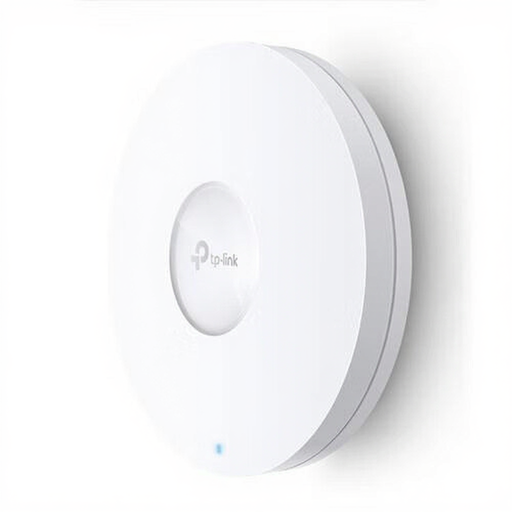 No image available
TP-Link Omada EAP620 HD Wi-Fi 6 access point
A wired access point for Wi-Fi in your gaming area if you can run an Ethernet cable to it.
The product name lists 1201 Mbit/s and PoE. Actual download speed also depends on the connection and placement.
View on Joybuy
Frequently asked questions
Should I buy a new extender straight away if game updates download slowly?
No. First, test the connection using a computer plugged into the router with an Ethernet cable. If the connection is repeatedly much slower than your broadband plan promises, contact your provider. A Wi-Fi extender won’t fix that limitation.
Where should I put a wireless extender?
Don’t automatically put it in your gaming room. Instead, find an intermediate spot with as few obstacles as possible between the Wi-Fi points. Use the device’s positioning guide. The Dutch Consumers’ Association recommends placing it nearer the centre of the home if coverage is weak at the back.
Will an Ethernet cable from my console to a wireless extender help?
That cable only makes the connection between the console and extender wired. If the extender communicates with the router wirelessly, that part of the connection remains wireless. With access point mode and a cable from the router, the connection to the access point is wired.
Do extra Wi-Fi points use electricity?
Yes, extra Wi-Fi points use electricity. So, as well as considering where to place them and the connection you need, compare the energy use of the points required.
What legal product requirement applies to wireless equipment in the Netherlands?
According to the Dutch Authority for Digital Infrastructure, electrical, electronic and radio equipment can only be sold in Europe with CE marking. Since 1 August 2025, stricter European digital security requirements have also applied to almost all wireless devices placed on the market. Check the marking on the product being offered: a listing on a website doesn’t confirm that an individual item meets the requirements.


