First, check whether your internet connection is also slow when you connect to the router using an Ethernet cable. Extra Wi-Fi coverage won’t fix a slow connection or a problem with your study portal. If reception is weak in one study spot, a well-positioned repeater may be suitable. If you can run a cable to that spot, an access point is another option; for several rooms, a mesh system with multiple connected Wi-Fi points may be more appropriate. Before buying a device, check that it works with your router and that the exact model has the CE mark and meets the applicable conformity requirements.
Who is this guide for?
Student in a room with weak Wi-Fi
You can use your study portal near the router, but not reliably at your study spot. First, find out whether a Wi-Fi point placed between the router and your room would still receive a usable signal from the router. The Consumers’ Association recommends considering a spot between the router and the room when reception is weak.
Housemates studying online at the same time
Several devices are using the connection at once. So look beyond coverage: consider your existing internet connection, where the Wi-Fi points will go and whether there’s test information for use with multiple devices. The Consumers’ Association describes Wi-Fi tests involving laptops, smartphones and a television, among other devices.
Student with a fixed, wired workspace
You can run an Ethernet cable to your study spot and want to know whether an access point or a device with access point mode would be suitable. TP-Link describes this mode for the RE605X, while FRITZ! describes a LAN connection for the FRITZ!Repeater 1200 AX.
What should you look for when buying?
Wireless Wi-Fi repeater
Suitable when: reception is poor in one study spot, but the portal works closer to the router and there’s a suitable place in between.
Bear in mind: the repeater still depends on its wireless connection to the router, so placement and obstacles matter.
Wired access point
Suitable when: you can run an Ethernet cable to your fixed study spot and need Wi-Fi there.
Bear in mind: you’ll need to be able to run the cable and check that the device supports the access point mode you need.
Mesh with multiple Wi-Fi points
Suitable when: you need coverage in several rooms, or housemates move around the home while studying.
Bear in mind: multiple points mean extra equipment, and mesh features aren’t interchangeable between systems without checking compatibility.
| What to consider |
What should you check? |
Who is this most important for? |
| Coverage at your study spot |
Compare the connection near the router with the one at your study spot, and look for an intermediate location that still gets a usable signal from the router. |
If I can’t reliably access the portal in one room, I want to know whether a repeater placed along the way will still receive a strong enough signal. Around 33% of consumers are most concerned about coverage at their study spot. |
| Several users at once |
Test your internet connection using a wired connection and compare models using relevant test information for several connected devices. |
When housemates study at the same time, I want to know whether both the Wi-Fi and the internet connection can handle it. Around 25% of consumers prioritise simultaneous use. |
| Wired study spot |
Check whether you can run an Ethernet cable to the spot and whether the exact model supports the access point mode or wired connection you need. |
If I have a fixed workspace and can run a cable to it, I don’t want to rely on a weak wireless connection between the router and the Wi-Fi point. Around 25% of consumers prioritise a wired connection at their study spot. |
| Compatibility and management |
Check compatibility with your exact router model, the mesh features you want to use, available updates and the CE mark on the version you’re buying. |
If you want new Wi-Fi points to work with your existing router, check in advance which features are actually compatible. Around 17% of consumers are most concerned about compatibility and management. |
Common buying mistakes
-
Buying a repeater when the internet connection itself is slow
An extra Wi-Fi point can’t fix a slow internet connection. The Consumers’ Association recommends testing your connection using an Ethernet cable.
First, test the connection using a cable at the router, then compare the result with the connection at your study spot.
-
Putting the repeater in a room with no usable signal from the router
The repeater needs a usable connection to the router itself. A strong signal beside the device doesn’t necessarily tell you anything about that connection.
Find a suitable spot in between first. If you can run a cable to your study spot, consider an access point instead.
-
Assuming mesh works with every router
OneMesh and AiMesh require compatible equipment. A standard range-extending feature doesn’t automatically mean that all proprietary mesh features will be available.
Check the compatibility information for your exact router model and Wi-Fi point.
You may need additional equipment to use the proprietary mesh features you want.
-
Assuming the stated Wi-Fi link speed is the speed of your study portal
Your actual connection also depends on placement, connected devices and your internet service. A stated link speed isn’t a measurement of how quickly your study portal will load.
Use specifications to compare features, and look for test information for the exact model and use with multiple devices where available.
Brands to consider
TP-Link
TP-Link describes the RE605X as a repeater with a placement indicator, gigabit port and access point mode, designed to address a local coverage problem.
- According to TP-Link, OneMesh can be used with a compatible OneMesh router.
- OneMesh functionality isn’t automatically available when you connect it to any router.
FRITZ!
FRITZ! describes the FRITZ!Repeater 1200 AX as a Wi-Fi 6 repeater with gigabit LAN, which can also be used for a fixed study spot with a wired connection.
- The manufacturer describes a LAN connection to a FRITZ!Box and compatibility within FRITZ! Mesh.
- It can be used with other routers, but that doesn’t mean the same FRITZ! Mesh features are available.
ASUS
ASUS describes the RP-AX58 as a Wi-Fi 6 range extender that can act as an AiMesh node with a compatible ASUS router.
- ASUS documents a wired AiMesh connection, as well as use as a standard extender with other routers.
- Advertised speed and capacity comparisons are manufacturer claims based on specific test conditions, not measurements for your study spot.
KPN
KPN SuperWifi is a provider-specific option if you already have a compatible KPN home setup.
- KPN describes management through MijnKPN and options to buy or rent Wi-Fi points.
- Check your modem and installation requirements: with some modems, the first point must be connected by cable before it can be used wirelessly.
Joybuy products
This selection includes mesh systems with multiple Wi-Fi points, wired access points and a repeater for different study setups. Before buying a specific model, check its CE mark and applicable conformity requirements, and make sure its features suit your router and setup.
 No image available
TP-Link Deco BE68 2-pack
A mesh kit to consider if you need multiple Wi-Fi points. Check that the Deco setup you have in mind will work with your existing network.
2-pack; Wi-Fi 7 and tri-band according to the product description. The description also mentions MLO and wired ports on each point.
Joybuy
 No image available
TP-Link Deco X50 3-pack, dual-band Wi-Fi 6
A mesh kit to consider if you want coverage from multiple points around your home. Check that it will work with your existing network.
3-pack; dual-band (2,4 GHz/5 GHz); Wi-Fi 6 (802.11ax).
Joybuy
 No image available
TP-Link Omada EAP653 access point
A wired access point to consider for a fixed study spot where you can run an Ethernet cable.
Wi-Fi 6; the product name lists 2976 Mbit/s and Power over Ethernet (PoE). To use it as an access point, you’ll need a wired network connection at the installation point.
Joybuy
 No image available
TP-Link Omada EAP673-Extender network repeater
A repeater to consider if reception is weak, provided the device itself is still within range of the existing network where you plan to put it.
The product description lists dual-band Wi-Fi 6; the product name lists 10, 100 and 1000 Mbit/s.
Joybuy
 No image available
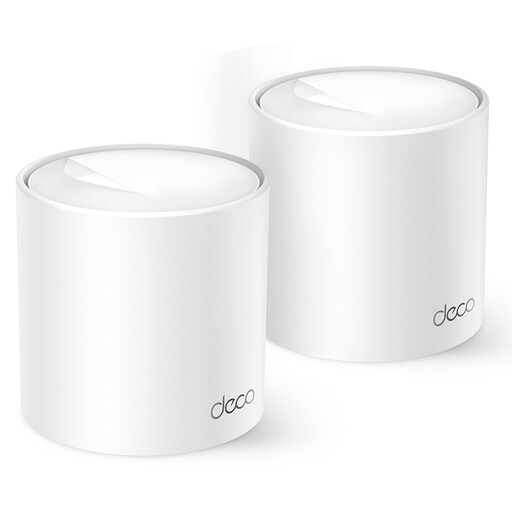
TP-Link Deco X10 dual-band Wi-Fi 6
A mesh system to consider if you want to extend coverage with Wi-Fi points. Check which setup will work with your router and home.
Dual-band (2,4 GHz/5 GHz); Wi-Fi 6 (802.11ax). The product description mentions gigabit ports.
Joybuy
Frequently asked questions
How can you tell whether a Wi-Fi extender will solve your study portal problem?
Compare access and connection quality near the router with those at your study spot, and test your internet connection using an Ethernet cable too. If the wired connection is already slow, look into your internet service first. If only the study portal isn’t working while other websites are accessible, extra Wi-Fi coverage won’t necessarily solve the problem.
Where should you place a wireless repeater?
Place the repeater between the router and your room, somewhere it can still receive a usable signal, with as few obstacles as possible. The Consumers’ Association suggests the middle of the home as a possible location when reception is weak at the far end. An indicator can help you find the right spot.
What warranty are you entitled to for a Wi-Fi extender in the Netherlands?
There’s no fixed period for the statutory warranty in the Netherlands. ACM ConsuWijzer explains that the retailer must offer an appropriate solution if a product proves faulty sooner than you could reasonably expect under normal use.
Do you need a licence for normal Wi-Fi use in the Netherlands?
No. The Digital Infrastructure Inspectorate lists Wi-Fi as licence-exempt frequency use, with no notification or registration requirement, provided you follow the applicable conditions. Also check the CE mark and applicable conformity requirements for the exact model you’re buying.


