
Households downloading at the same time
Several people use Wi-Fi at once and want to know whether slow speeds are caused by wireless coverage or their internet connection.


An extra Wi-Fi access point can help if digital magazines are slow to download mainly in one spot because of a weak Wi-Fi signal. It won’t make your internet package faster. Choose a wireless repeater if it can still receive a usable signal from your router, a wired access point if you can run an Ethernet cable, or several mesh units if multiple rooms need attention. Before buying, check router compatibility and that the version on offer meets the relevant requirements.
Several people use Wi-Fi at once and want to know whether slow speeds are caused by wireless coverage or their internet connection.
Digital magazines are particularly slow to download in one room. The Consumers’ Association (Consumentenbond) points out that where you place a Wi-Fi extender matters: it needs to have a usable connection to the network itself.
Coverage is poor in several places. It’s worth working out whether one extra access point will be enough or whether multiple Wi-Fi points would better suit the layout of your home.
First, compare the connection where you read with the one near your router. This will help you work out whether the main issue is coverage or your internet connection.
| What to consider | What should you check? | Who is this important to? |
|---|---|---|
| Simultaneous use | Compare speeds near the router and in the room where you have problems, including when other people are online. | If several people are online at once, I want to know whether Wi-Fi or the internet connection is causing the slowdown. Around 31% of consumers prioritise simultaneous use. |
| Coverage where you download | Check whether there’s a suitable spot between the router and the room with a weak signal. | I want to download magazines in that one room without placing the repeater where the router’s signal has already dropped out. Around 31% of consumers also prioritise coverage in one particular spot. |
| Wired connection | Check whether you can run an Ethernet cable and whether the device can work as an access point. | If I can run a cable to the spot I need, I want to know whether the device can use that connection. Around 23% of consumers prioritise a wired connection between the router and Wi-Fi point. |
| Compatibility with your router | Note down the full router model and check which mesh features work with it. | I want to keep my existing router and find out in advance which features work with it. Around 15% of consumers pay particular attention to compatibility with their existing network. |
A wireless repeater needs a usable connection to the router itself before it can extend the signal.
Check whether there’s a spot between the router and the room with poor coverage where the signal is still strong enough. The Consumers’ Association (Consumentenbond) suggests using an indicator light or set-up app to help find a suitable location.
If there’s no suitable spot in between, you may need to run a cable or add another Wi-Fi point.
The advertised wireless speed isn’t the same as the speed you’ll experience when downloading magazines. Your internet connection also plays a part.
Compare measurements where you read with measurements near the router, and check the details of your internet package. The ACM ConsuWijzer recommends taking several measurements at different times.
The fact that a repeater can connect to a router doesn’t automatically mean that brand-specific mesh features will be available.
Check your router model and the feature you want. TP-Link says OneMesh on the RE705X requires a OneMesh router; ASUS requires an AiMesh-compatible router for AiMesh on the RP-AX58.
If you need a specific mesh feature, you may need a different router or a different set of Wi-Fi points.
The RE705X is a standalone Wi-Fi 6 repeater with a gigabit port and access point mode. It’s worth considering for one room or a potential cable route.
The FRITZ!Repeater 1200 AX is a compact Wi-Fi 6 option with gigabit LAN to consider, particularly if you have a FRITZ!Box.
The RP-AX58 is a Wi-Fi 6 repeater to consider if you’re looking at an AiMesh-compatible router or access point mode.
The EAX15 is worth considering if you’re looking for a standalone Wi-Fi 6 extender with a gigabit port.
The options below include a mesh system for several rooms, a wireless repeater and wired access points. Before buying, check that the version on offer meets the applicable Dutch requirements for radio equipment and bears the required CE marking; a model name alone doesn’t confirm this.
 No image available
A mesh system with three units to consider if several rooms need better Wi-Fi coverage.
Dual-band (2.4 GHz/5 GHz); Wi-Fi 6 (802.11ax).
 No image available
A wireless repeater to consider if you want to extend your existing network to an area with poor coverage.
Check that the model is compatible with your router and the mode you want to use.
 No image available
An access point to consider if you can run an Ethernet cable to the spot where you need Wi-Fi.
The product name lists 2976 Mbit/s and Power over Ethernet (PoE); this quoted speed isn’t a measured download speed.
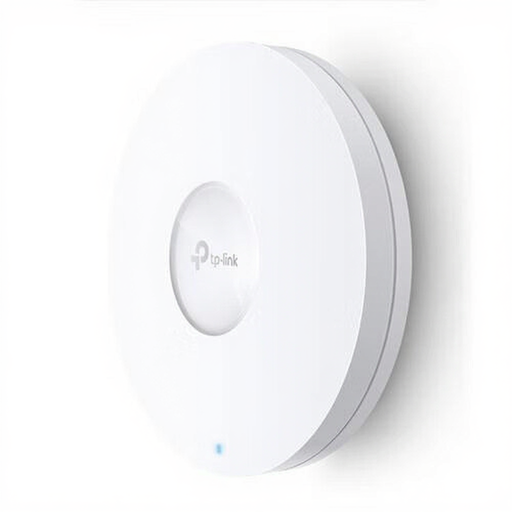 No image available
An access point to consider if you can provide a wired connection where you need Wi-Fi.
The product name lists 1201 Mbit/s and Power over Ethernet (PoE); this quoted speed isn’t a measured download speed.
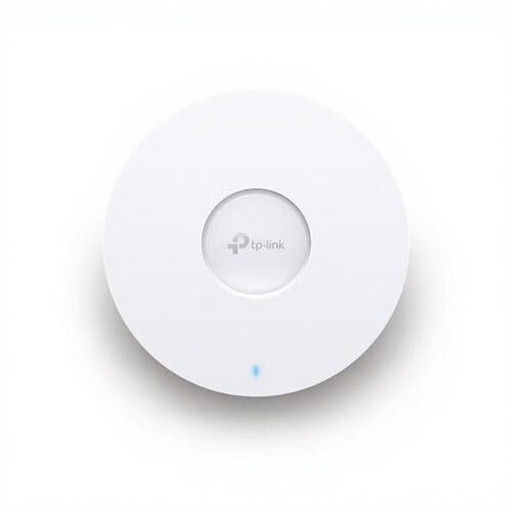 No image available
A wired access point to consider if you want to provide Wi-Fi somewhere with an Ethernet connection.
The product name lists 5400 Mbit/s and Power over Ethernet (PoE); this quoted speed isn’t a measured download speed.
A different Wi-Fi point may help if poor coverage or the connection where you download is the bottleneck. Compare speeds in different places and at different times; an extender won’t change your internet package itself.
Don’t place a repeater somewhere the router’s signal has already dropped out. The Consumers’ Association (Consumentenbond) recommends positioning it between the router and the back of the house if coverage is poor; an indicator light or set-up app can help you find the right spot.
According to the Dutch Authority for Digital Infrastructure (Rijksinspectie Digitale Infrastructuur), home Wi-Fi is licence-exempt if you use the designated frequencies and follow the conditions of use. Radio equipment placed on the European market must meet the applicable conformity requirements and carry a CE marking. Check the version on offer; the model name alone doesn’t confirm that it complies.
In the Netherlands, you have statutory rights in addition to any manufacturer’s warranty. According to ACM ConsuWijzer, the seller is responsible for providing a solution under the applicable conditions if a product is faulty.