
Regular course-material downloader
You regularly download lesson files in your study and want to find out whether Wi-Fi or your internet connection is the bottleneck. Consumentenbond recommends checking the connection and Wi-Fi separately.


A new router is only worth considering if your wired internet connection is working well but the Wi-Fi in your study is letting you down. Test the connection using a cable first, then check Wi-Fi where you work. Consumentenbond recommends a wired speed test to help distinguish connection problems from Wi-Fi issues. If coverage is the main problem, compare better router placement, a single router, a wired access point or mesh. Don’t choose a higher advertised speed unless it suits the way you use the internet.
You regularly download lesson files in your study and want to find out whether Wi-Fi or your internet connection is the bottleneck. Consumentenbond recommends checking the connection and Wi-Fi separately.
Your study is outside the area covered well by your current Wi-Fi access point. In that case, it’s worth comparing placement, an access point or multiple mesh points. Consumentenbond also highlights the importance of checking whether your devices support Wi-Fi 6.
You want to download course materials while other people are online, so you’re considering capacity, connections and how Wi-Fi points link to one another. Consumentenbond discusses both the internet speed you need and ways to improve Wi-Fi coverage.
Test your internet connection and Wi-Fi where you work first. Then compare equipment and decide how many Wi-Fi points you need.
| Concern | What to look for | Who is this most relevant to? |
|---|---|---|
| Download speed | Compare a wired test with a Wi-Fi test where you work. Also check what your laptop and internet connection support. | I want to know whether the delay is caused by Wi-Fi or my internet connection before replacing anything. Download speed is the top priority for around 40% of consumers. |
| Coverage in the study | Test where you work and try moving the Wi-Fi access point. If needed, compare a single router with an access point or mesh system. | If my study is a long way from the router, I want reliable Wi-Fi there without unnecessary equipment. Around 30% of consumers rank coverage as their top priority. |
| Multiple devices | Work out how many devices are active at the same time and whether a wired connection is an option. | I want to download lesson files while other people in my household are using their devices. Simultaneous use is the main concern for around 20% of consumers. |
| Installation and updates | Check which settings are required, who installs firmware updates and how the Wi-Fi points connect to one another. | I want a solution I can install and maintain without extra steps I don’t need. Easy management is the deciding factor for around 10% of consumers. |
A higher advertised Wi-Fi speed won’t automatically make your internet connection faster. A new router may therefore leave the actual problem untouched.
First, test the connection using a cable, then test Wi-Fi where you work. If the wired speed is disappointing, look into your internet connection first.
Distance, walls and floors can weaken the Wi-Fi signal where you work. A different router won’t guarantee good coverage there.
First, try moving the Wi-Fi access point. Then compare a single router with a wired access point or mesh system. An extra point also needs to be positioned and connected to the network.
TP-Link offers the Deco X50 in different pack sizes; the X50-PoE is a separately identified version.
Check the full model name, the number of units and the connections on the exact version you’re considering.
A pack with a different number of units may mean you still need an extra point or a different installation.
The Archer AX55 is a standalone router; the Deco X50 is a mesh system that’s also available as a three-unit pack.
The RT-AX57 is a standalone Wi-Fi 6 router with a range of connection and installation options.
The FRITZ!Box 4060 is a router designed for use behind a modem, with telephony and home-networking features too.
This selection of Joybuy products includes standalone Wi-Fi routers and mesh solutions for a home office. Compare the connections, version and any additional Wi-Fi points with your own setup.
 No image available
A standalone router to compare if you want to improve Wi-Fi in your study and also use wired connections.
The product information lists three 1 Gbps Ethernet ports, AiMesh expansion, OFDMA and MU-MIMO. The product name specifies dual-band (2.4 GHz / 5 GHz) and Wi-Fi 6.
 No image available
A mesh set to consider if you want to place several Wi-Fi points around your home to improve potentially weaker coverage in your study.
This version includes three units. The product information lists three gigabit Ethernet ports per unit, OFDMA and MU-MIMO. Positioning and the connection between the points are still important.
 No image available
A mesh router to compare if you’re considering a mesh solution for your study.
The product description lists Wi-Fi 6 and mesh functionality, with a combined data rate of up to 3000 Mbps. This isn’t a guaranteed download speed.
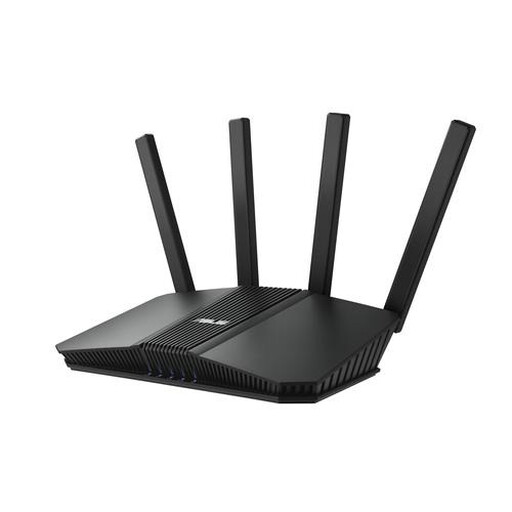 No image available
A standalone router to compare if wired connections are part of what you’re considering for your home office.
The product description lists a 2.5-gigabit port and three additional gigabit LAN ports. The product information specifies Wi-Fi 7 and OFDMA.
 No image available
A standalone router to compare if you’re looking for Wi-Fi 6 and multiple Ethernet ports for your home network.
The product information lists four Ethernet ports, AiMesh, OFDMA and MU-MIMO. The product name specifies AX3000, gigabit Ethernet and dual-band (2.4 GHz / 5 GHz).
First, compare a speed test using a network cable with a Wi-Fi test where you work. If the wired speed is consistently disappointing compared with what your provider promises, speak to your provider about the connection first, as Consumentenbond recommends.
For a TP-Link Deco system, the manufacturer explains how to connect it to an existing router and use it in access point mode. For another system, check its own installation instructions.
If you have your own router, check how firmware updates are provided and installed. VeiligInternetten recommends keeping your router up to date; a provider may update its own router.
Yes. According to ACM ConsuWijzer, you can choose your own router in the Netherlands. The provider must connect it to the network as long as the device meets the same requirements as the provider’s device. If necessary, ask your provider for the settings you need.
No. ACM ConsuWijzer explains that the Dutch legal guarantee has no fixed duration: with normal use, it depends on how long you can reasonably expect the product to last. If the product doesn’t meet that expectation, contact the retailer.