Who is this buying guide for?

Archive users across several floors

If you open the archive in different parts of your home, you can assess the connection in those locations rather than just next to the router. The Consumentenbond tests Wi-Fi range at different locations and distances.

Club administrators considering remote access

First decide whether members need to access the archive when they’re away from home. This is a separate question from Wi-Fi coverage indoors. If the club processes personal data, the Dutch Data Protection Authority says the organisation must protect it properly.

Residents who want to keep their existing router

If you mainly want to extend Wi-Fi to another floor, check which functions the main router will need to continue managing. TP-Link says some advanced features in the Deco app aren’t available when Deco is in access point mode.

What should you look for when choosing Wi-Fi for a club archive?

Keep your existing router and extend Wi-Fi

Suitable when: your current router and internet connection meet your needs, but Wi-Fi is weak on another floor.

Consider: check where functions such as IP address management and port forwarding will remain available. TP-Link notes that the Deco app has limitations in access point mode.

Mesh points with ethernet backhaul

Suitable when: you have a network cable between floors or mesh points.

Consider: cabling requires the right connections and installation. TP-Link describes ethernet backhaul for Deco as the connection between wired units.

Wireless mesh without cabling

Suitable when: installing cables isn’t practical and you can place mesh points where they can maintain a connection with one another.

Consider: adding more points doesn’t guarantee a good connection through floors or walls. The Consumentenbond has found differences in range and speed between the systems it tested.

Separate wired access points

Suitable when: you already have ethernet on each floor and want to combine separate Wi-Fi points with your existing router.

Consider: check the power requirements and how the system is managed. An access point isn’t a router in its own right and won’t provide remote access to the archive.

What to consider What to look for when buying Who should pay particular attention?
Coverage where you use the archive Test the connection where you open the archive and compare how you can expand and position the setup. If I need the archive on several floors, I want to know how the connection performs in those locations. Around 36% of consumers rank coverage as their top priority.
Secure access to the archive Work out where the archive is stored, who needs access and whether it needs to be available from outside the home. Then check the features offered by the router and archive service. If members also need to access the archive from outside the home, I want to establish how that access will be provided first. Around 29% of consumers say secure access is their main concern.
Connection to your existing router Check the connection type, the ethernet ports available and which functions the main router needs to continue managing. If I’m keeping my existing router, I want to know which functions the extension will take over and which will remain with the main router. Around 21% of consumers give keeping their existing router top priority.
Overall setup and management Check whether you’ll need extra Wi-Fi points, cables, switches or a suitable power supply, and how the equipment will be updated. If I’m mainly looking for a suitable setup without unnecessary extras, I want to understand the components and ongoing management involved in advance. Around 14% of consumers prioritise the total cost and ongoing management.

Common buying mistakes

  • Assuming the stated coverage guarantees Wi-Fi on three floors

    A manufacturer’s claim won’t tell you how the signal will travel through the floors and walls in your home. The Consumentenbond tests range in different locations and has found differences between the systems it tested.

    Test the connection where the archive is used, and choose an expandable setup if necessary.

  • Confusing a mesh point with secure remote access

    Wi-Fi coverage at home won’t automatically let club members access the archive from elsewhere. If the archive contains personal data, the club also needs to assess what security measures are appropriate.

    Decide where the archive is stored and who needs access before comparing router features or access solutions.

  • Expecting the same management features in router and access point mode

    According to TP-Link, features including port forwarding and address reservation aren’t available in the Deco app in access point mode.

    Decide in advance which router will manage access to the archive and the IP settings.

Brands to compare for this setup

TP-Link

Deco is an expandable mesh option, with or without a wired connection between points. TP-Link lists Wi-Fi 6 and three gigabit ports per unit for the Deco X50.

  • TP-Link describes ethernet backhaul between Deco units.
  • According to TP-Link, some advanced features aren’t available in the Deco app in access point mode; the main router manages the clients.

FRITZ!

Worth considering if you already have a FRITZ!Box or want to compare VPN connections to devices on your home network. FRITZ! describes the Repeater 3000 AX as connecting via LAN within a compatible FRITZ! mesh network.

  • FRITZ! lists two gigabit LAN ports on the Repeater 3000 AX.
  • Check that your specific devices are compatible. A repeater isn’t a router, archive storage or a replacement for your internet connection.

ASUS

The ZenWiFi BD4 is an expandable dual-band Wi-Fi 7 mesh option. ASUS lists two 2.5G ethernet ports per point.

  • The ports and mesh setup offer specific connection options to compare with your existing cabling.
  • ASUS describes specific cabling and settings for AiMesh with a switch; check these before installation. Stated speed and coverage won’t predict the results in your home.

Ubiquiti

UniFi access points are an option if you want to use ethernet to connect separate Wi-Fi points. According to Ubiquiti, the U7 Pro has a 2.5GbE uplink.

  • Ubiquiti lists PoE+ as the power method for the U7 Pro.
  • The U7 Pro is an access point, not a router or storage for the club archive in its own right.

KPN

SuperWifi 2 is worth considering if your home already has a compatible KPN setup and you’re looking at extending it through your provider.

  • The KPN knowledge base covers SuperWifi 1 and 2 separately.
  • Check which equipment and version you use. Features of SuperWifi 1 don’t automatically apply to SuperWifi 2.

Products for mesh, access points and routers

This selection includes mesh systems for Wi-Fi in several locations, a standalone access point and a router. Compare the connection options with your existing network and test the connection where the archive is used.

ASUS ZenWiFi BT8 mesh system, pack of two units

ASUS ZenWiFi BT8 (2-Pack), Tri-Band Wi-Fi 7

A two-unit mesh system to compare for Wi-Fi in several locations. Test the connection on every floor where the archive is used.

Tri-band: 2.4 GHz, 5 GHz and 6 GHz. Wi-Fi 7 (802.11be).

View at Joybuy

TP-Link Deco X50 mesh system, pack of three units

TP-Link Deco X50 (3-Pack), Wi-Fi 6

A three-unit mesh system to compare if you need several Wi-Fi points. Check where the units can be placed and connected.

Dual-band: 2.4 GHz and 5 GHz. Wi-Fi 6 (802.11ax). TP-Link describes ethernet backhaul for the Deco X50.

TP-Link lists three gigabit ports per unit. How the setup performs depends on the connections and configuration.

View at Joybuy
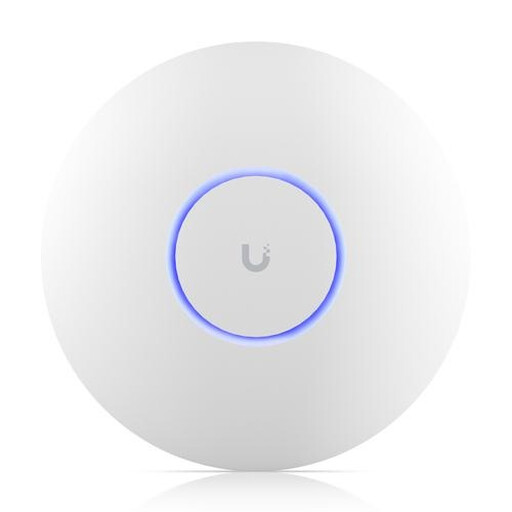
White Ubiquiti U7 Pro access point

Ubiquiti U7 Pro, White

A standalone access point to compare if you already have ethernet on a floor; it won’t replace your router.

According to Ubiquiti, the U7 Pro has a 2.5GbE uplink and uses PoE+ for power. Check that you have a suitable power supply and network equipment.

View at Joybuy

TP-Link Deco XE75 Pro mesh system, pack of three units

TP-Link Deco XE75 Pro (3-Pack), Wi-Fi 6E

A three-unit mesh system to compare for Wi-Fi in several locations. Assess the placement and connection where the archive is used.

Tri-band: 2.4 GHz, 5 GHz and 6 GHz. Wi-Fi 6E (802.11ax).

The product information lists three gigabit ports per unit. Check how many ports will remain available for wired devices.

View at Joybuy
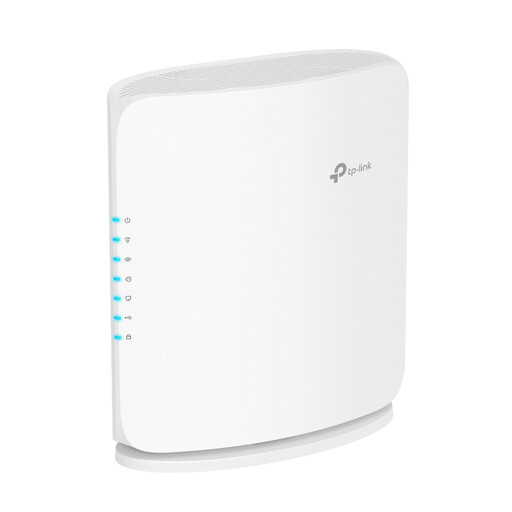
TP-Link Archer BE450 dual-band wireless router

TP-Link Archer BE450, Dual-Band Wi-Fi 7 Router

A router to compare if you want to upgrade your central network equipment. Check that it will work with your existing connection and archive access.

Dual-band: 2.4 GHz and 5 GHz. Wi-Fi 7. The product name mentions multi-gigabit ethernet.

View at Joybuy

Frequently asked questions

Do I need to replace my internet provider’s router for better Wi-Fi?

No, not necessarily: you can also add a suitable system to your existing network. ACM ConsuWijzer says you’re generally allowed to choose your own router, but if you want to replace a modem, check with your provider that your specific connection and equipment are compatible.

How do I connect Deco points by cable?

The right connection depends on the mode. According to TP-Link, in Deco router mode, a satellite must connect to the LAN port on the main Deco or to a switch connected to it. In access point mode, TP-Link also says you can connect it to the main router. Check the settings for your setup.

Will better Wi-Fi automatically let club members access the archive when they’re away from home?

No. Wi-Fi improves the wireless connection in your home, but remote access requires a separately configured archive service and access route. FRITZ! describes VPN as a way to connect to devices on a home network; check whether it’s suitable for where your archive is stored.

What security is needed if the club archive contains personal data?

If the club processes personal data as an organisation, it must protect it properly and decide on suitable measures, according to the Dutch Data Protection Authority. The regulator doesn’t therefore prescribe one universal router model or require the use of a VPN.

How do I maintain my own router?

Check how firmware updates are installed and enable automatic updates if the device supports them. VeiligInternetten offers practical advice on updating your router.
