
Vandaag of morgen in huis

Kwaliteit gegarandeerd

Welkomstaanbiedingen ontgrendelen: GRATIS bezorging | Tot 80% korting | Gratis 30 dagen JoyPlus-proefperiode
Download de app
A Wi-Fi baby monitor with camera can be useful if you want to check in from work, the living room or while you’re out and about. However, these devices vary widely in terms of connectivity, storage and privacy. A low purchase price says little about the eventual cost if cloud storage requires a subscription or the camera only works with a specific app.
This guide helps parents, carers and pet owners translate marketing claims into features that can be checked. That way, you can choose a Wi-Fi baby monitor, an indoor security camera or a baby monitor without Wi-Fi that suits your everyday needs.
Manufacturers sometimes state a range measured in an open space. Walls, floors and other wireless devices can significantly reduce the actual range. So check whether the camera works on 2.4 GHz, 5 GHz or both frequencies. 2.4 GHz generally offers a longer range, while 5 GHz can be suitable for higher data speeds over shorter distances.
With a baby monitor without Wi-Fi, such as a system with its own parent unit, the quality of your home network is irrelevant. This can be useful in a home with a weak Wi-Fi signal.
Local storage via a microSD or TF card avoids monthly subscription costs, but the card is not always included. Some models also offer cloud storage that requires payment after a trial period. So check:
A baby monitor with motion detection can send alerts when movement or sound is detected. However, curtains, pets or changing light conditions can trigger alerts. According to information provided by some brands, certain models recognise people or filter motion alerts; this still depends on the settings, surroundings and software.
Also pay attention to claims about crying detection. Treat this feature as an aid, not a substitute for supervision. A monitor is not a medical device and cannot guarantee that every sound or movement will be recorded.
For everyday monitoring, 1080p is often sufficient to distinguish faces and movement in a nursery. A 2K or 3MP camera can provide extra detail, but it also uses more storage and bandwidth. Also check the type of night vision:
A baby camera with night vision should be positioned so that no bright light shines directly into the lens.
A fixed camera is straightforward, but offers a limited view. A pan-tilt camera can turn horizontally and vertically. Models with a 360-degree camera or PTZ function offer greater flexibility, but pay attention to the exact angles. “360 degrees”, for example, may only apply to horizontal rotation.
Automatic tracking can be useful for a toddler or pet moving around the room. For a sleeping baby, a fixed, stable viewing angle may sometimes provide a clearer overview.
With a camera with two-way audio, you can speak back through the app. Check that the microphone and speaker are positioned correctly and whether there is any noticeable delay. For privacy:
A camera never replaces responsible supervision. Securely mount the device and keep cables away from a cot or play area.
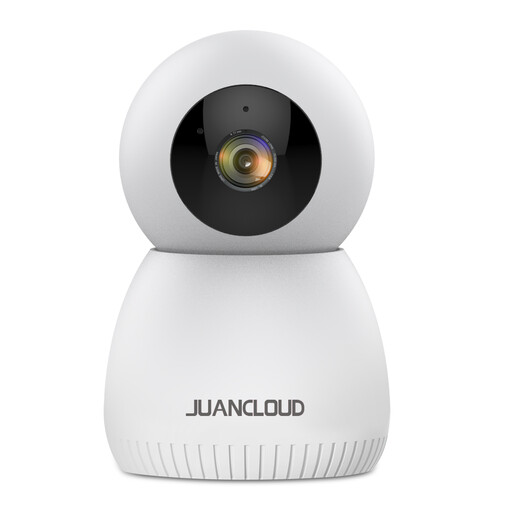
Why it suits this profile: This indoor camera combines 3MP image quality with pan and tilt, night vision and app control. This makes it suitable for a nursery, living room or as a pet camera.
The product specification states that TF card storage and cloud storage are available. Check in advance which storage option applies to your use and whether any costs are involved.
3MP resolution, 352-degree horizontal pan angle, two-way talk and support for 2.4GHz and 5.8GHz Wi-Fi.
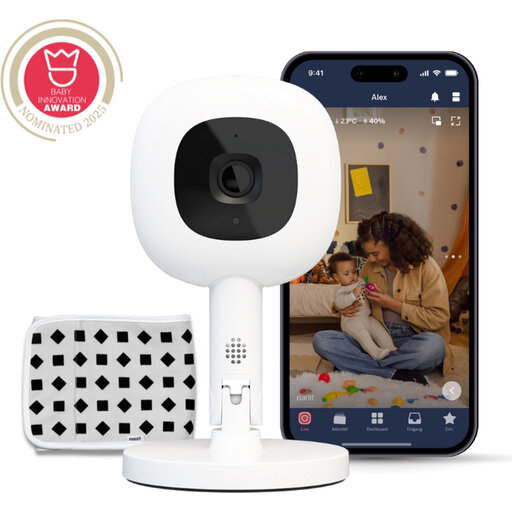
Why it suits this profile: Suitable for parents looking for an app-controlled system with 1080p video, night vision and a flexible stand for different viewing angles.
The product information states that 256-bit AES encryption is used and makes clear that certain sleep features require a Nanit Insights subscription. Check these terms before buying.
1080p video, two-way audio, temperature and humidity monitoring, and support for iOS, Android and selected smart home platforms.
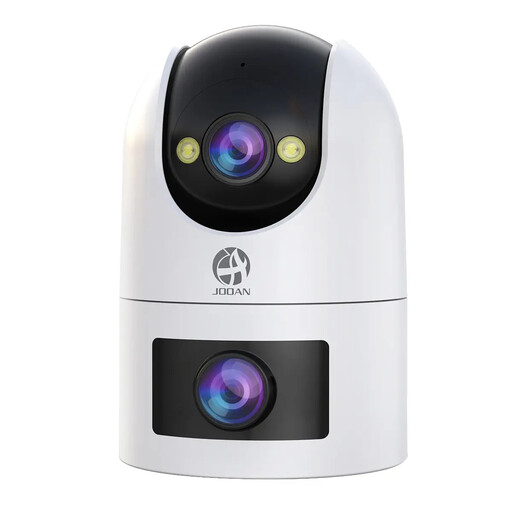
Why it suits this profile: The dual lens is useful for anyone who wants to use one fixed and one movable viewing angle for children, pets or general home monitoring.
The storage options are clearly stated: microSD up to 256GB or paid cloud storage. The model also works with 2.4GHz and 5GHz Wi-Fi.
Dual lens, 2K video, 360-degree view, motion and sound detection, two-way audio and colour night vision.
We’ve put together a complete, up-to-date list of products that fully meet these strict selection criteria and the applicable European safety regulations.
It depends on the model. Some cameras can continue to work within the local network, but operating them from outside the home usually requires the internet. A baby monitor without Wi-Fi uses a direct connection between the camera and parent unit and does not need a router, app or cloud account.
This depends on the resolution, recording settings and level of movement. A model that supports a microSD card of up to 256GB provides more space for continuous recording than a system that only stores short clips. Also check whether the card must be purchased separately and whether the manufacturer specifies a suitable speed.
Yes, many indoor cameras are suitable for multiple uses. Features such as two-way audio, motion alerts, night vision and automatic tracking can be useful for pets. However, check the viewing angle, mounting height and cable safety. For baby monitoring, direct supervision by an adult remains essential.
