
Vandaag of morgen in huis

Kwaliteit gegarandeerd

Welkomstaanbiedingen ontgrendelen: GRATIS bezorging | Tot 80% korting | Gratis 30 dagen JoyPlus-proefperiode
Download de app
By Joybuy Product Recommendation Officer, July 28, 2026
You have a high-speed fiber connection, yet your 8K stream is still buffering, your online game is lagging, or downloading large files takes an eternity. Sound familiar? Often, the weak link isn't your internet plan, but your outdated router. With the arrival of WiFi 7, a new generation of routers promises to solve these problems.
This article will help you make the right choice. We'll explain what to look for when buying a WiFi 7 router and highlight several popular models based on their specifications. This way, you can find a router that fits your needs, whether you're an avid gamer, a remote worker, or a streamer.
The technical specifications can be overwhelming. We've filtered the most important points for you, so you can make an informed decision.
The step up from a WiFi 6 router to WiFi 7 is significant. WiFi 7 (802.11be) introduces several key improvements:
A WiFi 7 router is an especially smart choice if you're looking for a fast router for fiber and want to future-proof your network.
Routers communicate via frequency bands.
For most households, a dual-band router is sufficient. However, if you have many smart devices, stream on multiple screens simultaneously, or want the lowest possible latency for gaming, a tri-band router is worth considering.
A fast WiFi standard is one thing, but the physical ports are just as important. Many fiber plans offer speeds of 1 Gbps or higher. To fully utilize this speed, your router needs a WAN port that can handle it. Look for routers with 2.5 Gbps or even 10 Gbps ports. This ensures your router doesn't become a bottleneck and that you can pass the full speed from your internet provider to your network.
Below is a selection of routers that stand out for their specifications and features. We've looked at models for different users, from the budget-conscious upgrader to the demanding power user.
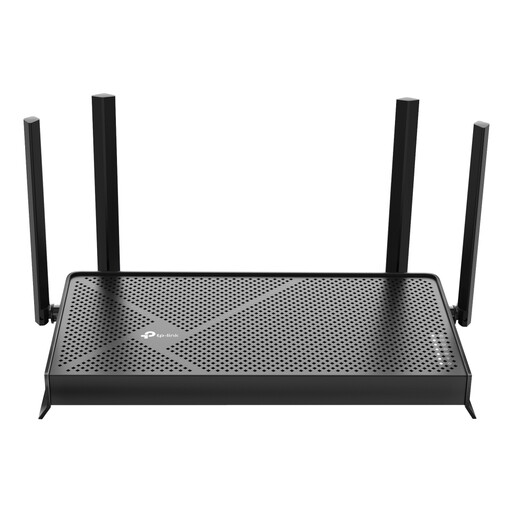
Why This Model Stands Out The TP-Link Archer BE230 is an accessible entry point into the world of WiFi 7. This model combines the new technology with a practical set of features for an average household. It offers the benefits of WiFi 7, such as higher speeds and MLO, without the complexity and cost of the absolute top-tier models.
Key Specifications
Who Is This For? This is an excellent choice for remote workers and families looking to replace their outdated router and get ready for the future. The 2.5 Gbps ports make it a great match for high-speed fiber plans.
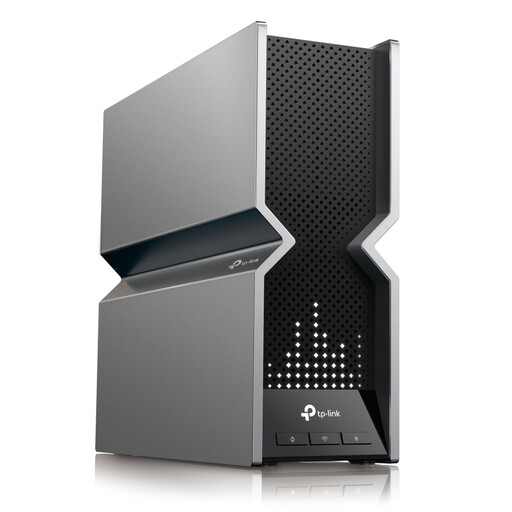
Why This Model Stands Out The Archer BE800 is a powerhouse designed for maximum performance. As a tri-band router, it offers enormous bandwidth spread across three frequencies. This minimizes interference and ensures a stable, fast connection for every device. The inclusion of 10 Gbps ports makes this model suitable for the fastest internet plans and demanding local network tasks, such as streaming from a NAS.
Key Specifications
Who Is This For? This is a model for the demanding user. Think of avid gamers who are buying a fast router for the lowest ping, content creators working with large files, and tech enthusiasts who want to build a network without compromise.
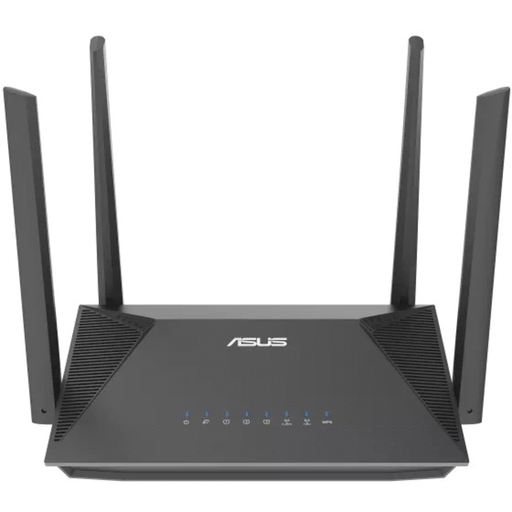
Why This Model Stands Out Not everyone has devices that support WiFi 7 yet. In that case, a solid WiFi 6 router like the ASUS RT-AX52 can be a sensible choice. This model's key feature is its ASUS AiMesh router technology. It allows you to easily link multiple ASUS routers to create a single, comprehensive mesh network. Ideal if you live in a larger home and want seamless coverage everywhere.
Key Specifications
Who Is This For? This is a good option for users with a standard internet plan (up to 1 Gbps) who are looking for a reliable upgrade from an older router. It's especially interesting if you plan to expand your network in the future with additional AiMesh-compatible routers for better coverage.
The world of routers is vast, and there are many models with specific features. For example, are you looking for a router with built-in VPN support for extra privacy and security? Then check out our selection of VPN routers for home for more specialized options.
Yes, for many users, it is. An increasing number of new smartphones, laptops, and other devices are coming equipped with WiFi 7 as standard. If you have a high-speed fiber connection and want to prepare your network for the coming years, investing in a WiFi 7 router is a logical step. It ensures better performance, more stability, and less frustration.
Absolutely. WiFi 7 is fully backwards compatible. This means your devices that only support WiFi 6, WiFi 5, or even older standards can connect to a WiFi 7 router without any issues. They just won't benefit from the specific advantages of WiFi 7, such as MLO.
A router marketed as a good gaming router often has features aimed at minimizing latency. This frequently includes a tri-band router design, Quality of Service (QoS) to prioritize gaming traffic, and fast Multi-Gigabit ports for a stable wired connection to your console or PC.
