
Vandaag of morgen in huis

Kwaliteit gegarandeerd
Download de app
Categorieën

Choosing a new router can be a daunting task. The specifications are often complex, and the wrong choice can lead to a slow or unstable home network. With the arrival of the new WiFi 7 standard (also known as 802.11be), the market is evolving. This guide will help you make an informed decision based on factual product parameters, ensuring you find a router that suits your needs.
Before you choose a model, it's helpful to understand a few key specifications. These determine the performance and suitability for your situation.
Based on the criteria above, we have made a selection of WiFi 7 routers that cater to different needs and situations.
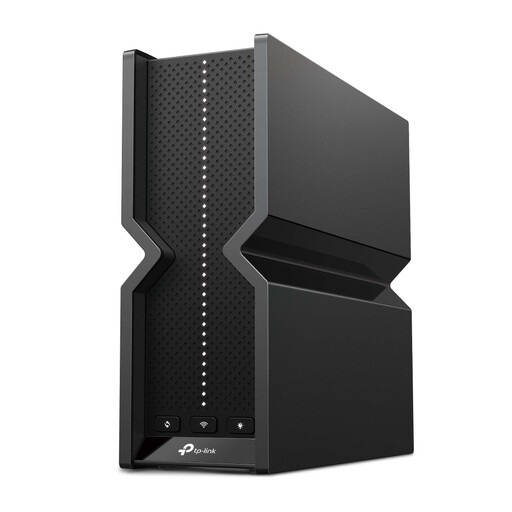
Why We Chose It The TP-Link Archer BE550 is a Tri-Band WiFi 7 router that offers a high combined speed. The presence of five 2.5 Gbps ports makes it a strong contender for users who need both a powerful wireless network and fast wired connections.
Pros
Who is this for? This model is suitable for demanding home networks where multiple users are simultaneously streaming 4K/8K content, online gaming, and downloading large files. The generous number of high-speed LAN ports also makes it a great choice for remote workers with a NAS or a powerful workstation.
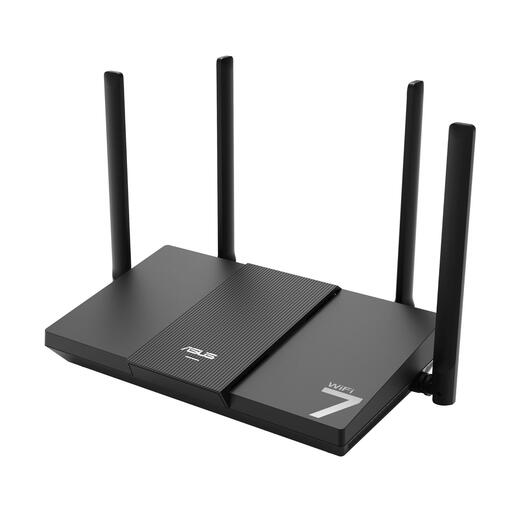
Why We Chose It The ASUS RT-BE50 is a Dual-Band WiFi 7 router that provides a solid entry point into the new standard. It combines modern technologies like MLO with the user-friendliness of the ASUS Router app and AiMesh compatibility.
Pros
Who is this for? The RT-BE50 is a practical choice for households looking to modernise their network for smooth streaming and remote work, without immediately needing top-tier specifications. Its AiMesh support makes it a flexible option for those who may want to expand their coverage later.
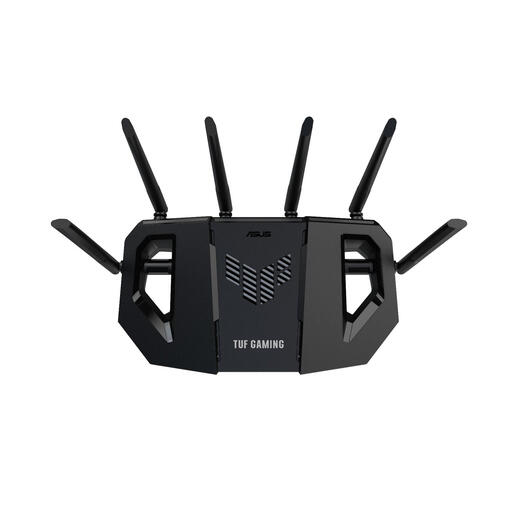
Why We Chose It The ASUS TUF Gaming BE6500 is specifically designed with the gamer in mind. This gaming router combines high-speed Dual-Band WiFi 7 with a powerful processor and four 2.5GbE ports to minimise latency and maximise performance.
Pros
Who is this for? This model is aimed at serious gamers and users who demand the lowest possible latency and highest stability for their online activities. The combination of a fast processor and multiple 2.5GbE ports makes it an excellent foundation for a high-performance home network.
View the ASUS TUF Gaming BE6500
The selection above represents a cross-section of the current market. If your ideal model isn't here, or if you're looking for a router with different specifications, you can browse our full range. There you will find a wider selection of networking equipment for various applications and budgets.
Check out all our WLAN DSL router models.
1. What is the main advantage of WiFi 7 (802.11be) over WiFi 6? The primary advantage is the significantly higher potential speed and lower latency. This is achieved through technologies like Multi-Link Operation (MLO), wider channels (320 MHz) on the 6 GHz band, and more efficient data modulation (4096-QAM). In practice, this means a more stable and faster connection, especially in environments with many wireless devices.
2. Do I need a multi-gigabit internet plan for a WiFi 7 router? Not necessarily. A WiFi 7 router also improves the speed and stability of your internal network (the communication between your devices). So, even with a standard internet plan, you'll benefit from faster file transfers between your laptop and a NAS, for example. However, to take full advantage of a multi-gigabit router's maximum internet speed, you will of course need a corresponding internet plan.
3. Is a gaming router really faster for online games? A gaming router isn't necessarily faster in terms of pure throughput, but it is often optimised to reduce latency (ping). This is done through Quality of Service (QoS) software that prioritises gaming traffic over other network traffic. Additionally, they often feature more powerful processors and more high-speed LAN ports, which contributes to a more stable gaming experience.
Published on: 2026-06-06 Author: Joybuy Product Recommendation Officer