
Vandaag of morgen in huis

Kwaliteit gegarandeerd

Welkomstaanbiedingen ontgrendelen: GRATIS bezorging | Tot 80% korting | Gratis 30 dagen JoyPlus-proefperiode
Download de app
A white wireless mouse suits a tidy desk, but colour says little about how easy it is to use. If you focus only on appearance, DPI or long battery life, you could end up with a mouse that doesn’t suit your hand, computer or working environment.
The most common pitfalls:
For a wireless mouse for your PC or laptop, there are three practical options:
Also check how many devices the mouse can connect to. According to the product information, the HOFOTEK M311 supports up to three devices and combines Bluetooth 5.1 with 2.4GHz.
DPI determines how far the cursor moves in response to a particular hand movement. For word processing, spreadsheets and browsing, a range of around 800 to 1600 DPI is enough for many users. A mouse with a high DPI mainly offers more adjustment options.
For gaming, the polling rate also matters. This indicates how many times per second the mouse sends data to the computer. A rate of 1000 Hz is common. According to manufacturers’ specifications, models with 8000 Hz can send data more frequently, but they often use more power and need suitable software or hardware. This may be useful for competitive gaming; for email and office work, it’s usually not essential.
An ultra-light gaming mouse weighing around 53 to 70 grams can be quick to move. A heavier office model may feel more stable. There’s no universally right choice.
Check:
A left-handed wireless mouse isn’t the same as a symmetrical mouse. A dedicated left-handed design can better position the thumb buttons and support for your left hand.
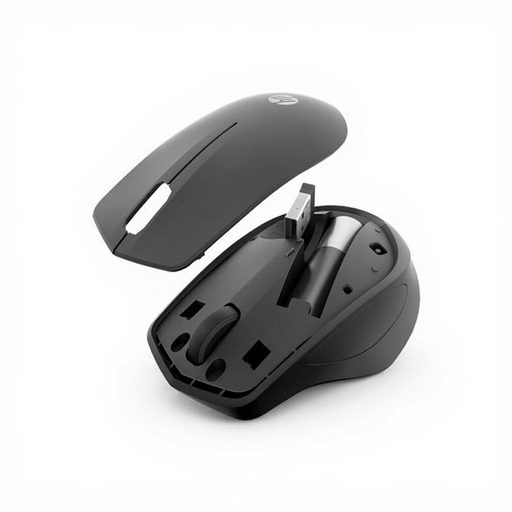
Why it suits this user: For working from home, studying and everyday office tasks, this model offers a simple 2.4GHz connection with a USB receiver. The specifications state a range of up to 10 metres and battery life of up to 18 months.
The connection and power source are clearly specified: one AA battery and a USB-A receiver. The stated 1200 DPI is aimed at everyday use, not exaggerated gaming claims.
Ergonomic shape, quiet clicking according to the product information, a 10-metre range and support for Windows and ChromeOS.
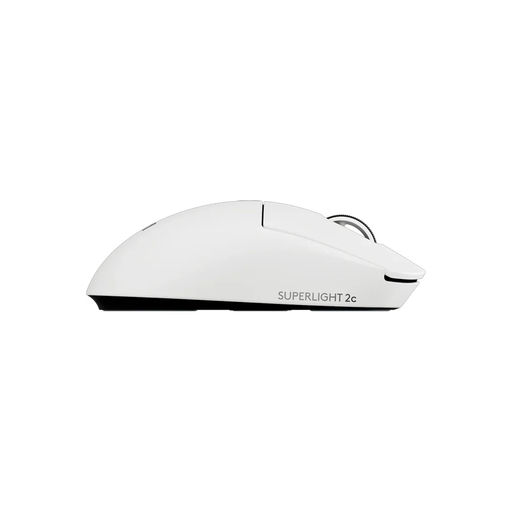
Why it suits this user: This compact white wireless gaming mouse is designed for users who value a low weight and extensive gaming settings. According to the specifications, the model weighs 53 grams.
The weight, connection and battery life are clearly specified. Bear in mind, though, that this model doesn’t have Bluetooth and, according to the product information, works primarily with Windows 10 or later.
HERO 2 sensor, adjustable up to 44,000 DPI, polling rate up to 8000 Hz and a rechargeable battery with a stated usage time of up to 95 hours.
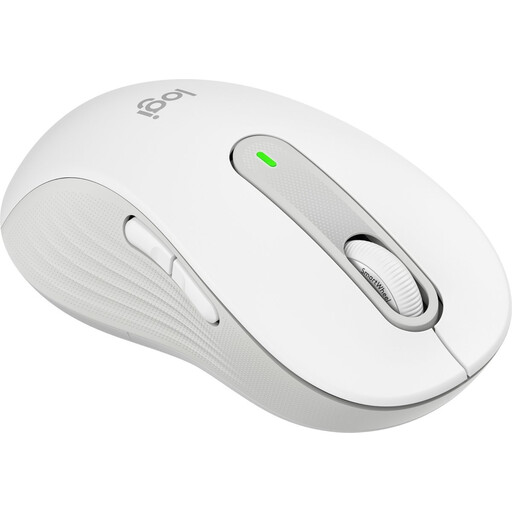
Why it suits this user: This is an ideal choice for left-handed users with larger hands who work for long periods and want a quiet wireless mouse.
The handedness, dimensions and weight of 111.2 grams are specified. So you don’t have to rely solely on the white casing or general comfort claims.
Left-handed design, 2000 DPI, Bluetooth Low Energy or Logi Bolt receiver, five buttons and a stated battery life of up to two years with one AA battery.
A mouse powered by AA or AAA batteries doesn’t need a charging cable, but the batteries will need replacing eventually. A rechargeable wireless mouse avoids disposable batteries, but has a built-in battery with a limited lifespan. So check:
With gaming models, high polling rates, RGB lighting and wireless performance can increase power consumption. Turn off features you don’t use to reduce how often you need to charge it.
We’ve put together a full, up-to-date list of products that meet these strict selection criteria and the applicable European safety regulations.
Not necessarily. A Bluetooth model only works if Bluetooth is available and switched on. A model with a USB receiver needs a compatible USB port. Also check the supported operating system, especially if you use macOS, ChromeOS or Linux.
Battery life depends on the battery type, sensor settings, connection and how often you use the mouse. Product information sometimes states 15 to 24 months for models with an AA battery, while gaming mice with built-in batteries often quote anything from a few dozen to several hundred hours per charge. These are manufacturer estimates; your actual usage may vary.
It can be, but it’s usually unnecessary. Adjustable DPI of around 800 to 1600 gives many people enough control for office tasks. Focus on choosing a model with a suitable shape, stable connection and comfortable buttons. These will do more to prevent frustration than an extremely high maximum DPI.
