
Vandaag of morgen in huis

Kwaliteit gegarandeerd

Welkomstaanbiedingen ontgrendelen: GRATIS bezorging | Tot 80% korting | Gratis 30 dagen JoyPlus-proefperiode
Download de app
A white gaming mouse suits a clean PC setup, but colour alone says little about performance. If you focus mainly on a high DPI or eye-catching design, you could end up with a mouse that is too heavy, runs out of charge quickly or feels uncomfortable in your hand. The same applies to a white wireless gaming mouse: wireless use is convenient, but the connection, battery and software determine whether the device suits the way you play.
A sensor with 26,000 or 44,000 DPI sounds impressive, but most players use a much lower setting in games. A high maximum DPI is primarily an indication of the adjustment range. Also look at whether you can save DPI levels and switch between them quickly. For everyday use, stable tracking is more important than the highest number on the box.
An ultralight gaming mouse can be comfortable for fast movements, but a compact model will not suit every hand or grip. Check the dimensions, number of buttons and whether the shape is designed for left- or right-handed use. An ergonomic gaming mouse with suitable support may be more comfortable during long sessions than an even lighter model.
A gaming mouse with an 8K polling rate sends position updates to the computer more frequently. This can improve responsiveness, but support may depend on the mouse, receiver, software, PC and game. According to product information from Rapoo and HyperX, certain models offer a polling rate of up to 8,000 Hz. Before buying, check that your computer and software can process this setting properly.
For fast-paced FPS games, many users choose a weight of around 50 to 70 grams. The Rapoo VT3 MAX and Logitech G PRO X Superlight 2c, for example, are listed as weighing 53 grams. The Razer Viper V3 Pro is listed at 54 grams. This makes these models interesting for players who frequently lift and reposition their mouse.
Also consider:
A wireless mouse with high DPI offers a wide adjustment range, but do not automatically use the maximum value. According to the product specifications, the Razer DeathAdder Essential has an optical sensor of up to 6,400 DPI. The HyperX Pulsefire Haste 2 Wireless goes up to 26,000 DPI according to the product description. The Logitech G PRO X Superlight 2c is listed with a maximum of 44,000 DPI.
These figures are product specifications. Claims made by brands about precision or accuracy, such as a stated resolution percentage, should be read as information from the product description or based on the brand’s own research. They are not a guarantee of better gaming performance in every situation.
A wired gaming mouse for PC eliminates the need to recharge and usually works immediately via USB. Wireless models commonly offer three options:
Also check compatibility with Windows, macOS and consoles. According to the product specifications, the HyperX Pulsefire Haste 2 Wireless is suitable for PC, PS4, PS5 and Xbox platforms. Software features such as macros, RGB lighting and button assignment may, however, differ depending on the operating system.
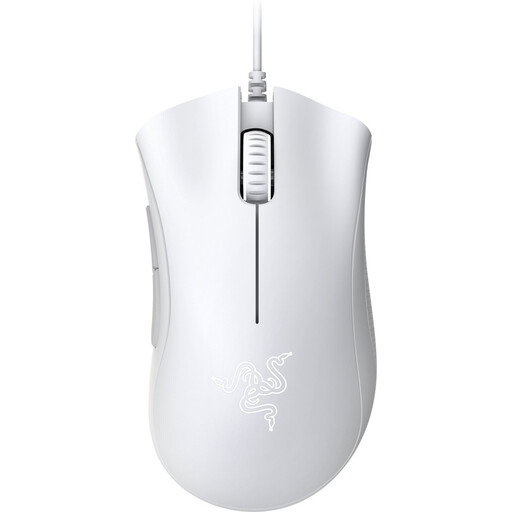
Why it suits this profile: A wired model with five buttons and an optical sensor is a straightforward choice for anyone who wants to start gaming without having to manage a battery.
The cable eliminates the need for charging, and the product specifications list a weight of 96 grams, so there is no uncertainty about an extremely low weight.
6,400 DPI, five programmable buttons and an ergonomic right-handed shape.
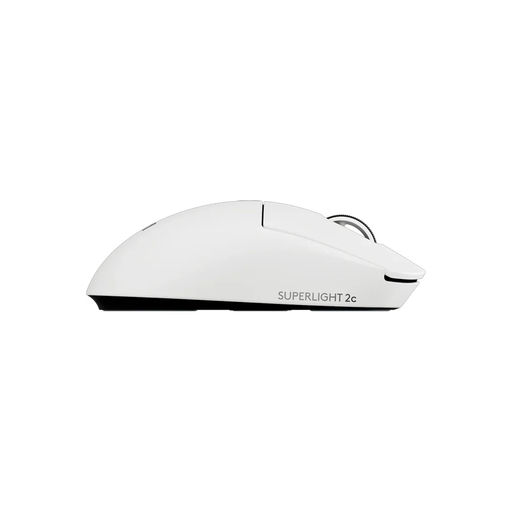
Why it suits this profile: This compact Logitech model is aimed at players looking for a lightweight wireless mouse with adjustable features.
The specifications state a weight of 53 grams and a compact shape. This allows you to compare the size with your hand size and grip before buying.
HERO 2 sensor, up to 44,000 DPI, wireless connection up to 8 kHz according to the product information, and five programmable buttons.

Why it suits this profile: For users who want to play wirelessly and place great value on weight, polling rate, battery life and additional buttons.
The product information lists a weight of 53 grams, a built-in battery and an 8K wireless polling rate. However, check that your PC and game support this setting.
Up to 30,000 DPI, ten programmable buttons and an optical switch with a stated lifespan of 120 million clicks.
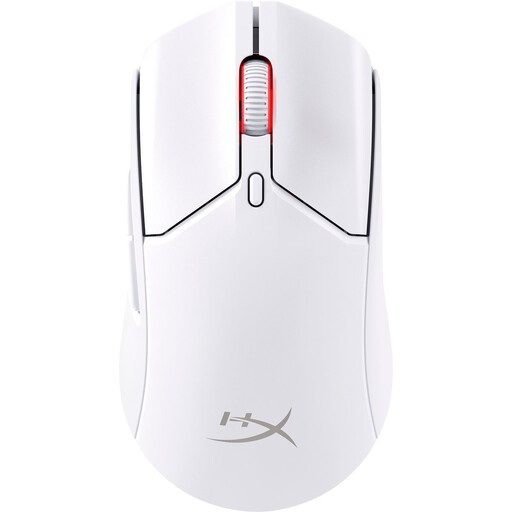
Why it suits this profile: The combination of 2.4GHz, Bluetooth and wired use is practical for a gaming PC and compatible consoles.
You are not reliant on Bluetooth alone: there is also a 2.4GHz receiver and a USB cable for use while charging.
Approximately 60 grams, up to 26,000 DPI, six programmable buttons and up to 100 hours of battery life according to the product information.
We have put together a complete, up-to-date list of products that fully meet these strict selection criteria and the applicable European safety regulations.
It can be, particularly if the model has a 2.4GHz receiver and a suitable polling rate. Bluetooth is often more convenient for office or mobile use. Check the connection options, software support and whether the receiver is close enough for your setup.
This varies considerably depending on the model, connection mode, polling rate and lighting. Manufacturers often state a maximum usage time under specific conditions. According to the product information provided, Rapoo models offer up to 750 hours at 1,000 Hz, while HyperX offers up to 100 hours. Treat this as a stated product specification, not a fixed usage time for every user.
Not always. For quiet clicking, long working days and straightforward navigation, a white wireless office mouse may be more suitable. The Logitech Signature M650 L features, among other things, a left-handed design, Bluetooth and Logi Bolt. If you also need a keyboard, you could consider a set such as the Logitech MK650 or Trust Ody II. For gaming, however, lower latency, more buttons and a higher polling rate are often more important.
