
Vandaag of morgen in huis

Kwaliteit gegarandeerd

Welkomstaanbiedingen ontgrendelen: GRATIS bezorging | Tot 80% korting | Gratis 30 dagen JoyPlus-proefperiode
Download de app
A white fan with RGB lighting can give a PC build a polished finish, but its appearance says little about its practical suitability. If you only look at the number of LEDs or the maximum speed, you could run into connection issues, insufficient space or unnecessary noise. This buying guide will help you choose a white Corsair RGB PC case fan for airflow, radiator cooling or an existing iCUE LINK setup.
Not every RGB fan works in the same way. A traditional fan often uses a 4-pin PWM connection for speed control and a separate 5V ARGB connection for the lighting. Corsair iCUE LINK models, on the other hand, use their own system with a compatible hub or controller.
Before buying, check:
The wrong connection can mean that the fan spins, but the RGB lighting or software control does not work.
A higher speed can provide greater airflow, but it can also create more noise. The right choice depends on the fan’s position in the case, the type of radiator and your preferred fan curve. For an office PC or quiet gaming PC, a low minimum speed or Zero RPM mode is useful. For a radiator, static pressure is also important.
A 140mm PC fan generally moves a lot of air at a lower speed than a 120mm model, but the mounting holes and available space vary from case to case. Check your case manual, especially for the front, top and area beside the motherboard. Also allow for RAM modules, radiator width and cable space.
A 120mm PC fan is usually more versatile. This size fits many cases and many 240mm radiators.
First, choose the size supported by your case:
A fan at the front or bottom is usually installed as an intake. Rear and top fans generally exhaust warm air. Check the arrows on the frame to identify the direction of rotation.
PWM stands for Pulse Width Modulation. Through a 4-pin connection, the motherboard can accurately control the speed based on temperature. This is more useful than a fan that only runs at a fixed speed.
When comparing models, look at:
According to the product specifications of the Corsair models in this overview, the stated noise level at low speed is around 10 dB, while the maximum varies by model.
RGB controls the lighting, PWM controls the fan speed, and iCUE LINK determines how compatible Corsair components communicate with one another. A model with lots of LEDs is therefore not automatically easier to install.
With the Corsair iCUE LINK RX120 RGB and RX140 RGB, you should mainly check whether a suitable hub is included. A starter pack may be more practical if you want to install several fans at the same time.

Why it suits this profile: A standalone 120mm RGB case fan is a straightforward choice for a first upgrade or for expanding an existing PC.
The product specification states PWM, a 4-pin connection and support for case and radiator cooling. However, check that you have a suitable header available first.
120 mm, 34 individually addressable LEDs, 480–2400 RPM and stated airflow of 63,1 CFM.
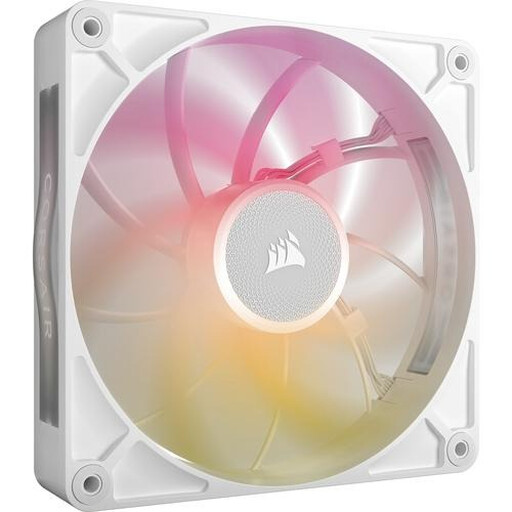
Why it suits this profile: Ideal for a spacious build with room for 140 mm fans and a need for iCUE LINK integration.
The 140mm size allows for lower speeds, but the case must provide enough room. Also measure the additional clearance around the mounting position.
Stated airflow of 102,9 CFM, PWM control, eight RGB LEDs and a range of 300–1600 RPM.
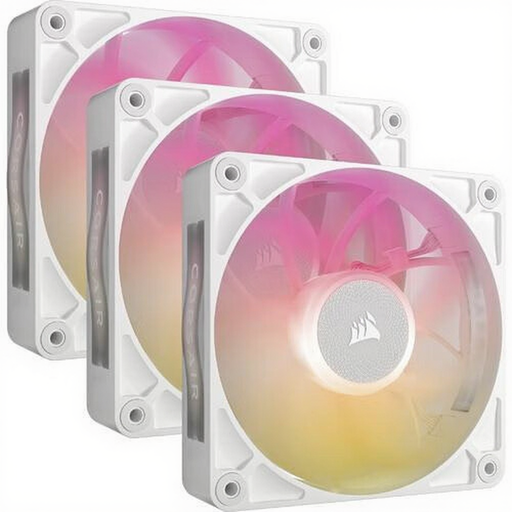
Why it suits this profile: A practical set for a new PC build, radiator configuration or case with multiple 120mm positions.
The set saves you from having to combine three separate fans with different control systems. However, check that the required iCUE LINK controller is included with your version.
Three 120mm fans, PWM, stated airflow of 71,3 CFM and a maximum of 29,5 dB according to the product specification.
Switch off the computer completely and unplug it from the mains before touching any internal components. Mount the fan securely, but do not overtighten the screws. Keep cables away from the blades and check the airflow direction before switching the computer on.
With a standard PWM PC fan, connect the 4-pin connector to a suitable header. For a Corsair iCUE LINK fan, follow the hub’s instructions and use only compatible cables. Then set a fan curve in the BIOS or Corsair iCUE software. This allows the fan to run more quietly under light loads and increase its speed only when necessary.
For radiator use, it is not just airflow that matters: static pressure and fan thickness are also important. A thicker MAX model may require more space between the radiator, motherboard and memory modules.
We have compiled a complete, up-to-date list of products that fully meet these strict selection criteria and the applicable European safety regulations.
It can be, but check the product specification for static pressure, size and mounting. The RX models mentioned, along with some other Corsair models, are described in their product information as suitable for case and radiator cooling. A 240 mm radiator typically uses two 120mm fans.
That depends on the selected speed, case and fan curve. A 140mm model can run at a lower speed while providing comparable airflow, but it takes up more space. Therefore, compare the stated noise level, minimum speed and available mounting positions.
Its lifespan depends on the bearing, usage time, dust and ambient temperature. Corsair’s product information links a fan with a magnetic bearing to smooth operation, but this is a brand claim rather than a guarantee of a fixed lifespan. Dust your PC regularly and replace a fan if it rattles, vibrates noticeably or spins unevenly.
