
Vandaag of morgen in huis

Kwaliteit gegarandeerd

Welkomstaanbiedingen ontgrendelen: GRATIS bezorging | Tot 80% korting | Gratis 30 dagen JoyPlus-proefperiode
Download de app
A white computer setup looks calm and cohesive. However, a white case, monitor or accessory says little about whether it is genuinely suitable. If you focus only on colour and product photos, you may encounter connection issues, limited room for upgrades or unexpected extra costs.
Use these checks to choose white computer hardware and accessories based on verifiable specifications. This will help you build a workspace, study area or gaming PC that suits the way you use it.
A white PC case may look spacious in a product photo, but its internal dimensions determine whether your components will fit. Check the following before buying:
For example, the MSI MAG PANO 100R PZ supports ATX, micro-ATX and Mini-ITX, graphics cards up to 380 mm and CPU coolers up to 166 mm. A more compact case, such as the MSI MAG PANO M100R PZ, supports micro-ATX and Mini-ITX and has room for graphics cards up to 350 mm. This difference matters if you already own PC components.
More ports do not automatically mean higher speeds. When choosing a USB hub, monitor or docking product, check the exact standard:
The TP-Link UE330 combines three USB 3.0 ports with Gigabit Ethernet. This is useful for a laptop with limited connections, but the product is not a fully-fledged Thunderbolt dock. So check whether you only want to connect USB devices and a wired network connection.
Some devices are supplied without certain accessories. For example, the MSI Modern AM242TP 1M-1229EU and MSI Modern AM242P 1M-1224EU are listed as requiring the charger to be purchased separately. Always check the contents of the package.
The same applies when building a PC with a 1000W PC power supply, additional fans, storage and an operating system. A white case does not automatically include a power supply or all the cables you need. For example, the Corsair 3500X ARGB is supplied without a power supply.
An all-in-one PC combines the display and computer in a single enclosure. This saves space and reduces the number of cables. For studying, office work, video calls and everyday use, screen size, RAM and storage are the first things to check.
The Acer Aspire C24-A WI5418 NL has a 23.8-inch Full HD IPS display, 16 GB DDR5 memory and a 1 TB PCIe NVMe SSD. The MSI Modern AM242P has a similar screen size, 8 GB DDR5 and 512 GB SSD storage. More RAM can be useful if you work with many browser tabs, edit photos or use the computer for long periods. Also check the operating system: the Acer uses Windows 11 Home, while the MSI models mentioned use Windows 11 Pro.
With gaming PC hardware, the components must work together technically. A motherboard with an AM5 socket is designed for compatible AMD Ryzen processors. According to the product specification, the Colorful BATTLE-AX B650M-WHITE WIFI V15 motherboard supports AMD Ryzen 7000, 8000 and 9000 processors with an AM5 connection, as well as DDR5 memory.
Also check:
A 1000W PC power supply is not necessary for every computer. The Corsair RM1000e delivers 1000 W, has an ATX 3.1 format, 80 PLUS Gold certification and fully modular cables. Only choose this capacity when it is justified by your overall system requirements. Otherwise, a higher-wattage power supply may lead to unnecessary costs.
With a white monitor, resolution, panel type, refresh rate and connections are more important than the colour. The ASUS VA24EQSB-W has a 23.8-inch IPS panel, Full HD resolution, 75 Hz, HDMI, DisplayPort, VGA and two USB 3.2 ports.
If you want to use a monitor stand, check the VESA pattern and weight. The Neomounts FPMA-D890WHITE is suitable for screens measuring 10 to 30 inches and weighing up to 6 kg, with VESA 75x75 or 100x100 mm. The stand can be adjusted manually from 36 to 54 cm and can tilt, rotate and swivel. Place it on a stable, level surface and do not exceed the maximum weight.
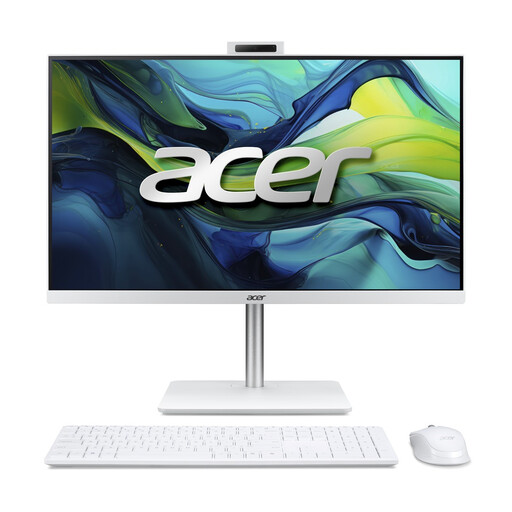
Why it suits this profile: This all-in-one PC combines a 23.8-inch Full HD IPS display, 16 GB DDR5 and 1 TB SSD storage in a single device for home, study and office use.
The key specifications are clearly stated, including the memory, storage, screen size and included wireless keyboard and mouse.
16 GB DDR5, 1 TB NVMe SSD, 5MP webcam and built-in speakers.
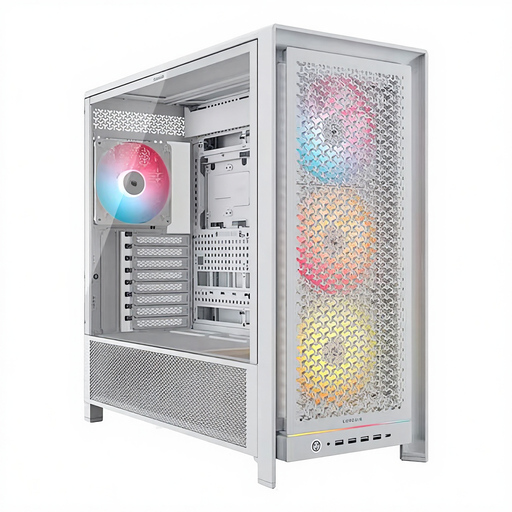
Why it suits this profile: This spacious white PC case is designed for PC builders who want to support multiple motherboard sizes, large graphics cards and flexible cooling options.
The maximum dimensions are clearly specified: graphics cards up to 450 mm, CPU coolers up to 175 mm and radiators up to 420 mm according to the product specification.
Support for ATX, EATX, micro-ATX and Mini-ITX; four included 140mm ARGB fans.
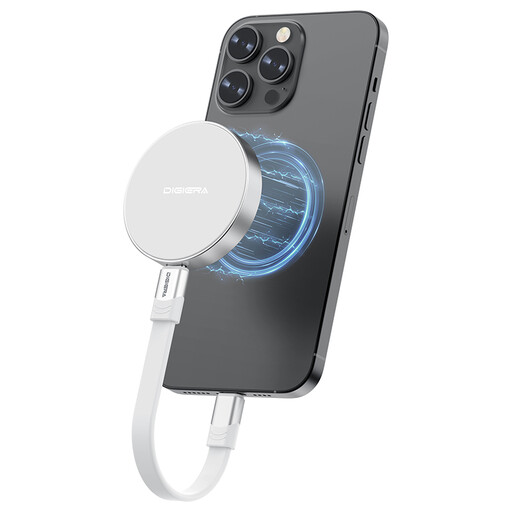
Why it suits this profile: This 1TB external SSD is designed for users who want to take large files, videos or backups with them via USB-C.
The interface is clearly specified as USB 3.2 Gen 2x2 Type-C. However, check whether your device supports this speed.
1 TB storage, USB-C connection and a stated read speed of up to 2000 MB/s.
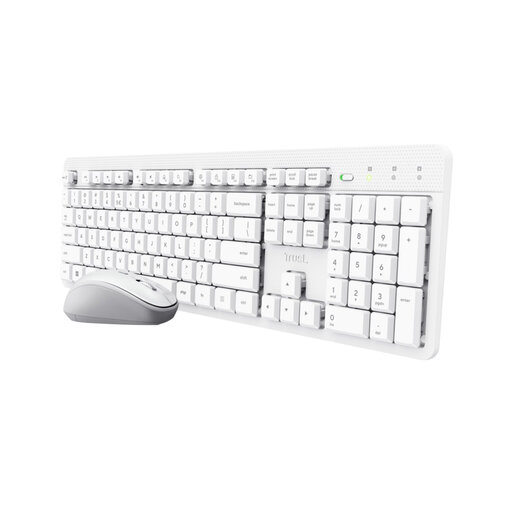
Why it suits this profile: The wireless keyboard and mouse provide a straightforward set for students, home workers and office professionals who want fewer cables.
The set uses a single USB receiver and lists the keyboard layout as US/QWERTY. Check this in advance if you expect a Dutch layout.
Wireless 2.4GHz connection, quiet keys and adjustable mouse speed from 800 to 1600 DPI.
We have put together a complete, up-to-date list of products that fully meet these strict selection criteria and the applicable European safety regulations.
Not necessarily. The price mainly depends on the components, capacity, connections and materials. A white finish may be part of a design range for certain models, but always compare the technical specifications and included accessories.
Check the power and connection required by your device. The Samsung USB-C charger delivers 15 W and includes a 1-metre cable. The Apple 35W Dual Power Adapter has two USB-C ports and can connect two devices at the same time. Always check that the device supports the selected charging capacity.
Its lifespan depends on use, heat, storage conditions and physical strain. Always keep important files available in multiple locations. For accessories such as monitor stands, regularly check the screws, connections and maximum load. Products sold in the EU are also covered by statutory guarantee rights; the exact terms may vary by product and seller.
