
Vandaag of morgen in huis

Kwaliteit gegarandeerd

Welkomstaanbiedingen ontgrendelen: GRATIS bezorging | Tot 80% korting | Gratis 30 dagen JoyPlus-proefperiode
Download de app
A white wireless gaming mouse complements a tidy desk, but looks alone say little about performance. For competitive gaming, weight, connectivity and sensor settings matter more than lighting or a striking design. White mice are not all suitable for home workers and students either: a gaming model may offer more features than you need, while an office model may not provide enough buttons or precision.
When comparing models, pay particular attention to these common pitfalls.
A high-DPI wireless mouse can move the cursor across the screen extremely quickly. That does not automatically mean the sensor is more accurate. For most games, stable tracking, a suitable shape and the right settings are more important than an extremely high maximum DPI.
Check the following:
A 26,000 or 30,000 DPI sensor mainly provides plenty of adjustment options. In practice, many players use a lower setting.
A gaming mouse with an 8,000 Hz polling rate sends data to the computer more often per second than a 1,000 Hz model. This can reduce input lag, but the difference is not always noticeable in every situation. A higher polling rate also puts more demand on the computer and can drain the battery faster.
Before buying, check:
For example, the Rapoo VT3 MAX and Logitech G PRO X Superlight 2c list a maximum polling rate of 8,000 Hz. The stated battery life does not automatically apply to every usage setting.
An ultralight gaming mouse weighing around 53 to 64 grams can feel comfortable for quick movements. However, a lower weight is not suitable for every hand or grip. Also consider the length, width, height and position of the thumb buttons.
An ergonomic gaming mouse is generally shaped for right- or left-handed use. A symmetrical mouse offers greater flexibility, but does not always fit the hand as well. If you work or game for long periods, it is wise to consider the dimensions and number of buttons alongside the weight.
A 2.4GHz receiver is generally designed for low latency during gaming. Bluetooth is useful for laptops, tablets and devices with few available USB ports, but is more commonly chosen for office work and portability. Some models support both connection types.
A mouse with a USB-C cable can also be used while charging. Do check whether the cable is for charging only or also transfers data.
Wireless gaming mice generally use a built-in lithium-ion battery. Other white wireless mice run on AA or AAA batteries. A built-in battery means you do not need to keep spare batteries handy, but it does require regular charging.
The stated usage time is a product specification based on particular conditions. According to Rapoo’s product information, the VT3 MAX can last up to 750 hours at 1,000 Hz. According to Logitech’s product information, the G PRO X Superlight 2c offers up to 95 hours per charge. Treat these figures as a guide, as lighting, polling rate and usage patterns all affect power consumption.
For shooters, five or six buttons are often enough. For MMOs, simulators or productivity, additional programmable buttons can be useful. Also check whether the configuration software works with your operating system.
Rapoo uses A HUB for Windows and Mac OS. Logitech uses G HUB for the G PRO X Superlight 2c. The software may be required to adjust DPI profiles, macros or button functions. Always check compatibility with consoles; support for PC does not automatically mean full support for PlayStation or Xbox.
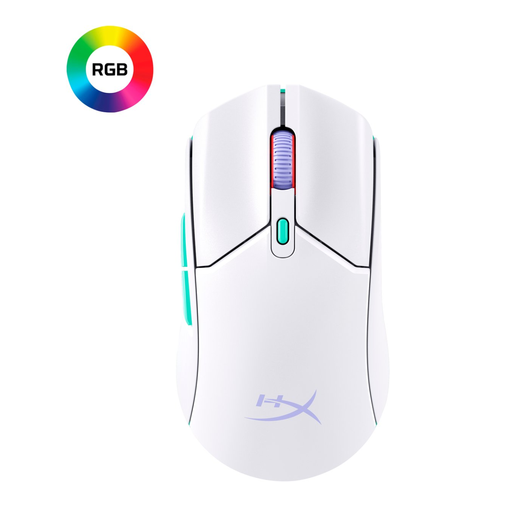
Why it suits this profile: An accessible wireless gaming mouse for players who want to combine 2.4 GHz and Bluetooth without immediately opting for the highest specifications.
The product specifications list 12,000 DPI and 1,000 Hz, so you are not paying for an 8,000Hz setting you may not need.
70 grams, six buttons, Bluetooth 5.2, 2.4 GHz and a stated battery life of up to 100 hours.
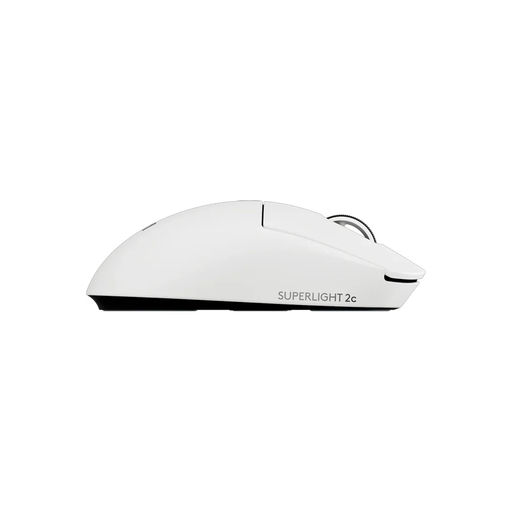
Why it suits this profile: The compact shape and low weight are designed for players looking for a lightweight mouse with wireless connectivity and programmable buttons.
The dimensions and 53-gram weight are clearly stated. This allows you to assess whether the compact shape suits your hand and grip.
HERO 2 sensor up to 44,000 DPI, five programmable buttons, up to 8,000 Hz and up to 95 hours of battery life according to Logitech.

Why it suits this profile: Designed for intensive players who value plenty of buttons, low weight and a long stated battery life.
The specifications list the 53-gram weight, 8,000 Hz, 30,000 DPI and ten programmable buttons separately. This makes it easier to weigh up the features individually.
Optical switches, independent X/Y DPI adjustment and up to 750 hours at 1,000 Hz according to Rapoo.
We have put together a complete, up-to-date list of products that fully meet these strict selection criteria and the applicable European safety regulations.
For everyday use, a quiet wireless mouse may be more practical than a gaming model. The Logitech Signature M650 L White is designed for left-handed users and features SilentTouch, Bluetooth and Logi Bolt. For a complete workstation, the Rapoo 9010M is a white wireless keyboard and mouse set with 2.4 GHz and Bluetooth, support for up to four devices and a mouse with adjustable DPI.
Pay particular attention to the layout when choosing a keyboard and mouse set. The Trust Ody II, for example, uses a US/QWERTY layout. This can be inconvenient if you are used to a Dutch ISO layout.
Yes, but check the click noise, shape and Bluetooth support. For quiet office work, models such as the Logitech M650 or a keyboard and mouse set are often more practical than a mouse with extensive gaming software.
This varies by model and settings. Polling rate, lighting and connection mode all affect power consumption. Compare the battery life at the stated usage setting and check whether you can continue playing while the mouse is charging.
Not necessarily. 1,000 Hz is sufficient for many players. 8,000 Hz may be worth considering for competitive PC gaming, but first check that your computer, game and software support it.
