
Vandaag of morgen in huis

Kwaliteit gegarandeerd

Welkomstaanbiedingen ontgrendelen: GRATIS bezorging | Tot 80% korting | Gratis 30 dagen JoyPlus-proefperiode
Download de app
A white RGB PC fan can improve both your computer’s airflow and its appearance. However, it is not wise to focus solely on the number of RGB LEDs or a high rotational speed. A fan must be suitable for your PC case, motherboard and intended use. Otherwise, you may pay for features you cannot use or end up with more noise than expected.
In this guide, we explain what gamers, PC builders and hardware enthusiasts in the UK should look out for. We then match several popular options to different usage profiles.
Most PC cases support 120 mm PC fans. Some models also have room for a 140 mm PC fan. A larger fan can move a lot of air at a lower speed, but it will not automatically fit every case.
Therefore, check:
A 140 mm model may come into contact with components or mounting holes in a compact mid-tower case.
A quoted noise level of, for example, 10 dB, generally applies at low speed. At maximum speed, a fan can reach around 31–37 dB according to the product specifications. Always check the full speed range rather than looking only at the lowest figure.
A quiet PC fan is mainly affected by:
PWM control can help here. With a PWM fan, you can adjust the speed more precisely via the motherboard or a controller.
RGB is not a universal connection. Some fans use a standard 5V ARGB header, while systems such as a Corsair iCUE LINK fan use a proprietary connection and controller. Check in advance that your motherboard, controller and software are compatible.
An iCUE LINK system can keep cabling tidy, but different models may require a suitable System Hub. As a result, a standalone expansion fan will not always work independently.
Airflow is often stated in CFM or m³/h. A higher figure indicates greater maximum air movement according to the product specifications, but it does not tell you everything about the result in your case. Filters, dusty grilles and cables affect the actual airflow.
Airflow is important for an open case intake. If you are using a fan as a radiator fan or behind a dense dust filter, also pay attention to static pressure, stated in mmH₂O. This figure indicates how effectively the fan can push air through resistance.
A high maximum rotational speed can be useful under heavy loads, but it does not mean you need to run the fan at that speed permanently. Depending on the type, the models in this selection reach approximately 1,600, 1,700, 2,100 or 2,400 RPM.
Ideally, choose a model with:
A single fan may be suitable as a replacement or additional exhaust fan. For a new build, a set of two or three fans is often more practical. A simple airflow layout is:
More fans are not automatically necessary. A well-balanced airflow setup helps prevent unnecessary noise and excess cabling.
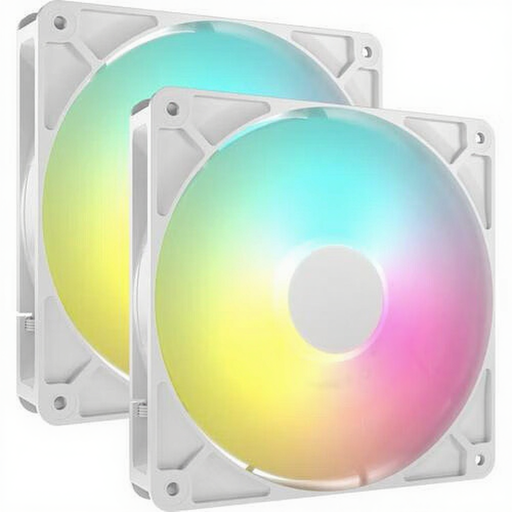
Why it suits this profile: The set contains two 140 mm fans and is suitable for a case with room for this larger size. This makes it practical for a straightforward intake and exhaust setup.
You get two fans in one pack, so you are less likely to combine separate models with different connections. However, check the 140 mm mounting points beforehand.
According to the product specifications: 330–1700 RPM, PWM control, up to 95,5 CFM and eight individually addressable ARGB LEDs per fan.

Why it suits this profile: This set is designed for a complete 120 mm setup and includes an iCUE LINK System Hub. It is ideal for builders who value tidy cabling and software-based control.
The starter pack prevents you from buying a standalone iCUE LINK fan without a controller. However, check the maximum number of devices per channel in the manual.
According to the product specifications: three 120 mm fans, 400–2100 RPM, PWM support, up to 74,2 m³/h and an included System Hub.
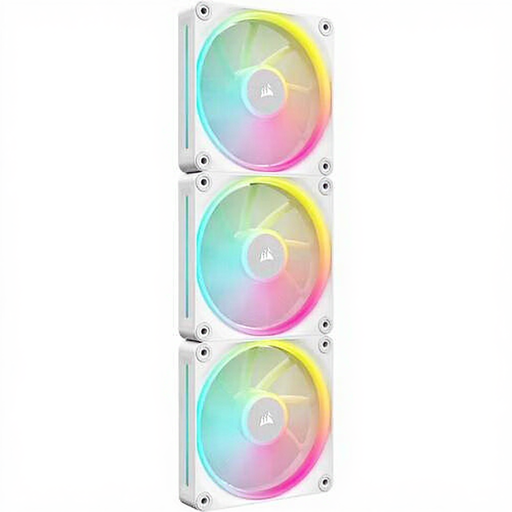
Why it suits this profile: The 120 mm size fits many standard cases, while the combination of airflow and static pressure makes this set suitable for case or radiator use, depending on the installation.
The broad 400–2400 RPM range gives you room to use a quiet curve while allowing for more airflow when needed. The correct hub and cabling are required for the LINK connection.
According to the product specifications: up to 69,9 CFM, 5,22 mmH₂O static pressure, PWM control and twelve individually addressable RGB LEDs per fan.
We have compiled a complete, up-to-date list of products that fully meet these strict selection criteria and the applicable European safety regulations.
Switch the PC off completely, turn off the power supply and unplug it from the mains before installing a fan. Pay attention to the arrows on the frame: they show the direction of the airflow. Connect PWM to a suitable 4-pin header. For ARGB, use only a compatible 5V connection; a 12V RGB header can cause damage.
Make sure that cables cannot come into contact with the blades. Clean the fan regularly with compressed air and keep the case filter free from dust. A loose screw or dirty blade can cause vibrations and additional noise.
No. Check the size, available mounting points, connectors and clearance around the components. A 120 mm model is widely compatible, but compatibility must be checked for each case.
You can, provided the fan is suitable for this purpose and offers sufficient static pressure. Also check whether the radiator supports 120 mm or 140 mm fans. A model that works well as a case fan will not automatically deliver the same results on a dense radiator surface.
The fan motor and LEDs generally use relatively little power, but the exact consumption varies by model and brightness setting. If you are using multiple fans, it is advisable to check the manuals for the motherboard, controller and power supply.
