
Vandaag of morgen in huis

Kwaliteit gegarandeerd

Welkomstaanbiedingen ontgrendelen: GRATIS bezorging | Tot 80% korting | Gratis 30 dagen JoyPlus-proefperiode
Download de app
A sleek, all-white PC build with vibrant RGB lighting is the ultimate goal for many enthusiasts. But the search for the perfect white RGB case fan can be surprisingly complex. You're bombarded with marketing terms, and specifications are often confusing. Before you invest in your system's cooling and aesthetics, it's crucial to avoid a few common pitfalls that could cost you time and money.
As a Joybuy Product Recommendation Officer, I'm here to filter the market for you and provide practical advice so you can make an informed decision. Let's look at the three most common mistakes when choosing a PC fan.
To avoid these pitfalls, you need to check a few key specifications. These are the objective criteria that determine whether a fan is right for your PC.
The two standard sizes are 120mm and 140mm.
Look at both values and match them to your purpose:
Modern fans use a PWM (4-pin) connector. This allows your motherboard or a controller to precisely regulate the fan speed based on temperature. This is a must-have for a quiet case fan that only spins up when necessary.
For lighting, there are systems like Corsair's iCUE LINK ecosystem. These systems allow you to daisy-chain multiple fans with a single cable to a central hub, drastically reducing cable clutter and simplifying software integration.
Below are some popular choices, matched with specific user profiles. These aren't the "best" products, but rather concrete examples that are well-suited for certain needs and budgets.
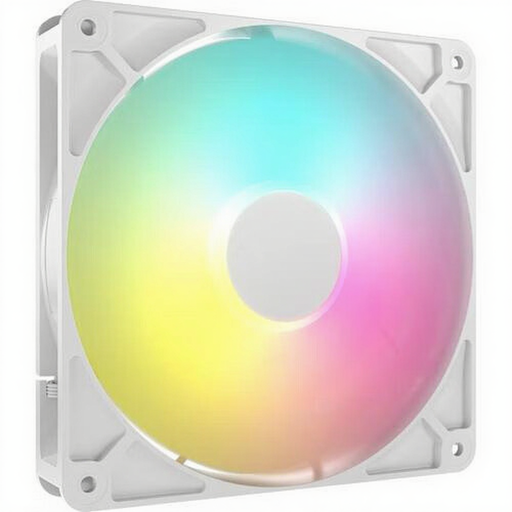
Why This Fits Their Persona: You're looking for a good balance between price, performance, and aesthetics. This fan offers the benefits of a 140mm size for quieter operation and uses a standard ARGB connector that plugs directly into many motherboards.
This fan avoids the RGB cable chaos by using a standard 5V ARGB connector, so you aren't locked into a proprietary ecosystem and controller.
High airflow (up to 95.5 CFM) for effective case cooling. PWM support for precise speed control.
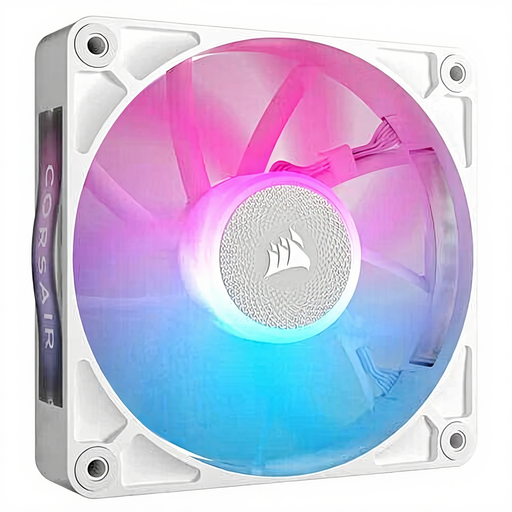
Why This Fits Their Persona: For you, a minimalist look with the fewest visible cables is paramount. This fan is part of the iCUE LINK ecosystem, which lets you connect multiple components with a single cable type for an extremely clean build.
This system is the direct solution to RGB cable chaos. No more separate power and RGB cables for each fan; everything runs through one standardized connector.
Simplified cable management thanks to the iCUE LINK system. According to Corsair, the magnetic levitation bearing ensures quiet operation and a long lifespan.
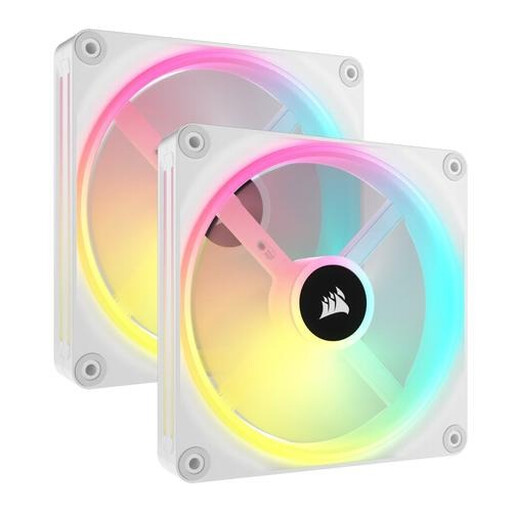
Why This Fits Their Persona: You have a high-performance system and need serious cooling for your CPU radiator or as case fans. These 140mm QX fans combine high airflow with high static pressure, making them excellent all-around performers.
This fan tackles the airflow vs. static pressure pitfall head-on. With an airflow of up to 82.5 CFM and a static pressure of 3.5 mmH2O, it's suitable for both open airflow and restrictive setups.
Excellent all-around performance. According to Corsair, each fan has 34 individually addressable LEDs for advanced lighting effects. Part of the iCUE LINK ecosystem.
We have compiled a complete, up-to-date list of products that fully meet these strict selection criteria and quality standards.
Not always. Check your computer case's specifications. The product page or manual will state exactly which fan sizes (120mm, 140mm) are supported and how many can be mounted in each location (front, top, rear). When in doubt, measure it yourself.
Simply put: airflow is how much air a fan can move in an open space, while static pressure indicates how powerfully the fan can push air through an obstacle (like a radiator or dust filter). For case ventilation, airflow is important; for radiators, static pressure is crucial.
It depends. Standard ARGB fans (with a 3-pin 5V connector) can often be connected directly to the motherboard. Proprietary ecosystems, like the Corsair iCUE LINK fan, require a corresponding hub. This is often included in "starter packs" that come with multiple fans. The advantage is simpler cable management and integrated software.
