
Vandaag of morgen in huis

Kwaliteit gegarandeerd

Welkomstaanbiedingen ontgrendelen: GRATIS bezorging | Tot 80% korting | Gratis 30 dagen JoyPlus-proefperiode
Download de app
A sleek, white PC setup can transform a workspace or gaming station. It exudes a sense of serenity and minimalism. But the path to that perfect, 'clean' look is fraught with pitfalls. Many white components look great in product photos but lead to disappointment in practice. As a Joybuy Product Recommendation Officer, I'll help you see through the marketing hype and make the right choices based on specifications.
Before you start choosing components, it's important to know what often goes wrong. This will prevent you from wasting money on a setup that looks worn out after just a few months.
To avoid the problems above, focus not on marketing terms, but on verifiable specifications. These are the three most important points to check before you buy anything.
Look beyond just the colour. The choice of material is crucial to prevent yellowing.
white PC case. It is scratch-resistant and colourfast.white computer accessories like mice and keyboards, this is a commonly used material. Brands sometimes specify if the plastic is UV-resistant, which is a good indicator of the colour's durability.A clean PC setup is all about harmony. This also applies to the dimensions and how components work together.
white all-in-one PC is the simplest route to a minimalist workspace. It integrates the monitor and PC, significantly reducing the number of cables.white PC case with specific features like a PSU shroud (a cover for the power supply and cables), ample space behind the motherboard, and rubber-grommeted cable cutouts. Some modern cases even support 'Back-Connect' motherboards, where all connections are on the back for an ultimately clean look.To minimise colour differences, it's smart to choose components from the same product line or brand.
white gaming setup with lighting, a white case interior is ideal. This reflects the light from RGB fans and strips, creating a bright and diffuse effect. Software like Corsair iCUE or MSI Center allows you to synchronise the colours of different components for a cohesive whole.Based on the criteria above, we have selected a number of products that suit different user profiles.
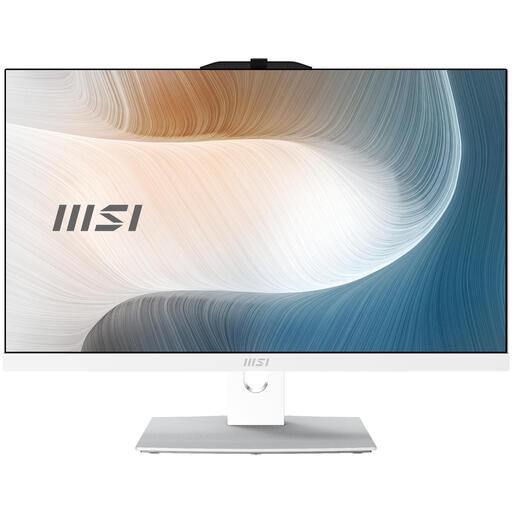
Why This Fits Their Persona: Perfect for those who want to set up a tidy and productive home office without the hassle. This all-in-one combines a powerful PC with a Full HD screen in a single, sleek white chassis. Ideal for a minimalist workspace.
This model completely bypasses the cable chaos pitfall. Since the PC and monitor are integrated, you only need one power cable. The '50 shades of white' mismatch is also a non-issue, as it's a single, cohesively designed product.
Advantage: Extremely clean and tidy desk. Specs: Intel Core 5 processor, 512GB SSD, and a 23.8-inch IPS panel for vibrant colours.
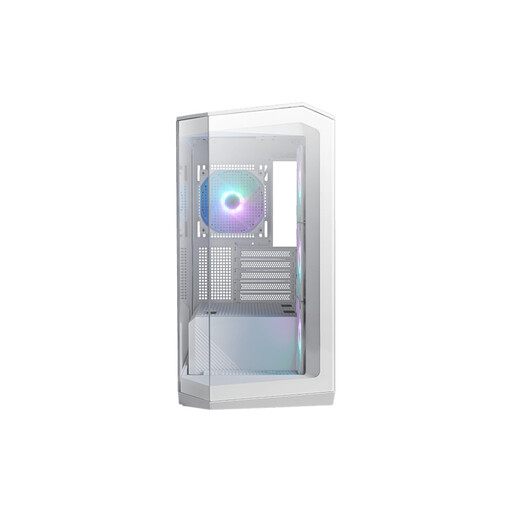
Why This Fits Their Persona: For the PC builder who demands both performance and spectacular aesthetics. This case is a showcase for your white components and RGB lighting, perfect for an impressive white gaming setup.
This case is specifically designed to tackle the cable chaos pitfall. Its support for 'Back-Connect' motherboards hides virtually all cables. The powder-coated steel construction prevents yellowing.
Advantage: Unmatched aesthetics thanks to the 270-degree panoramic glass. Specs: Includes 4 ARGB fans and excellent cooling potential for high-end components.
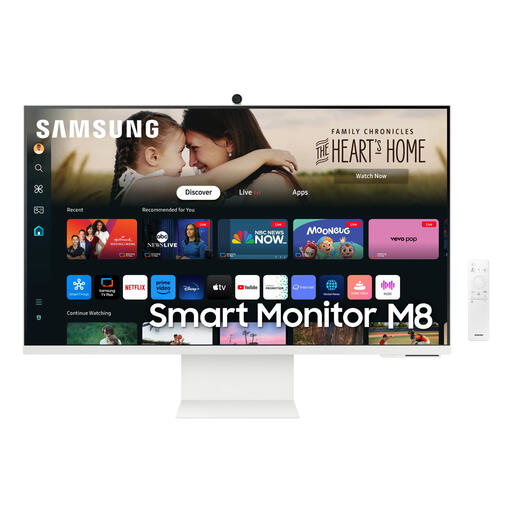
Why This Fits Their Persona: For the user who wants the best of both worlds: a high-quality 4K screen for work and creativity, combined with smart features for entertainment. Its slim, white design is an asset to any modern workspace.
Samsung's design and material choice are top-tier, minimising the risk of yellowing and ensuring a consistent shade of white. As a 'Smart Monitor', it can function independently, contributing to a clutter-free appearance.
Advantage: Combines a 4K monitor with Smart TV functionality. Specs: 32-inch 4K (3840x2160) VA panel, height-adjustable, built-in webcam, and Tizen OS for apps like Netflix and YouTube.
We have compiled a complete, up-to-date list of products that fully meet these strict selection criteria.
Choose components from reputable brands that use high-quality materials, such as powder-coated steel for cases or UV-resistant ABS plastic for peripherals. Additionally, try to avoid placing your setup in direct, prolonged sunlight, as UV radiation can accelerate the yellowing process.
Absolutely. A white all-in-one is an excellent option if you're aiming for the cleanest possible look. It combines the monitor and the computer into a single device, which drastically reduces the number of cables. This results in a very clean PC setup that is perfect for a modern home office.
For the best result, choose white RGB PC components, such as white case fans and a white PC case with a glass side panel. The white interior of the case acts as a perfect reflector for the RGB light, creating a bright and vibrant effect. With software from brands like Corsair or MSI, you can synchronise the lighting of all components for a harmonious whole.
