
Vandaag of morgen in huis

Kwaliteit gegarandeerd

Welkomstaanbiedingen ontgrendelen: GRATIS bezorging | Tot 80% korting | Gratis 30 dagen JoyPlus-proefperiode
Download de app
Building a computer is no longer just about performance. More and more people want a setup that looks as good as it performs. A popular choice is the all-white PC setup: sleek, minimalist, and a true centrepiece. But finding the right matching white components can be a challenge. Shades of white can vary, availability is sometimes limited, and you don't want to compromise on quality.
This article serves as a practical guide. We'll provide purchasing tips for creating a cohesive, aesthetic PC build and highlight several popular white components to get you started.
Before you choose your components, it's helpful to keep a few things in mind. This will help you build a balanced and visually appealing system.
The case is the foundation of your build. For a white PC case, it's important to look beyond just the colour. Pay attention to the following points:
The process of building a white gaming PC requires attention to detail. "White" isn't always the same shade of white. To avoid colour discrepancies between your case, fans, and cables, it can help to choose components from the same brand. Manufacturers like MSI often offer an entire line of white products designed to match. Also, check the colour of the PCBs (Printed Circuit Boards) on your motherboard and graphics card; a black PCB can create a nice contrast, but if you're aiming for an all-white look, models with white or silver PCBs are also available.
Your setup isn't complete without matching peripherals. A white monitor is essential for extending the aesthetic to your entire desk. When choosing one, consider not only the colour of the housing but also the stand and the back panel. A monitor with thin bezels contributes to a minimalist look.
Below is a selection of components that can form a great foundation for your dream white PC. These recommendations are based on their specifications and design.
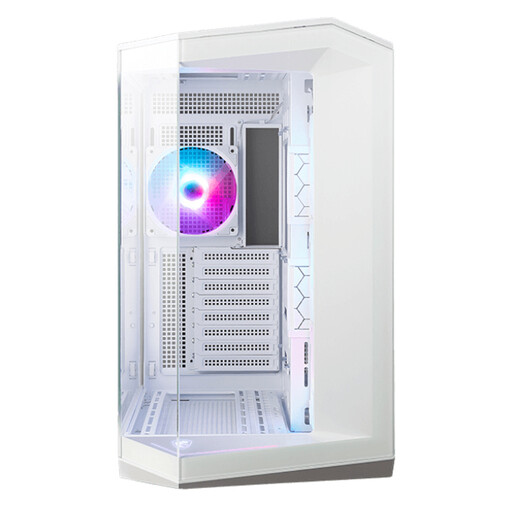
Why It Stands Out The MSI MAG Pano 100R PZ is a prime example of a modern panoramic PC case. Its design, featuring tempered glass on the front and side, provides a 270-degree view of your components. This makes it an excellent choice for builders who want to showcase their hardware. The case is designed for a clean finish, thanks in part to its support for 'Back-Connect' motherboards, which route cables through the rear.
Advantages
Who Is This For? For the PC builder who wants to create a visually stunning aesthetic PC build and has the space for a standard ATX (Midi Tower) form factor. It's ideal if you plan to invest in RGB components that you want to fully display.
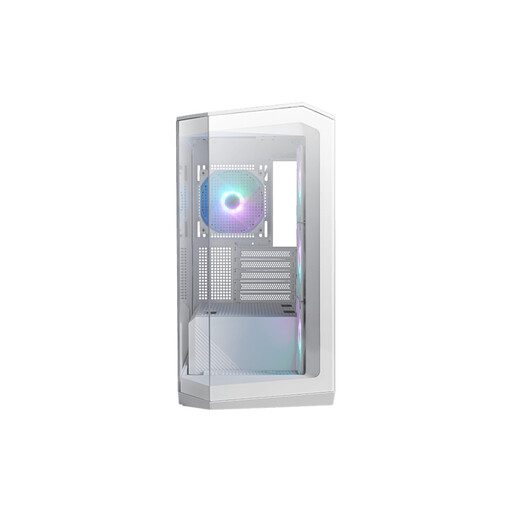
Why It Stands Out The M100R PZ offers the same panoramic aesthetic as its larger sibling but in a more compact Micro-ATX form factor. This makes it perfect for setups where space is limited, without sacrificing its premium look. This case also supports the Back-Connect design for superior cable management and an uncluttered interior.
Advantages
Who Is This For? For builders who want the panoramic look but prefer a more compact Micro-ATX build. It's a great choice for a powerful yet space-saving gaming setup.
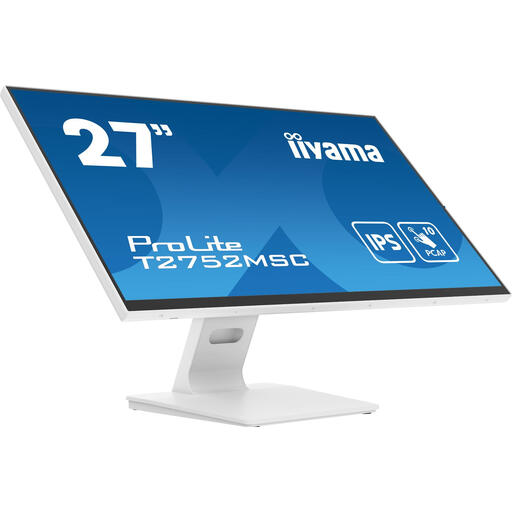
Why It Stands Out This white monitor from Iiyama combines a sleek, modern design with functional specifications. The edge-to-edge glass and white housing fit perfectly into a minimalist setup. Its IPS panel ensures vibrant colours and wide viewing angles, which is great for both work and entertainment. The addition of 10-point touch technology also makes it highly versatile.
Advantages
Who Is This For? For users looking for a stylish white monitor that offers more than just a pretty picture. The combination of an IPS panel and touchscreen functionality makes it suitable for creative applications, presentations, or simply as a high-quality monitor for daily use.
A complete white setup consists of more than just a case and a monitor. Think about white motherboards, coolers, power supplies, and cables. Haven't found the perfect match for you yet?
Explore more white components and accessories to complete your dream PC.
1. Is a white PC setup harder to keep clean? White components can show dust and discolouration more clearly over time than black ones. However, regular dusting with a microfibre cloth and keeping your case's dust filters clean will help keep your setup looking like new. Components with a matte finish are generally less susceptible to fingerprints.
2. Do all components fit in a white PC case? The colour of the case does not affect compatibility. What's important is to pay attention to the form factor (ATX, Micro-ATX, etc.) of the case and your motherboard. Additionally, always check the maximum graphics card length, maximum CPU cooler height, and power supply dimensions that the case supports. You can always find these specifications on the product page.
3. What are the advantages of a panoramic PC case? A panoramic PC case, with glass panels on the front and side, is primarily designed for aesthetics. It offers an unobstructed view of your hardware, which is ideal if you want to show off RGB lighting and carefully selected components. Functionally, the open design can also contribute to good airflow, provided it's paired with enough fans.
