
Vandaag of morgen in huis

Kwaliteit gegarandeerd

Welkomstaanbiedingen ontgrendelen: GRATIS bezorging | Tot 80% korting | Gratis 30 dagen JoyPlus-proefperiode
Download de app
A white computer setup looks smart, but colour alone tells you little about performance, compatibility or ease of use. If you’re looking for white PC hardware, you’ll often be comparing a white PC case, gaming PC components, a white monitor and accessories such as an external USB-C SSD. It’s easy to make a few common buying mistakes along the way.
As a Joybuy Product Recommendation Officer, I filter product information for verifiable specifications. This helps you see which components suit your needs and which marketing terms you shouldn’t rely on as your only decision-making criteria.
A white PC case with RGB lighting and a glass side panel can look appealing, but always check the maximum dimensions. A powerful graphics card, CPU cooler or radiator won’t automatically fit in every case.
Check:
Limited space can make installation trickier and affect airflow.
ARGB case fans provide lighting and can move air, but the number of LEDs says nothing about cooling capacity. Check the airflow, static pressure, fan speed and connector.
A 5V 3-pin ARGB connector is not the same as a 12V 4-pin RGB connector. Connecting them incorrectly can cause damage. So check that your motherboard, fan controller and case use the same standard.
When choosing an all-in-one PC or complete computer, the processor isn’t the only important factor. Also check the type of RAM, upgrade options, connections, screen quality and warranty. Some models don’t include a charger or cable as standard. Check what’s in the box before you order.
A white PC case with a glass side panel is a good choice if you want to show off your components and lighting. Tempered glass does need careful handling during transport and setup. Also check the fan and radiator mounting positions.
The Corsair 3500X ARGB Midi Tower White supports EATX motherboards, graphics cards up to 410 mm and CPU coolers up to 170 mm. It comes with three 120mm ARGB fans and has room for a radiator up to 360 mm. The MSI MAG PANO 100R PZ supports ATX, micro-ATX and Mini-ITX, with a maximum graphics card length of 380 mm.
For a smaller workspace, the MSI MAG PANO M100R PZ Micro Tower White is designed for micro-ATX and Mini-ITX systems. Its maximum graphics card length is 350 mm. So measure your existing or planned components before you buy.
When choosing PC cooling, measured values are more useful than terms such as “powerful” or “quiet”. Check:
The Corsair CO-9051005-WW is a 120mm ARGB case fan with PWM, a stated airflow of 63,1 CFM and a speed range of 480 to 2.400 rpm. For larger mounting positions, the RS140 ARGB 140mm fan is specified at up to 95,5 CFM, with a speed range of 330 to 1.700 rpm. For this product, take extra care to check the manufacturer’s specifications and the connector details on the product page.
A modern white computer often needs USB-C for monitors, storage, phones and accessories. Be aware of the difference between:
An external USB-C SSD will only reach its high theoretical speed with compatible hardware if the computer, cable and port all support it. The DigiEra 1TB Magnetic Portable SSD uses USB 3.2 Gen 2x2 Type-C and lists transfer speeds of up to 2.000 MB/s read. In practice, the device, file type and cable can all affect speed.
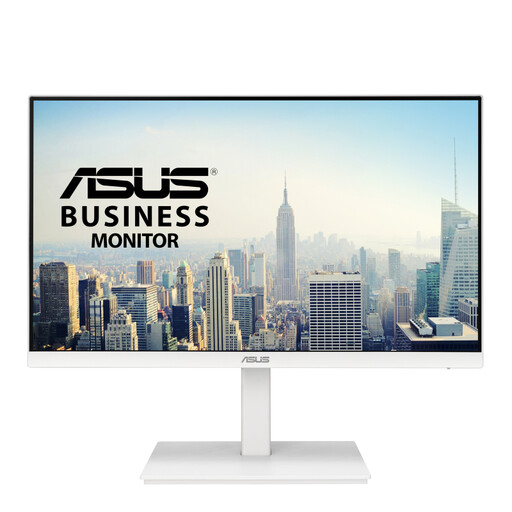
Why it suits this profile: This white monitor is well suited to working from home, studying and everyday computer use, without needing to replace your entire PC straight away.
The specifications list a 23,8-inch Full HD IPS screen, 75 Hz refresh rate and adjustable stand. That means you don’t have to judge it by its white design alone.
IPS panel, 75Hz refresh rate, HDMI, DisplayPort, VGA and a height-adjustable stand.
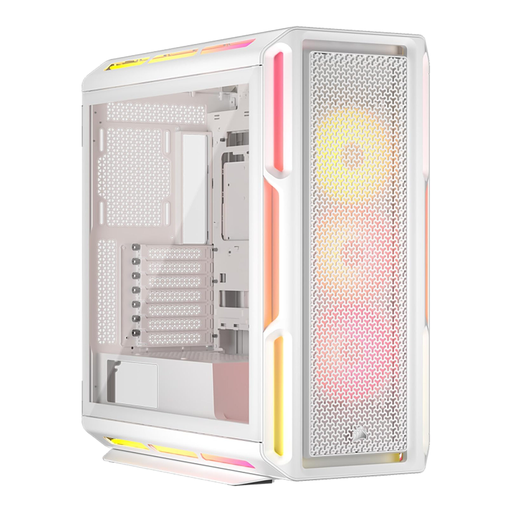
Why it suits this profile: This midi tower has room for a high-end gaming PC build and lets you show off a white setup with RGB lighting.
The case supports ATX, EATX, micro-ATX and Mini-ITX motherboards, with room for graphics cards up to 450 mm and a radiator up to 360 mm.
Three included 120mm RGB fans, tempered glass side panel, cable management and several mounting positions for cooling.
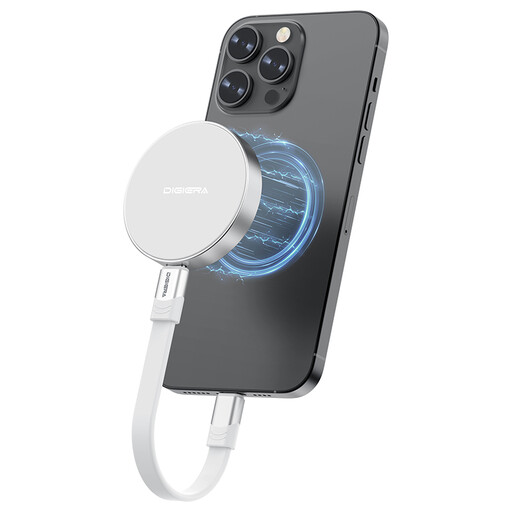
Why it suits this profile: A practical choice if you want to carry large files, backups or video footage with you over USB-C.
The interface, capacity and stated read and write speeds are clearly listed. Check that your USB-C port supports USB 3.2 Gen 2x2.
1TB of storage, USB-C connection, compact design and magnetic attachment for selected iPhone models.
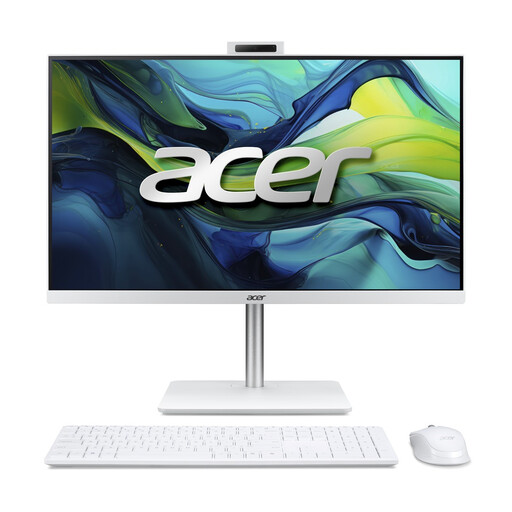
Why it suits this profile: A compact solution for students, people working from home and families looking for a complete white computer.
The product information lists the screen, processor, RAM, storage, webcam and included wireless mouse and keyboard.
23,8-inch Full HD IPS screen, 16GB DDR5, 1TB PCIe NVMe SSD and Windows 11 Home, all in one unit.
We’ve put together a complete, up-to-date list of products that meet these strict selection criteria and current European safety regulations.
First, check the motherboard size, maximum graphics card length and space for CPU cooling. For larger systems, models that support ATX or EATX and have room for a 360 mm radiator offer more flexibility. Also check that the power supply and cables will fit.
Lifespan depends on usage, dust management, temperature and the quality of individual components. Clean dust filters regularly, keep vents clear and install components according to the instructions. Many of the products mentioned come with a minimum two-year statutory warranty in the European Union.
Colour has no effect on power consumption. Consumption is determined mainly by the processor, graphics card, monitor, power supply and how long the computer is used. A PC with powerful gaming components typically uses more electricity than an all-in-one for office work. Choosing a power supply with the right capacity and efficiency helps you match the setup to how you’ll actually use it.
