
Vandaag of morgen in huis

Kwaliteit gegarandeerd

Welkomstaanbiedingen ontgrendelen: GRATIS bezorging | Tot 80% korting | Gratis 30 dagen JoyPlus-proefperiode
Download de app
Building a sleek, white PC is a popular goal for many gamers and content creators. It looks modern and clean. But the search for the right white PC components is fraught with pitfalls. Marketing promises can lead to a disappointing end result, leaving your setup looking messy or, worse, underperforming. As a Joybuy Product Recommendation Officer, I'll help you see through the hype and make the right choices based on specifications that truly matter.
Before you fill your shopping cart, it's crucial to know the most common missteps. These mistakes can turn your dream setup into a source of frustration.
To avoid the mistakes above, focus on a few crucial, objective specifications. These will determine whether your build is both beautiful and powerful.
The most important job of your case and fans is PC cooling. Without proper cooling, even the fastest hardware is useless.
Not everything fits together seamlessly. Check the dimensions and how components work together.
Not everyone has the same needs. Here are some recommendations tailored to different types of users, based on their objective specifications.
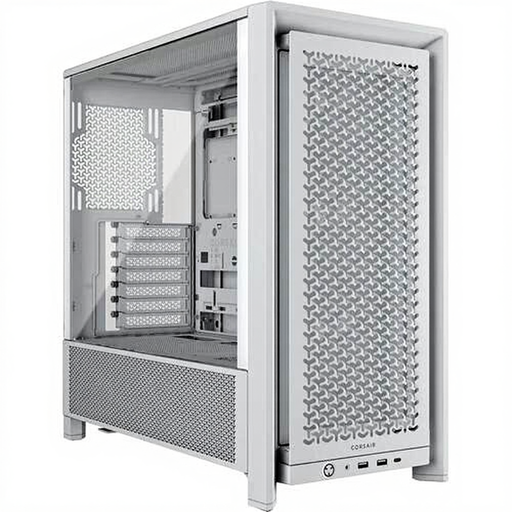
Why This Fits Their Persona: This user wants a visually appealing white build without paying a premium. The 4000D RS provides a solid foundation with a focus on both aesthetics and performance, ideal for a first serious build.
The ventilated front panel tackles the 'aesthetics over airflow' problem. The spacious layout and cable management channels help avoid the 'cable spaghetti' trap.
Comes with three RS120 ARGB fans, providing a great start for an illuminated build. Offers support for radiators up to 360mm for future cooling upgrades.
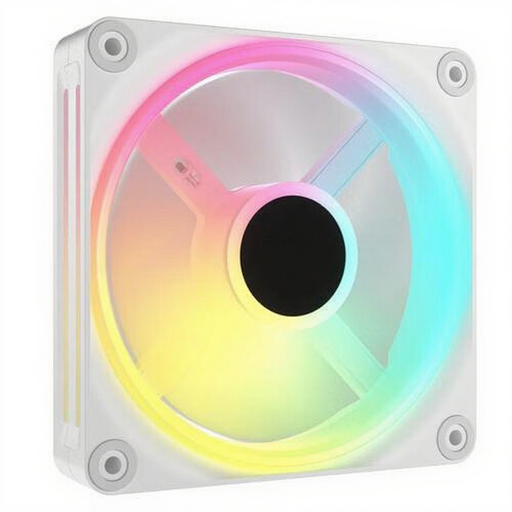
Why This Fits Their Persona: This user wants an extremely clean build with minimal cables and maximum RGB control. Performance and a clean look are equally important. They are willing to invest in an ecosystem.
The iCUE LINK system completely solves the 'cable spaghetti' trap by connecting multiple fans with a single cable. The QX fans offer high airflow (up to 63.1 CFM per fan), so there's no compromise on cooling.
Simplified installation and superior cable management. Each fan has 34 individually addressable LEDs for extensive lighting effects via the iCUE software.
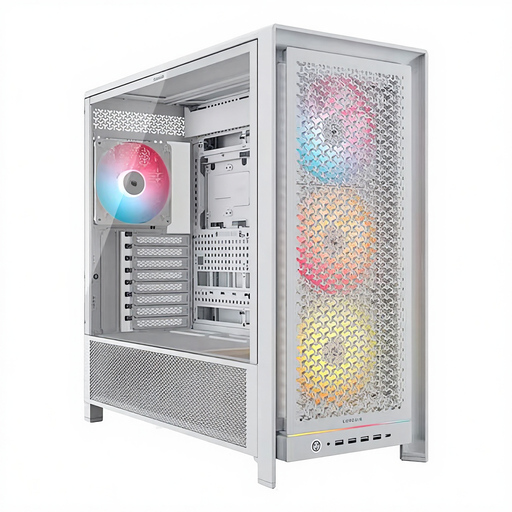
Why This Fits Their Persona: This builder is planning a high-end system with the largest components and possibly a custom water-cooling loop. Maximum space, flexibility, and cooling potential are the highest priorities.
The enormous interior space and RapidRoute cable management system make a tidy build easy, even with many components. The case is designed for maximum airflow and supports multiple large radiators simultaneously.
Supports multiple 360mm radiators simultaneously. Offers space for graphics cards up to 450mm and has flexible side fan mounts, ideal for advanced cooling configurations.
We have compiled a complete, up-to-date list of products that fully meet these strict selection criteria and local regulations.
Here are answers to some questions that often come up when building a white PC.
Yellowing is often caused by exposure to UV light and smoke. Choose components from reputable brands known for their high-quality plastics and coatings. Do not place your PC in direct sunlight and keep the environment smoke-free. Regular dusting with a soft microfibre cloth also helps to keep the colour fresh.
Not always. The shade of "white" can vary significantly between brands and even between product lines from the same brand. To ensure the most consistent look, it's a good idea to choose visible components like the case and fans from the same brand and series where possible. For example, a Corsair white PC case with Corsair fans is a safe bet for a uniform appearance.
That depends on the type of fan. Some 140mm ARGB fan models can be connected directly to the 5V ARGB header on a modern motherboard. However, for simplified installation and advanced synchronisation, ecosystems like Corsair iCUE LINK use a dedicated hub. This is often included with multi-packs and significantly reduces the amount of cabling. Always check the product page to see what is required for installation and control.
