
Vandaag of morgen in huis

Kwaliteit gegarandeerd

Welkomstaanbiedingen ontgrendelen: GRATIS bezorging | Tot 80% korting | Gratis 30 dagen JoyPlus-proefperiode
Download de app
A white mechanical gaming keyboard with a US QWERTY layout is a great fit for a clean desk, gaming PC or home office. However, choosing the wrong model can quickly become frustrating. A compact keyboard saves space, but may lack arrow keys. Wireless connectivity is convenient, but requires you to consider battery life and connection modes. And while an RGB keyboard may look appealing, its key layout or software may not suit the way you use it.
This buying guide helps you compare size, layout, switches, connectivity and customisation options.
Some budget models use membrane keys designed to feel mechanical. This is different from a keyboard with individual mechanical switches. For example, the MageGee TS91 explicitly states that it uses a membrane construction with a mechanical feel. If you want to replace switches or fine-tune the typing experience, you need a genuine mechanical or optical-mechanical model.
So do not just check the title. Also look at:
A 60% gaming keyboard usually has 61 keys and leaves out the number pad, function row and dedicated arrow keys. Some functions remain available through Fn combinations, but this is not equally comfortable for everyone.
A 75% gaming keyboard generally provides arrow keys and a function row in a smaller format. An 80% model, such as the KEYSME Lunar 01, offers a similarly practical layout. For bookkeeping, spreadsheets or lots of text entry, a full-size model with a number pad may be the more logical choice.
A US QWERTY keyboard uses an ANSI layout. The Enter key, Shift keys and punctuation positions differ from those on a Dutch ISO keyboard. Dutch accents are still possible through Windows or macOS settings, but the lettering on the physical keys may not always match the software layout.
Choose carefully:
Measure your desk before ordering. Consider not only the keyboard’s width, but also how much room you need for your mouse. A 60% model gives you more room to move on both sides, while a 75% or 80% model retains additional navigation keys.
A full-size keyboard typically has 104 or 108 keys. This is practical for data entry and office work, but takes up more space. A mechanical keyboard with a volume knob can make media control easier without having to open software.
Linear switches generally feel smooth and consistent as you press them. Tactile switches provide a noticeable bump. Clicky switches also produce a distinct clicking sound. None of these options is ideal for every household: in a shared workspace, a loud switch may be less comfortable.
With a hot-swappable keyboard, you can replace compatible 3-pin or 5-pin switches without soldering. However, check that the supplied sockets and switches are compatible with the components you may want to use later.
Some models use magnetic Hall-effect or analogue optical switches. For example, the AULA Hero 68 specifies adjustable actuation and rapid-trigger functions. These features are particularly relevant to players who want to adjust settings for individual games. Before buying, check which software and compatibility requirements apply.
A wired keyboard connected via USB-C provides a straightforward connection without battery management. A wireless mechanical keyboard, on the other hand, may work via Bluetooth, a 2.4GHz receiver or both. Check the following:
With RGB, it is important to distinguish between fixed effects and software customisation. Product information for various models mentions adjustable colours, brightness and lighting effects. Treat this as a product specification, not a guarantee that every function works with every operating system.
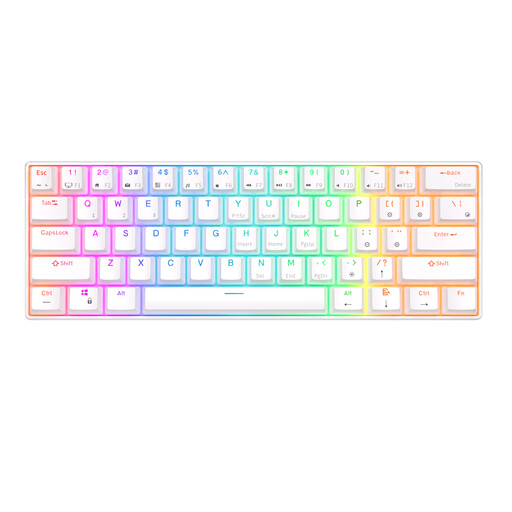
Why it suits this profile: This 60% model combines a compact size with RGB lighting, hot-swappable mechanical switches and multiple wireless connections. That makes it suitable for a small home office or a first compact gaming set-up.
The product information specifies genuine mechanical, hot-swappable switches rather than just a mechanical feel. However, check beforehand that you are comfortable using Fn combinations for arrows and navigation.
61 keys, RGB lighting, Bluetooth for up to three devices according to the product information, and a detachable USB cable.

Why it suits this profile: The 80% layout offers more navigation keys than a 60% model. The combination of US QWERTY, tri-mode connectivity, a gasket mount and a programmable knob is ideal for users who want to tailor their keyboard for gaming and work.
The product information clearly states the 80% layout and three connection options. This makes it easier to assess in advance whether the model suits your space and devices.
Hot-swap switches, PBT keycaps, a programmable knob, gasket-mount construction and a stated battery capacity of 4000 mAh.
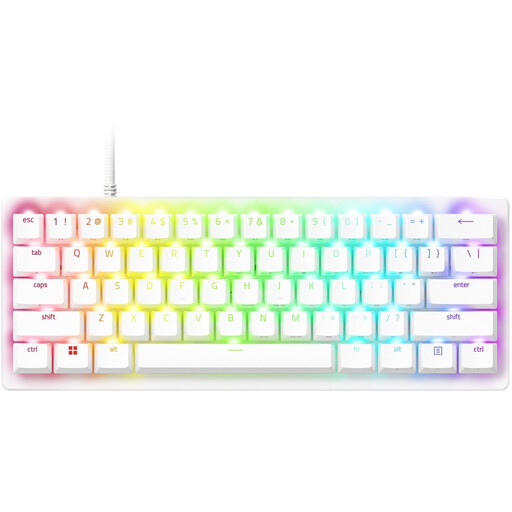
Why it suits this profile: This wired 60% model is designed for players looking for a compact set-up and adjustable actuation. The US QWERTY layout and programmable functions suit specific gaming profiles.
The specifications explicitly mention optical switches, adjustable actuation and a USB-C connection. This leaves less room for confusion between a mechanical feel and optical switch technology.
61 keys, RGB lighting, PBT keycaps, an aluminium top plate and storage for up to six profiles according to the product information.
We have compiled a complete, up-to-date list of products that fully meet these strict selection criteria and the applicable European safety regulations.
Use this quick checklist:
For wireless models, also make sure they are charged safely and avoid exposure to moisture, high temperatures and liquids. With hot-swap models, the keyboard must be switched off before removing the switches.
Yes, but you need to select the correct keyboard layout in Windows or macOS. The physical ANSI layout may differ from a Dutch ISO keyboard. The Enter key and punctuation marks in particular may take some getting used to.
Lifespan depends on the switch type, build quality, usage and maintenance. Manufacturers may state a specific number of keystrokes, but this is not a guarantee for every user. Also check whether the switches and keycaps can be replaced.
In addition to the purchase price, you need to consider charging and any software requirements. A wired model does not need an internal battery. With wireless models, battery capacity, connection mode and RGB consumption vary by product. Therefore, look at the specific product specifications rather than relying solely on the term “wireless”.
