
Vandaag of morgen in huis

Kwaliteit gegarandeerd

Welkomstaanbiedingen ontgrendelen: GRATIS bezorging | Tot 80% korting | Gratis 30 dagen JoyPlus-proefperiode
Download de app
A white gaming headset works well with a light-coloured or minimalist gaming setup. However, colour says little about whether it’s right for your console, computer or playing style. The main differences come down to the connection, comfort, and how the microphone and audio features are designed.
When comparing a gaming headset with a microphone, watch out for these common pitfalls:
For a PS5 gaming headset, Xbox gaming headset or Nintendo Switch gaming headset, the connection matters more than the colour. A 3.5mm headset usually connects via the controller or the device’s audio port. This makes a wired gaming headset easy to use and means you don’t have to charge a battery.
A USB model may offer extra features, such as virtual surround sound, software settings or RGB lighting. Make sure the USB connection works directly with your console, and check whether features such as 7.1 are only available on PC.
A wireless gaming headset often uses a USB receiver to reduce lag. Bluetooth is handy for phones and tablets, but isn’t always suitable for connecting directly to a PS5 or PS4. For example, the ONIKUMA GT806 product description states that Bluetooth won’t connect directly to PS4, PS5 or PC without an extra adapter.
The driver diameter, such as 40 mm or 50 mm, tells you something about the design, but it doesn’t fully predict how the sound will come across to you. Also consider the type of audio:
If you mainly play competitive games, look for clear positioning of footsteps and voices. For films, music and everyday use, clear stereo sound may be all you need.
A good gaming headset with a microphone should not only play sound, but also make team communication easy. Check whether the microphone:
For long sessions, over-ear ear cushions, an adjustable headband and a suitable weight all matter. A headset weighing 240 to 300 grams may feel light, but fit is personal. Faux leather cushions often block out more sound, while fabric or breathable cushions may feel more comfortable in a warm room.
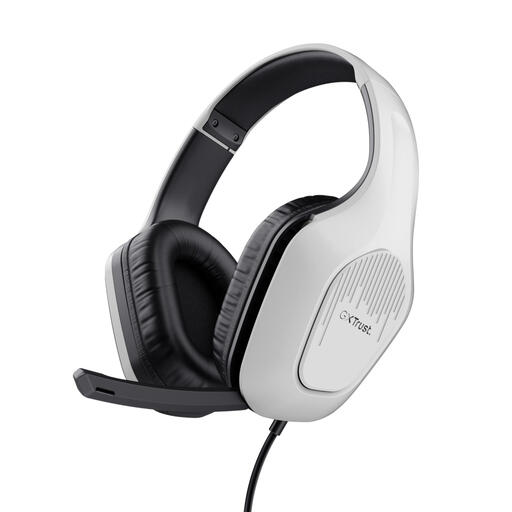
Why it suits this user type: This white gaming headset uses a 3.5mm connection and, according to the product specifications, works with PC, laptops, PlayStation, Xbox and Nintendo Switch. That makes it a good first headset for use with multiple devices.
The specifications clearly state stereo 2.0, with no virtual 7.1. So you won’t be paying for a surround feature this model doesn’t have.
244 grams, 50mm drivers, foldable microphone and a 2-metre cable.
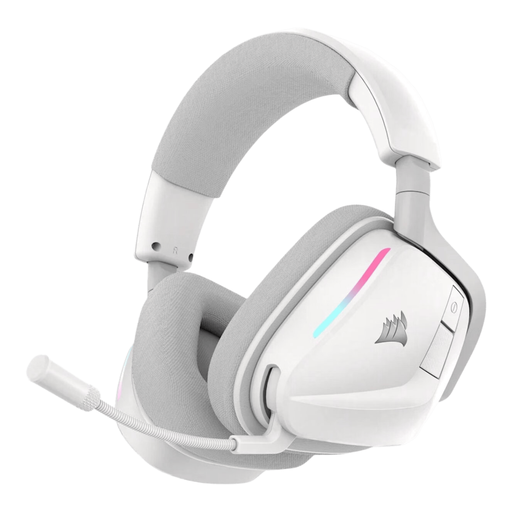
Why it suits this user type: This model combines 2.4GHz wireless connectivity with Bluetooth 5.3, RGB lighting and software settings via Corsair iCUE. It’s a good fit for gamers looking for a range of features and wireless flexibility.
The connections and estimated battery life are listed separately: up to 70 hours via 2.4GHz, according to the product specifications. Check which USB receiver is included for your platform.
50mm drivers, virtual Dolby Atmos spatial audio, RGB and physical controls on the ear cup.
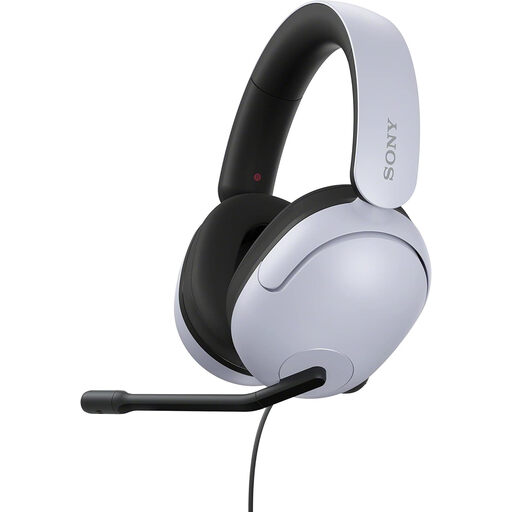
Why it suits this user type: According to the product specifications, this wired model is designed for PlayStation 4, PlayStation 5 and Windows. Virtual surround sound, a flexible microphone and PC software make it a good match for PC and PS5 gamers.
The virtual 7.1 feature isn’t presented as genuine multi-channel hardware. The description also states that the headset isn’t wireless.
40mm drivers, nylon ear cushions, foldable microphone and INZONE Hub software for Windows.
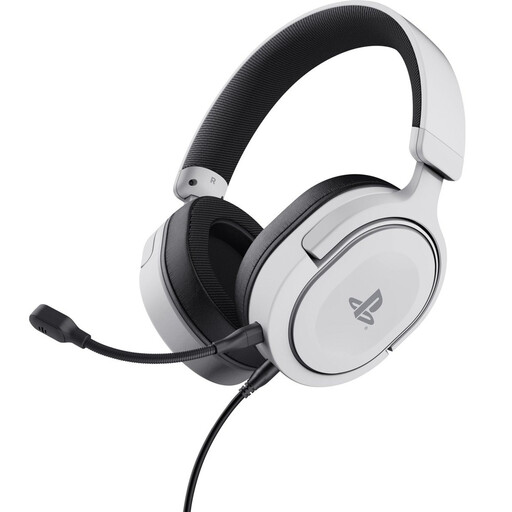
Why it suits this user type: This officially licensed PS5 headset has a detachable 3.5mm cable and is also compatible with PS4. It’s a focused choice for console players who don’t want to manage a wireless battery.
The description distinguishes between stereo and PS5 3D Audio. It doesn’t claim that this model offers genuine surround sound.
253 grams, detachable microphone, soft ear cushions and controls on the ear cup.
We’ve put together a complete, up-to-date list of products that meet these strict selection criteria and the applicable European safety regulations.
It depends on the connection. A model with a 3.5mm jack will often work via the controller or headset port on multiple platforms. USB and wireless models may have more limited compatibility. Always check the platform specifications and whether a USB receiver is included.
A wired gaming headset doesn’t need charging and doesn’t require a wireless receiver. A wireless model gives you more freedom to move, but you’ll need to keep an eye on battery life, charging and the connection type. Bluetooth can be handy if you regularly switch between a PC and phone; for consoles, 2.4GHz via a suitable receiver is often the more relevant option.
Its lifespan depends on how you use it, strain on the cable, the hinges and how well you look after it. Don’t pull on the cable, keep the headset dry and store it somewhere the headband won’t be under pressure. Keep the volume at a comfortable level and take breaks during long sessions. When buying, also check the statutory warranty of at least two years listed for many of these products, as well as any additional rights under Dutch law.
