
Vandaag of morgen in huis

Kwaliteit gegarandeerd

Welkomstaanbiedingen ontgrendelen: GRATIS bezorging | Tot 80% korting | Gratis 30 dagen JoyPlus-proefperiode
Download de app
A white gaming headset is a great match for a light-coloured gaming setup, but looks reveal little about its practical features. A headset may look sleek yet still be incompatible with your console, become uncomfortable during long sessions or have a microphone that does not work properly with your device.
The main pitfalls are clear:
A wired gaming headset with a 3.5mm gaming headset connection will often work directly through a controller, laptop or mobile phone. On PC, check whether you have one combined socket or separate ports for audio and microphone. Some models therefore include a Y-adapter or extension cable.
A wireless gaming headset usually uses a 2.4GHz USB receiver for a low-latency connection. Bluetooth 5.x is convenient for smartphones and tablets, but always check whether Bluetooth is actually supported by your console. For example, the Razer Barracuda X comes with a USB-C dongle, USB adapter and 3.5mm cable.
For a PS5 gaming headset, look for support for Tempest 3D Audio or PS5 3D audio. For an Xbox gaming headset, compatibility often depends on the controller connection or a specific wireless technology. A Nintendo Switch gaming headset should be suitable for the console, handheld mode or the included USB receiver.
Many models use 40mm or 50mm drivers. This gives you an indication of the design, but it does not determine sound quality on its own. Also consider:
A gaming headset with surround sound can be useful for positional audio, but do not pay extra without checking that the feature is available on your device. According to the Corsair HS80 RGB USB product information, Dolby Audio 7.1 works via the USB connection on PC; the available features may differ on consoles.
For long gaming sessions, an adjustable headband, soft ear cushions and a suitable weight are important. The models in this selection range from 232 grams for the Turtle Beach Recon 70 to 373 grams for the Corsair HS80 RGB USB.
A gaming headset with microphone may have a flip-up, detachable or fixed microphone. A flip-to-mute microphone is useful when you want to mute yourself quickly during voice chat. A detachable microphone is more practical if you also use the headset for music or while out and about. Also pay attention to the controls on the earcup: volume adjustment and mute should be easy to access without leaving your game.
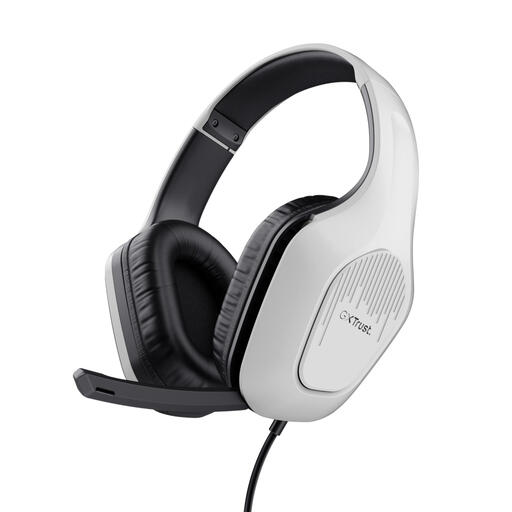
Why it suits this profile: This wired headset uses 3.5mm and, according to the product specification, works with PC, laptop, PlayStation, Xbox and Nintendo Switch.
No battery or wireless receiver required. The stereo audio makes it clear what you are getting; virtual 7.1 surround is not included.
244 grams, 50mm drivers, a 2-metre cable and controls on the earcup.
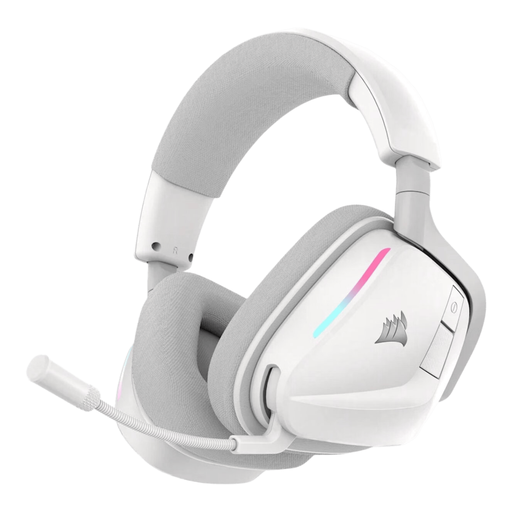
Why it suits this profile: Ideal for anyone who values wireless freedom, software settings and multiple connection options.
The product information lists both 2.4GHz and Bluetooth 5.3. However, check which mode is available on each platform.
Up to 70 hours of battery life according to the product details, 50mm drivers, virtual Dolby Atmos audio and customisable RGB lighting.
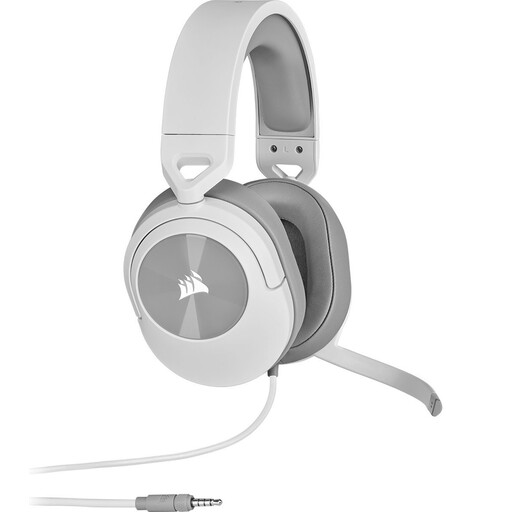
Why it suits this profile: A practical choice for gamers who want to use one headset with multiple devices without having to recharge it.
The connection and included Y-adapter are clearly specified. This model offers stereo sound, with no unspecified surround mode.
273 grams, 50mm neodymium drivers, flip-to-mute microphone and compatibility with PC, Mac, PS5, PS4, Xbox, Switch and mobile devices.
We have put together a complete, up-to-date list of products that fully meet these strict selection criteria and the applicable European safety regulations.
No. A 3.5mm model usually works through the controller or audio connection, but USB and wireless models may have platform limitations. In particular, check Xbox compatibility and whether a USB receiver is included.
A wireless headset needs to be charged, and its battery may hold less charge over time. A wired gaming headset has no battery and works as soon as you plug it in. On the other hand, a wireless model gives you greater freedom of movement.
Use a soft, dry cloth on the headband and ear cushions. Avoid water, solvents and harsh cleaning products. Store the headset in a dry place and do not pull on the cable. Also avoid listening at high volume for extended periods and take regular breaks.
