
Vandaag of morgen in huis

Kwaliteit gegarandeerd

Welkomstaanbiedingen ontgrendelen: GRATIS bezorging | Tot 80% korting | Gratis 30 dagen JoyPlus-proefperiode
Download de app
A white PC build with RGB lighting looks sleek, but choosing the right fan involves more than just considering the colour and number of LEDs. A white Corsair RGB PC fan needs to be compatible with your case, motherboard and controller, and suit your preferred noise level. If you focus only on looks or maximum speed, you could end up with unnecessary cables, limited mounting options or a fan that’s too loud in everyday use.
In this buying guide, I’ll explain which specifications to check and which Corsair models suit different types of PC use.
A 120 mm PC fan and a 140 mm PC fan have different mounting-hole patterns. So check your case manual. Some cases support both sizes, but not in every position. Also check the available space next to the motherboard, memory and radiator.
A larger fan can move a lot of air at a lower speed, but you’ll only benefit if your case has enough room.
A standard RGB case fan may use a 4-pin PWM connection for motor speed and a separate RGB or ARGB connection for lighting. A Corsair iCUE LINK fan, on the other hand, uses a compatible LINK controller and cabling.
Before buying, check:
So, a product described as having “one cable” doesn’t mean you can use it without a controller or power cable.
Manufacturers often list a minimum noise level at low speed. Noise increases at higher speeds. The product information for the selected models, for example, lists values of around 10 dB at low speed and a maximum of approximately 29.5 to 37 dB, depending on the model.
So always compare the full range: minimum speed, maximum speed, airflow and noise level. A quiet PC cooling setup usually comes from a suitable fan curve, not just a low minimum noise figure.
For moving air around a spacious case, maximum airflow is relevant. This is often given in CFM or m³/h. For a radiator fan, static pressure, measured in mmH₂O, is also important. This figure indicates how suitable a fan is, according to its stated specifications, for pushing air through a dense radiator or filter.
Use this rule of thumb:
A PWM case fan typically has a 4-pin connection that lets the motherboard or a controller adjust its speed more precisely. This means the fan can run slowly under light loads and speed up only when temperatures rise.
Remember that RGB lighting and motor control are two separate functions. A fan may support PWM but still need a separate solution for its lighting.
A 3-pack is handy for a new build, but it isn’t always cheaper if you only need one replacement fan. Also check the airflow arrows on the frame. In many cases, fans at the front and bottom draw air in, while those at the rear and top expel warm air.
The best airflow setup depends on your case layout, radiator position and dust filters. More fans aren’t automatically better if the airflow direction isn’t right.
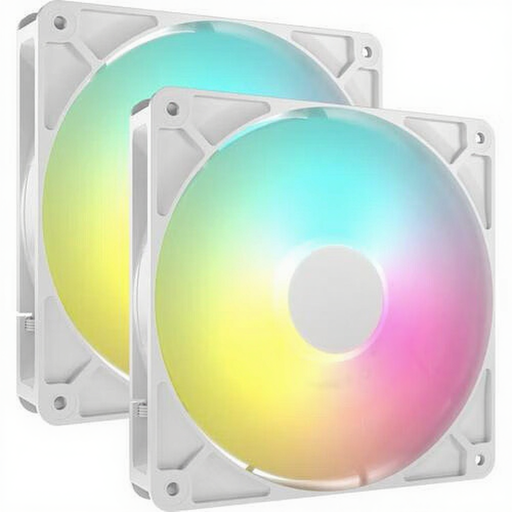
Why it suits this user: This set includes two 140 mm fans for a case that supports this size. The 4-pin PWM connection and eight individually addressable LEDs keep the setup straightforward.
The specifications list a speed range of 330 to 1700 RPM and PWM control. Just make sure your case has 140 mm mounting points.
2 fans, 140 mm, up to 95.5 CFM, up to 3.46 mmH₂O and RGB lighting.
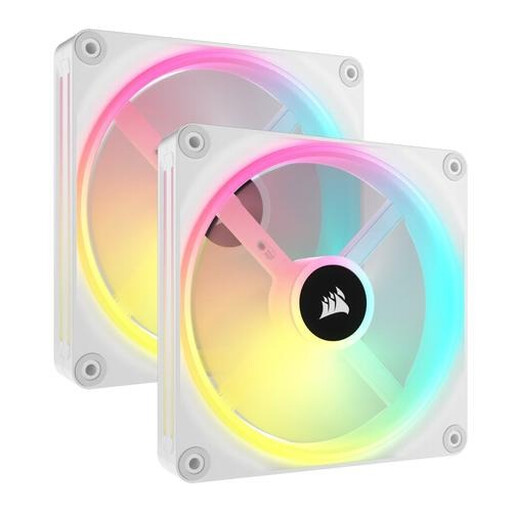
Why it suits this user: The QX140 combines a 140 mm size with iCUE LINK connectivity and 34 individually addressable LEDs per fan.
PWM control stops the fan from running at maximum speed all the time. You’ll still need a compatible iCUE LINK hub.
Up to 82.5 CFM, 480–2000 RPM, PWM and 34 RGB LEDs per fan.
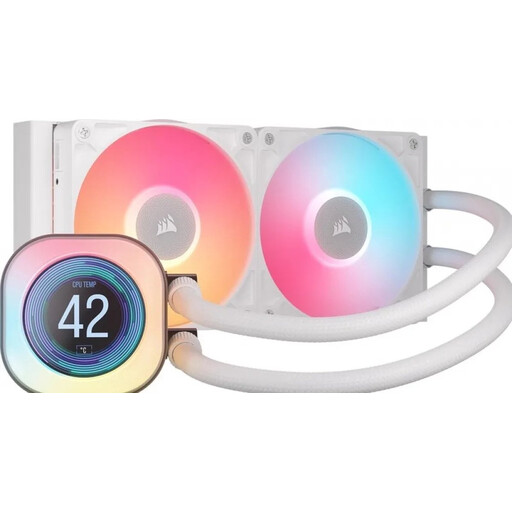
Why it suits this user: For a powerful processor and a build with a 240 mm radiator, this all-in-one liquid cooler offers an integrated solution with two 120 mm fans and an LCD screen.
You won’t be buying a separate radiator fan without checking how it mounts. Make sure your case supports a 240 mm radiator before you buy.
240 mm radiator, two included 120 mm fans, LCD screen and support for AM4, AM5, LGA 1700 and LGA 1851.
We’ve put together a complete, up-to-date list of products that meet these strict selection criteria and the current European safety regulations.
Shut down your PC completely and unplug it from the mains before connecting internal hardware. Securely mount each fan and check the airflow direction. Make sure cables can’t touch the fan blades.
Then set a suitable fan curve in the BIOS, motherboard software or Corsair iCUE. Clean the blades regularly with compressed air or a soft brush. Don’t use water or force the rotor. According to the product information, the legal warranty in the EU is at least 2 years; additional rights may apply under the relevant national law.
Not necessarily. Check the size, thickness, mounting pattern and static pressure. A 120 mm fan will fit a 240 mm radiator if the radiator is designed for it, but your case also needs to have enough room.
iCUE LINK models generally need a compatible System Hub or controller for power, communication and lighting. Check what’s included with each pack; a standalone fan and a starter pack may come with different items.
The motor and number of fans generally have a greater effect on power consumption than the LEDs. Actual consumption depends on fan speed, the number of fans and the controller used. PWM control can help fans run more slowly under light loads.
