
Vandaag of morgen in huis

Kwaliteit gegarandeerd

Welkomstaanbiedingen ontgrendelen: GRATIS bezorging | Tot 80% korting | Gratis 30 dagen JoyPlus-proefperiode
Download de app
A white Corsair RGB PC fan is a great fit for a light-coloured gaming PC or a sleek workspace, but looks alone reveal little about its suitability. A fan may have plenty of RGB LEDs and still not be compatible with your case, radiator or connections. Always check the size, airflow, noise figures and required controller first.
RGB is visible, but it has no direct effect on cooling. Also pay attention to PWM support, maximum speed and static pressure. PWM via a 4-pin connection allows the speed to adjust automatically to your system’s temperature.
With an RGB computer fan, you should also check which system is used:
An iCUE LINK fan cannot automatically be connected directly to every motherboard. Check whether an iCUE LINK System Hub is included or needs to be purchased separately.
A 120 mm PC fan is versatile and fits many cases and 240mm radiators. A 140 mm PC fan can move a lot of air at a similar speed, but requires a suitable mounting position. Check your case manual before ordering.
For 140mm models, also look out for possible clearance issues around the motherboard, memory and CPU cooler. The fan may physically fit inside the case but still come into contact with another component.
A quoted noise level of, for example, 10 dB generally applies at low speed. At maximum speed, the noise level may rise to around 29.5 to 37 dB, depending on the model. Look at the full range and use a customised fan curve.
You usually cannot achieve a quiet PC simply by choosing a fan with a low stated minimum. A well-configured PWM curve, clean filters and sensible airflow are at least as important.
Check:
For balanced airflow, many users install fans at the front or bottom as intake fans and at the rear or top as exhaust fans. The exact layout depends on your case and radiator.
Airflow is stated in CFM or m³/h. This indicates how much air the fan can move at maximum capacity. Static pressure, expressed in mmH₂O, is particularly relevant when air has to pass through a radiator, dust filter or restrictive ventilation grille.
A radiator fan therefore needs different characteristics from a fan installed behind an open mesh front panel. Only compare measurements when the testing method is the same; a higher figure in one unit does not automatically mean better real-world performance.
A PWM fan uses a 4-pin connection to control its speed more precisely. Corsair models with iCUE LINK can also be managed through Corsair iCUE, depending on the hub and cabling used. Check the following beforehand:
Switch off the PC completely and unplug it from the mains before installing internal hardware. Keep cables away from the blades and clean away dust regularly using compressed air or a soft brush.
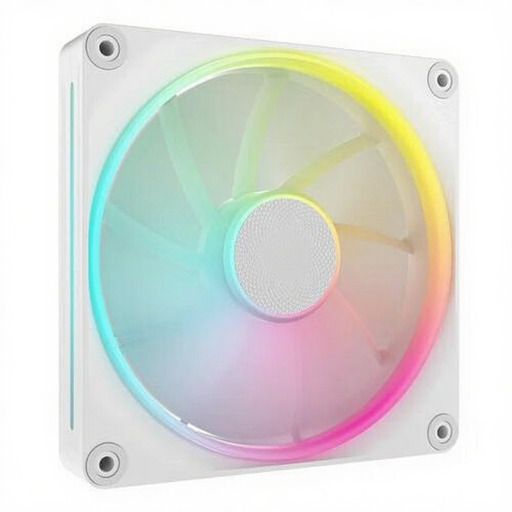
Why it suits this profile: A single 140mm Corsair case fan is practical when you want to replace one existing fan or expand your airflow gradually.
The product specification lists 140 mm, PWM and a range of 350 to 2000 RPM. This means you can check the size and control method in advance rather than choosing based on RGB alone.
Up to 84.7 CFM according to the product information, a white finish and suitability for both case and radiator cooling.
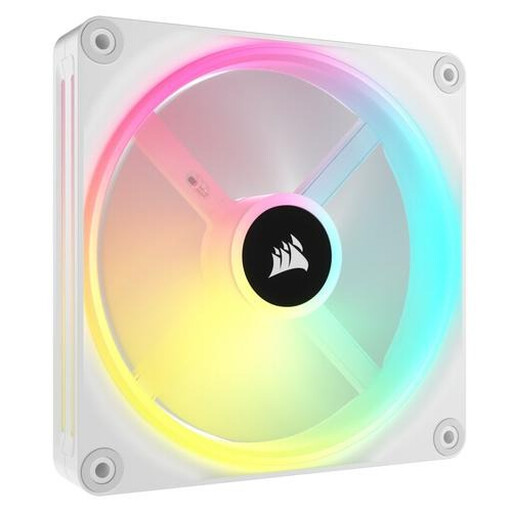
Why it suits this profile: This option is designed for a polished white build with individually controllable lighting and Corsair iCUE LINK integration.
The product details explicitly mention PWM, 34 individually controllable LEDs and a maximum speed of 2000 RPM. However, check that you have an iCUE LINK hub available.
140mm format, RGB LEDs with individual control and, according to the specification, suitability for both case and radiator cooling.

Why it suits this profile: A 3-pack makes sense for a new gaming PC where several positions are filled at once and cable management is important.
According to the product description, the set contains three 120mm PWM fans and an iCUE LINK System Hub. This makes the required infrastructure clearer than with a standalone expansion.
Three fans, up to 2100 RPM, Zero RPM mode according to the product information and connection through a single system.
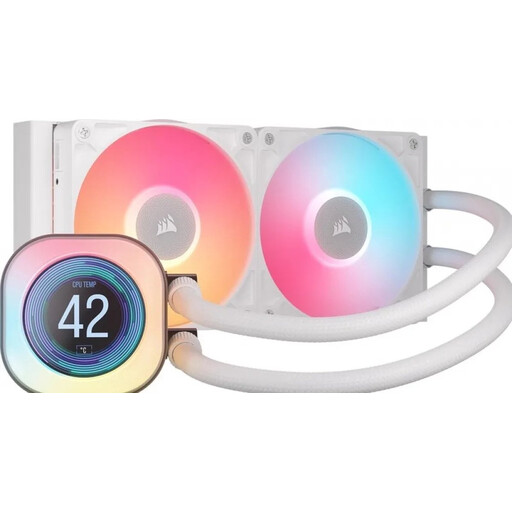
Why it suits this profile: If you are looking for more than just a case fan and also want focused processor cooling, a 240mm Corsair liquid cooler is worth considering.
The key compatibility details are listed for AM4, AM5, LGA 1700 and LGA 1851. Also check that your case has room for a 240mm radiator.
240mm radiator, two 120mm fans, PWM support and an LCD display according to the product information.
We have put together a complete, up-to-date list of products that fully meet these strict selection criteria and the applicable European safety regulations.
No. The case must have mounting points for 140 mm fans and provide enough clearance around the motherboard, memory and radiator. Check the case specifications before ordering a Corsair case fan.
No. PWM controls the speed via a 4-pin connection. Corsair iCUE LINK is a more comprehensive system for power, communication and often RGB control. LINK models may require a compatible hub.
The power consumption of a single fan is generally limited, but the exact amount depends on the speed, model and number of fans. RGB lighting and a higher speed can increase consumption. Use a PWM curve so that the fan runs at a lower speed during light workloads.
