
Vandaag of morgen in huis

Kwaliteit gegarandeerd

Welkomstaanbiedingen ontgrendelen: GRATIS bezorging | Tot 80% korting | Gratis 30 dagen JoyPlus-proefperiode
Download de app
A white PC build looks sleek, but choosing the right white Corsair RGB PC case fan involves more than colour and lighting. The wrong size, an incompatible connection or excessive noise can leave you paying extra without making your PC noticeably cooler.
For gamers, PC builders and hardware enthusiasts, these are the three main pitfalls to avoid:
Below, I’ll explain which specifications you should compare in practice and which models suit different types of users.
A 120 mm case fan is the most commonly used size. It fits many PC cases, radiators and CPU coolers. A 120 mm fan offers broad compatibility, making it a practical choice when upgrading an existing case.
A 140 mm case fan has a larger fan surface. This means it can move a considerable amount of air at a lower speed. That can be beneficial for quieter PC cooling, but only if your case supports the size. Check your PC case manual and look out for possible restrictions caused by the radiator, memory modules or cables.
For an open mounting point at the front or rear, maximum airflow is an important comparison point. This is usually shown in CFM or m³/h. For a radiator fan or a clogged dust filter, static pressure is also important, measured in mmH2O. A higher value can be useful when air has to pass through a radiator, filter or narrow opening.
According to the product information, the Corsair CO-9051005-WW is a 120 mm PWM fan with a maximum of 63.1 CFM and 3.8 mmH2O static pressure. The iCUE LINK LX120 is listed with a maximum of 69.9 CFM and 5.22 mmH2O. Use these figures mainly to compare models of the same size and for the same application; measurements are not always directly comparable between brands.
A PWM fan generally uses a 4-pin connection. This allows the motherboard to adjust the speed automatically according to temperature. That is more useful than a fan that only runs at a fixed speed.
RGB connections vary:
According to the product information, the models below support PWM and RGB or ARGB lighting. Before buying, always check whether the required hub, cables or controller are included.

Why it suits this profile: This standalone 120 mm case fan is a practical choice for a first upgrade to an existing PC. According to the product information, it offers PWM control, 34 individually addressable LEDs and a speed range of 480 to 2400 RPM.
The product specifications list RGB, PWM and suitability for both case and radiator cooling. This means you do not have to judge it on appearance alone.
120 mm format, 4-pin PWM connection, up to 63.1 CFM according to the product information and one fan per pack.
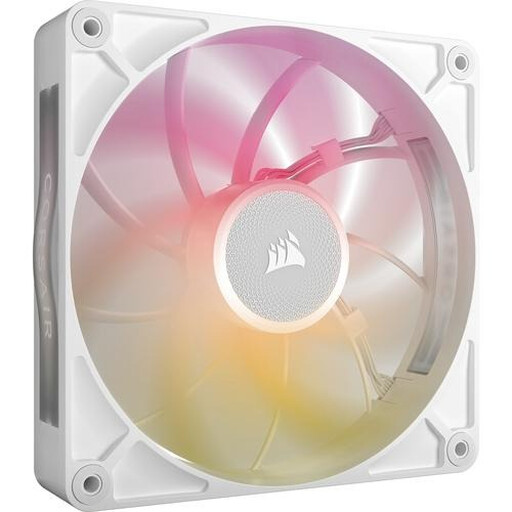
Why it suits this profile: This 140 mm Corsair computer fan is aimed at users with a spacious case who want to combine airflow, RGB and control within one ecosystem.
The size and required iCUE LINK compatibility are easy to check. Only install it in a 140 mm mounting point and use a suitable controller.
Up to 102.9 CFM according to the product information, PWM support, 8 RGB LEDs and a specified noise level of up to 31 dB.
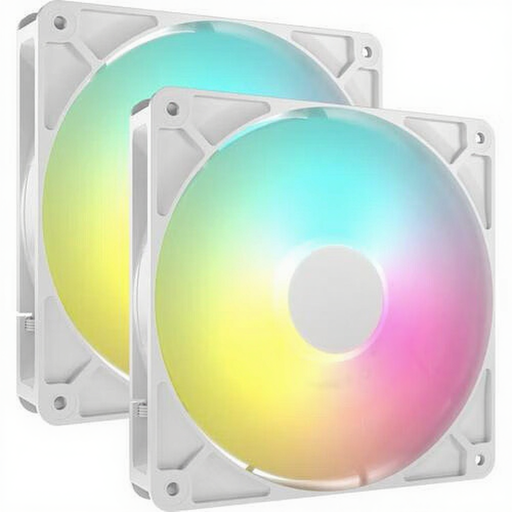
Why it suits this profile: A set of two 140 mm fans is well suited to a new build or a case where several mounting points are being filled at once. The lighting connects via a compatible 5V ARGB header.
The pack lists two fans and both 4-pin PWM and ARGB connections. However, check that your motherboard supports both connections.
Two 140 mm fans, up to 95.5 CFM according to the product information, 8 individually addressable LEDs per fan and PWM control.
A fan will only work effectively if the case has enough mounting points and air vents. The Corsair 5000T Midi Tower Case White supports ATX, E-ATX, micro-ATX and Mini-ITX, and has room for up to ten fans. There are mounting points at the front, side, top and rear. The case supports graphics cards up to 450 mm and radiators up to 360 mm in several positions.
A compact build may benefit more from the Corsair 3500X ARGB Midi Tower White. According to the product information, this model comes with three 120 mm ARGB fans and supports graphics cards up to 410 mm. As well as the GPU length, check the maximum height of your CPU cooler and the length of your power supply.
Where possible, position fans to create a clear airflow path: usually drawing air in at the front or bottom and exhausting it at the rear or top. Look for the arrows on the fan frame. A dust filter can reduce airflow over time, so clean filters and blades regularly with a soft brush or compressed air. Do not use water inside your PC.
We have compiled a complete, up-to-date list of products that fully meet these strict selection criteria and the applicable European safety regulations.
No. The mounting holes and available space vary from case to case. Check that the case explicitly supports 140 mm fans and that the radiator, memory or cables are not in the way.
PWM enables precise speed control via a 4-pin connection. This allows the fan to run more slowly under light loads. The final noise level also depends on the fan curve, resonance, dust and the other components in your PC.
Not always. Some models can be connected directly to a suitable 5V ARGB motherboard header. An iCUE LINK fan uses its own ecosystem and may require a compatible hub or controller. Therefore, check the included accessories and connections before placing your order.
