
Vandaag of morgen in huis

Kwaliteit gegarandeerd

Welkomstaanbiedingen ontgrendelen: GRATIS bezorging | Tot 80% korting | Gratis 30 dagen JoyPlus-proefperiode
Download de app
A white PC build looks clean and stylish, but when it comes to cooling, performance matters more than just aesthetics. If you're searching for white Corsair PC cooling, you'll find a variety of AIO liquid coolers, RGB PC cooling, and individual fans. The differences in size, connectors, and airflow are crucial for your system's performance.
Pay close attention to these three common purchasing mistakes:
A 120 mm PC fan fits in most cases, making it a practical choice for upgrading or replacement. According to product specifications, a 140 mm PC fan can move more air at a lower RPM, but it won't fit in every mounting position.
For a Corsair liquid cooler, 240 mm or 360 mm refers to the length class of the radiator. A 240 mm AIO typically uses two 120 mm fans, while a 360 mm model uses three. Always check your PC case's manual. The combined dimensions of the radiator and the thickness of the fans can take up more space than you might expect.
A PWM fan typically uses a 4-pin connector to automatically regulate its speed via the motherboard or a controller. This allows you to set a quiet fan curve for low-load situations and unlock more cooling power during gaming or rendering.
For case ventilation, airflow (often listed in CFM or m³/h) is a useful indicator. For a radiator, static pressure and the combination of the fan and radiator are more important. Only compare figures when the units of measurement and testing conditions are similar. A stated maximum value is no guarantee of achieving the same noise level in your specific case.
A Corsair AIO CPU cooler must fit your processor's socket. The stated compatibility varies by model. The Corsair iCUE LINK TITAN 240 RX LCD, for example, lists support for sockets including AMD AM4, AMD AM5, Intel LGA 1700, and LGA 1851. The TITAN RX RGB series and Nautilus models also list compatibility with modern AMD and Intel sockets.
Additionally, check which cables are included. A traditional 4-pin PWM connection works differently from iCUE LINK. For some iCUE LINK fans, the product information doesn't mention a standard connector, so you'll need to check if a System Hub is required. This will prevent you from having to buy an extra controller or cable after your purchase.
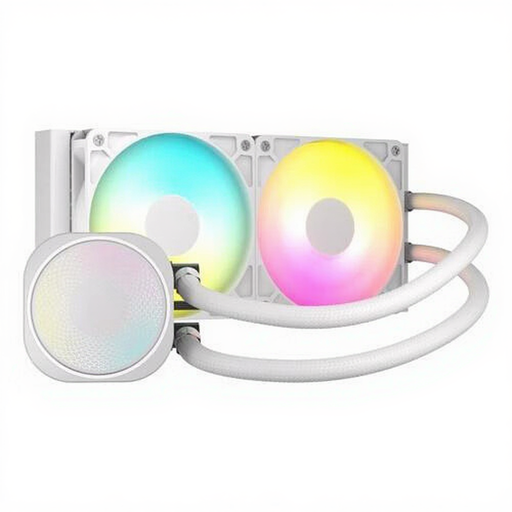
Why it's a good fit: This 240 mm AIO is a straightforward entry point for a gaming PC with a suitable radiator position. The product information lists two fans, PWM control, and compatibility with AM4, AM5, and LGA 1700.
The listed specifications mention a maximum of 2100 RPM, 74.37 CFM, and 4.91 mmH2O. This allows you to look beyond just the RGB lighting.
240 mm radiator, white finish, ARGB lighting, and a stated noise level of 34 dB at high speed.
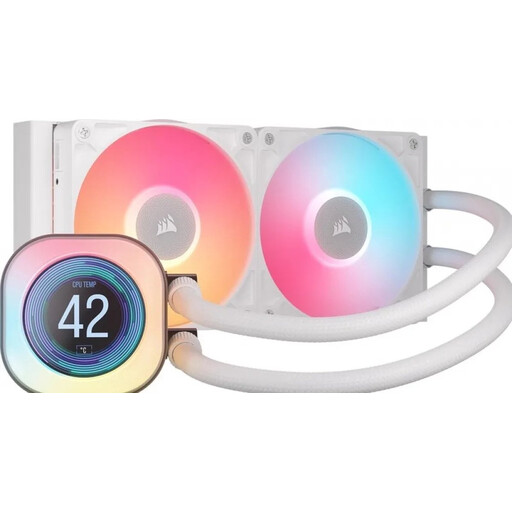
Why it's a good fit: This Corsair liquid cooler is aimed at users who want to display information and lighting in their build, in addition to cooling the processor. According to the product description, the LCD screen can display temperatures and other data.
The relevant connections and socket support are listed. However, be sure to check your system's radiator clearance and iCUE LINK configuration beforehand.
240 mm radiator, two 120 mm RX fans, a 2.1-inch LCD screen, and PWM support.
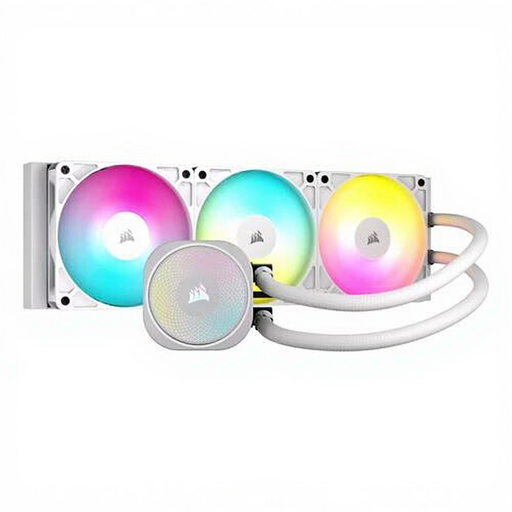
Why it's a good fit: A 360 mm solution is designed for cases that support this radiator size. The three fans are ideal for users who anticipate sustained high processor loads.
The choice is based on radiator size, airflow, and socket support, not just on looks. Measure your case before you order.
Three fans, a stated airflow of 94.87 CFM, PWM control, and support for AM4, AM5, LGA 1700, and LGA 1851.

Why it's a good fit: This pack is ideal if you want to fill multiple fan slots in your case and keep your cables tidy with iCUE LINK. The included System Hub is mentioned in the product information.
You're buying three 120 mm fans as a set, rather than individual models that might have different connectors. Check the available mounting locations.
Three fans, PWM support, RGB LEDs, 400–2100 RPM, and, according to the product information, a Zero RPM mode for low-load situations.
We've compiled a complete, up-to-date list of products that fully meet these strict selection criteria and comply with current European safety regulations.
No. Check the AIO cooler's socket compatibility list and compare it with your motherboard and processor. Also, pay attention to the included mounting brackets. If in doubt, the official manual and the current product page are the most reliable sources of information.
Not necessarily. A well-designed 140 mm fan can move a lot of air at a lower RPM, but the noise level also depends on the motor, bearing, speed, and fan curve. Therefore, you should compare the stated dB values and check if your case supports 140 mm fans.
The fan and its lighting do use power, but consumption depends on the model, speed, and LED brightness. With iCUE LINK systems, you also need to consider the System Hub and the maximum load on the connection. Use PWM curves and appropriate lighting settings to limit unnecessary high speeds and brightness.
