
Vandaag of morgen in huis

Kwaliteit gegarandeerd

Welkomstaanbiedingen ontgrendelen: GRATIS bezorging | Tot 80% korting | Gratis 30 dagen JoyPlus-proefperiode
Download de app
A white case gives a PC build a calm, cohesive look. However, choosing a white Corsair PC case is not just about colour or lighting. A case may look appealing, but awkward cable management space, limited radiator support or insufficient ventilation can lead to additional costs later on.
For gamers, PC builders and hardware enthusiasts, three pitfalls are particularly important:
Most Corsair midi towers support ATX, but some models also support E-ATX, micro-ATX and Mini-ITX. The Corsair 5000T, for example, supports all four motherboard formats. This provides flexibility for different builds, but the case itself has a capacity of 76.44 litres, making it large for a midi tower.
You should also check these dimensions:
The 5000T supports graphics cards up to 450 mm and CPU coolers up to 170 mm. The Corsair 3500X ARGB supports graphics cards up to 410 mm and CPU coolers up to 170 mm. That is usually plenty for a modern gaming PC, but check the dimensions of your specific components, including the radiator, cables and any front-mounted fans.
A PC case with good airflow needs more than just plenty of openings. The layout of the intake and exhaust fans is equally important. A mesh front helps bring air into the case, while dust filters prevent dust from building up quickly. Clean the filters regularly and keep ventilation openings clear.
Pay attention to radiator sizes if you plan to use liquid cooling. The Corsair 5000T supports 240, 280 and 360 mm radiators at the front and top. According to the product specifications, the FRAME 5000D RS ARGB supports radiators up to 420 mm and offers several mounting positions.
However, a larger radiator will only fit if there is sufficient room around the memory, motherboard, graphics card and cables. So check the manual and dimension drawings before buying an AIO liquid cooler.
A white Corsair case fan is often available in 120 mm or 140 mm sizes. According to the product specifications, a 140 mm fan can provide greater airflow at a lower rotational speed, but it will only fit in a suitable mounting position.
PWM stands for Pulse Width Modulation. Via a 4-pin connection, the motherboard or a controller can regulate the fan speed more precisely. When it comes to RGB, pay attention to the ecosystem:
The product specifications for various iCUE LINK models mention a controller or hub system. So check exactly what is included in the box before ordering multiple fans.
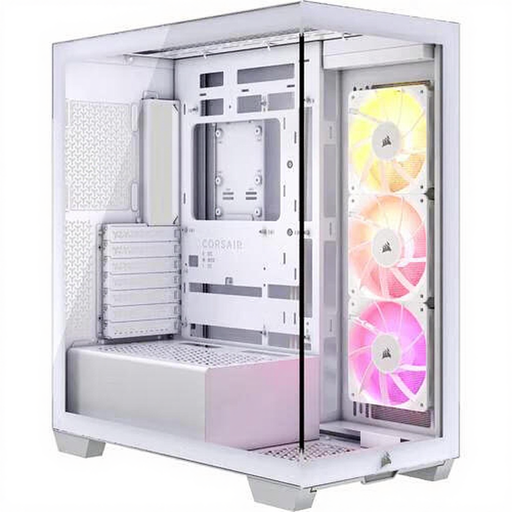
Why it suits this profile: This white PC case combines an ATX-compatible size with three pre-installed 120 mm ARGB fans. That reduces the number of separate components needed for a first build.
The number of included fans is clearly stated. However, check the ARGB lighting connection yourself and make sure your motherboard has a suitable header.
Three 120 mm ARGB fans, support for graphics cards up to 410 mm, CPU coolers up to 170 mm and radiators up to 360 mm.
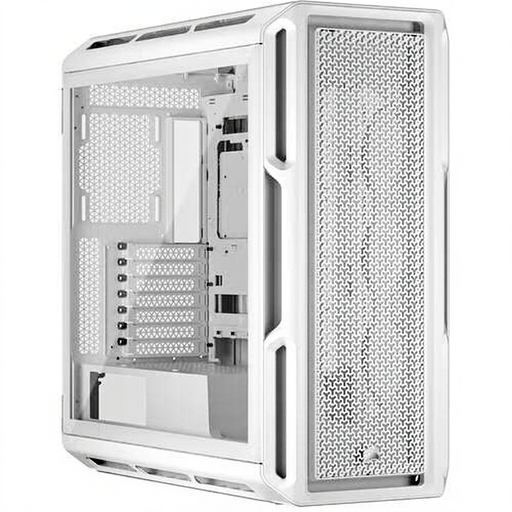
Why it suits this profile: Suitable for a spacious gaming or workstation build with multiple storage drives, a large graphics card and flexible cooling options.
The product specifications explicitly list the motherboard formats, maximum component dimensions and radiator positions. This makes it easier to check compatibility in advance.
Support for E-ATX through to Mini-ITX, graphics cards up to 450 mm, three 2.5-inch SSD bays and two 3.5-inch HDD bays.
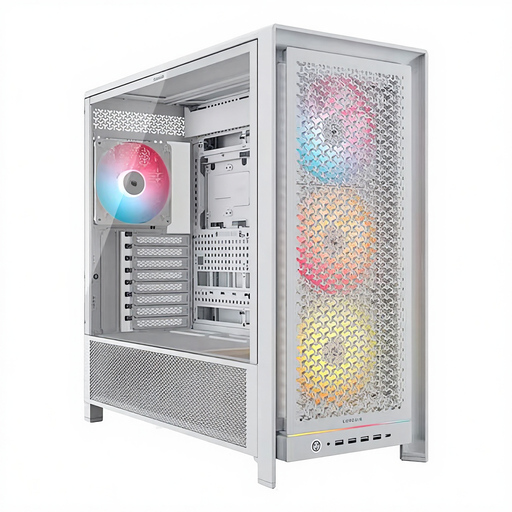
Why it suits this profile: A suitable choice for powerful hardware, multiple storage drives and an extensive liquid-cooling setup.
The case comes with four pre-installed 140 mm ARGB fans and several mounting positions. Even so, check the exact radiator configuration for your components.
Room for graphics cards up to 450 mm, CPU coolers up to 175 mm, six 2.5-inch drives and radiators up to 420 mm according to the product specifications.
We have compiled a complete, up-to-date list of products that fully meet these strict selection criteria and the applicable European safety regulations.
For an RGB PC case, you can add separate white fans, but pay attention to the combination of size, connector and airflow. The Corsair CO-9051005-WW is a 120 mm fan with PWM, a specified maximum airflow of 63.1 CFM and 34 individually addressable LEDs. The 140 mm Corsair RS140 ARGB set contains two fans and lists a maximum airflow of 95.5 CFM per fan according to the product specifications.
Higher static pressure may be relevant for radiators. The Corsair iCUE LINK LX120 RGB, for example, lists a maximum static pressure of 5.22 mmH2O. Treat this figure as a product specification, not a guarantee of a particular temperature in your PC. The final performance also depends on the radiator, room, cable layout and fan curve.
For iCUE LINK models, check whether a hub is required. With models supplied as expansion fans, the controller may need to be purchased separately. Always switch off the PC, unplug it from the mains and keep cables away from moving blades during installation.
No. ATX refers to the motherboard format, not the dimensions of the graphics card. Check the case’s maximum GPU length. For example, the models mentioned support a maximum of 410 to 450 mm, depending on the model and internal layout.
That depends on the hardware and the case. A practical starting point is an intake fan at the front or side and an exhaust fan at the rear or top. First check how many fans are already included. Additional white Corsair case fans are only worthwhile if the case has mounting positions and suitable connections for them.
RGB fans use additional electrical energy for the LEDs, but the power consumption of a complete PC is mainly determined by the processor, graphics card and power supply. PWM control can reduce the fan speed when maximum cooling is not required. This can help limit noise and fan power consumption, depending on the settings you choose.
