
Layout designer working with lots of photos
You combine text and images in a book and want to check that your layout software and screen setup are suitable before you buy.


First, choose a desktop that works with your version of the layout software. Then decide whether you’ll use an existing monitor or want a computer with a built-in screen. A mini PC lets you choose your own screen, while an all-in-one combines the computer and monitor. Also compare what’s included with the exact configuration, and keep the printer’s requirements in mind.
You combine text and images in a book and want to check that your layout software and screen setup are suitable before you buy.
You’re looking for a setup that fits the available workspace, with a screen and input devices you can adjust comfortably. If you process personal data on behalf of an organisation, access security also matters.
You’re considering more than just the computer: you’re also factoring in a monitor, any peripherals and the software you want to use.
A good fit if: you want to pair a compact computer with an existing monitor or one you choose yourself.
Consider: you may need to buy a screen, keyboard and mouse separately; Lenovo lists these as optional for the ThinkCentre configuration reviewed.
A good fit if: you want to use the computer and screen as a single setup.
Consider: you’ll use the included screen as your main display, so check the specifications for that exact configuration.
A good fit if: you want to choose the computer and screen separately to suit the workspace available.
Consider: factor in the screen and any input devices, and check the exact PC configuration. Choosing a desktop doesn’t remove the need to check the print file.
A good fit if: you want to use macOS and choose your own screen.
Consider: before you buy, check that the exact Mac chip and macOS version work with your version of the design software.
| What to consider | What should you check? | Who is this most relevant to? |
|---|---|---|
| Layout software | Compare the requirements for the exact software version with the configuration’s processor, operating system, memory and storage. For InDesign 21.3 and later, Adobe specifies a minimum of 8 GB RAM, recommends 16 GB and recommends an SSD. These aren’t general requirements for all programmes. | If I want to use a particular programme, I’ll first check that it works with the computer and version I’ve chosen. Around 29% of consumers prioritise compatibility with their layout software. |
| Screen for layout work | Check the resolution, screen size, finish and adjustability of the complete setup. Adobe recommends 1920 × 1080 for InDesign; a stated screen colour gamut isn’t an independent test of print results. | If I want to review text, photos and page layouts side by side, I’ll look for a screen that suits the way I work. Around 23% of consumers prioritise screen quality. |
| Shared workspace | Measure the available space and check which monitor, connections and input devices you’ll need. For employees who spend more than two hours a day working with display screens, Arboportaal lists additional requirements for setting up the workspace. | If I share a desk with others, I’ll want the computer setup to fit the space available and be easy to adjust. Around 18% of consumers prioritise a shared workspace. |
| Total cost | Check what’s included with each configuration, such as a monitor, keyboard and mouse, and allow for the software you choose. Lenovo lists these peripherals as optional for the ThinkCentre configuration reviewed. | If I want to compare the cost of the complete setup, I’ll also factor in the screen, peripherals and software. Around 18% of consumers focus mainly on the total cost. |
| File access | Decide who will use the computer and who needs access to the files. If an organisation processes personal data, the Dutch Data Protection Authority says it must put appropriate security measures in place. | If several people use the same computer, I’ll decide in advance who can access names, photos and design files. Around 12% of consumers prioritise file access. |
A standalone desktop and an all-in-one don’t automatically make a complete setup. For the ThinkCentre configuration reviewed, Lenovo lists the monitor, keyboard and mouse as optional.
Before comparing the total cost, check which components are actually included with each configuration.
You may still need a separate monitor and possibly a keyboard and mouse.
The HP S03-0606nd and S03-0006nd are different configurations: HP lists 16 GB RAM for the S03-0606nd, while the S03-0006nd configuration listed on Joybuy has 8 GB.
Compare the full model number, manufacturer code and listing specifications. Don’t assume details for a different suffix apply.
Bleed and PDF export have their own settings, which depend on the finish and the printer’s requirements.
Ask for the print specifications and check the exported PDF separately from how it looks on your screen.
A round of corrections or a proof print may mean extra work.
The ThinkCentre Neo 50q Gen 5 is a compact Windows option for anyone who wants to choose their screen separately.
The V400 AiO V440VA combines the computer and screen in one setup.
The OmniDesk Slim is a standalone Windows desktop option for anyone who wants to choose their own screen.
The Dell Pro Micro QCM1250 is a compact Windows option aimed at business users.
The Mac mini is a compact macOS option where you choose the screen separately.
This selection includes standalone desktops, a mini PC and an all-in-one. For each configuration, check that it suits your chosen layout software, screen setup and shared workspace.
 No image available
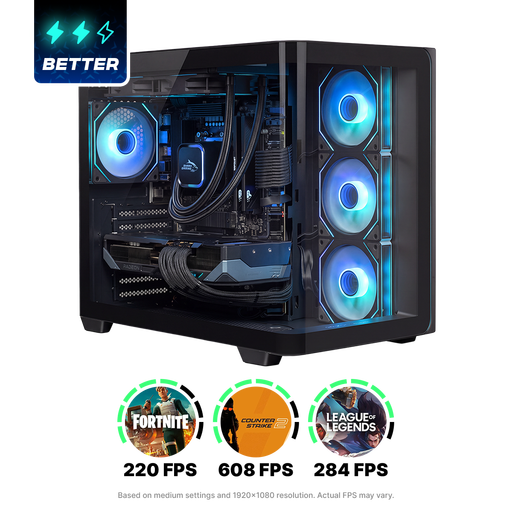
This is a gaming desktop with a screen you choose separately. Check that the configuration suits your layout software and available workspace.
The product name lists RX9070XT, R7, 16G and 1TB. Check the full configuration and included components.
 No image available
A standalone desktop with a screen you choose separately. Compare the exact configuration with your software requirements.
The product name lists an Intel Core Ultra 7 265F, 32 GB DDR5, a 1 TB SSD and NVIDIA GeForce RTX 5070 12GB.
No image available
This desktop has a screen you choose separately. Check the software requirements and what’s included with the configuration you select.
The product name lists an Intel Core Ultra 5 225F, 32 GB DDR5, a 1 TB PCIe 4.0 SSD and NVIDIA GeForce RTX 5070 12GB.
 No image available
A mini PC for a setup with a separately chosen screen. Check the monitor connection and your design software requirements.
The product name lists 128 GB LPDDR5x memory and a 1 TB SSD.
 No image available
This all-in-one combines the computer and screen. Check that the integrated screen setup suits your workspace and software.
The product name lists an M3 chip, 16 GB memory and a 512 GB SSD.
Not as a general buying requirement. Adobe distinguishes between basic requirements and those for optimum GPU performance. Compare the requirements for your software version, and don’t assume that a mention of GPU optimisation means a dedicated graphics card is essential.
Ask the printer which PDF profile and bleed settings they require. Adobe explains how to set up bleed and include it when exporting a print PDF; having a suitable computer alone won’t make a file print-ready.
There are requirements for employees’ display screen workspaces. Arboportaal lists additional requirements when an employee works with a display screen for more than two hours a day. Simply sharing an office doesn’t mean these employee requirements apply to every user.
Agree who needs access to the files and restrict access to the right users. If an organisation processes personal data, the Dutch Data Protection Authority says it must put appropriate security measures in place; it doesn’t prescribe a particular desktop brand.
No. For consumer purchases in the Netherlands, ACM ConsuWijzer distinguishes between statutory guarantees and guarantees offered by the seller or manufacturer. For a business purchase, check which terms apply.