Joybuy products for tutorials and meetings
This selection of Joybuy products includes fixed webcams and tracking cameras for desk use, demonstrations or presentations where you’ll be moving around.
 No image available
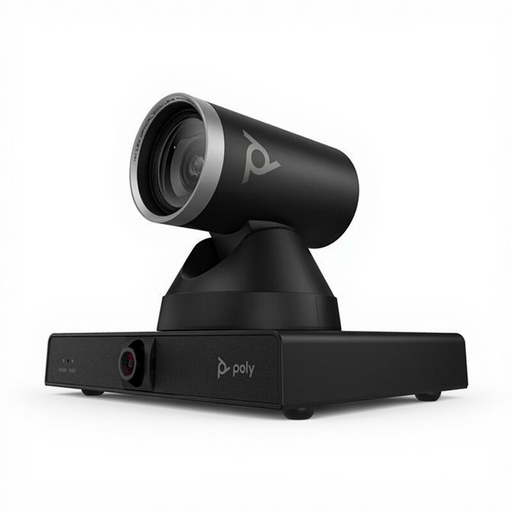
HP Poly Studio E60 Smart Camera 4K MPTZ with 12x Optical Zoom
Worth considering if you want the camera to follow you as you move during a tutorial; the product name lists MPTZ, 4K and 12x optical zoom.
View at Joybuy
 No image available
HP Poly Studio E70 Smart Camera
Consider this model if you’re looking for a camera that can frame and track you during a video meeting; before buying, check which features suit your setup.
View at Joybuy
 No image available
Philips 4000 Series 4K UHD Webcam, SPL6408BT/00
A fixed webcam option for desk-based tutorials; the product name lists 4K UHD, 8MP, autofocus, two built-in microphones and a privacy cover.
View at Joybuy
 No image available
Philips 2K QHD PC Webcam, SPL6308S/00
A clip-on webcam for use with a desktop computer or laptop; the product name lists 2K QHD and a microphone with noise reduction. Test the audio in your own office.
View at Joybuy
 No image available
Insta360 Link 2C Standard Bundle, Graphite Black, 4K Webcam
A fixed camera option for presentations where automatic framing or demonstration modes are useful. The product name lists a 1/2-inch sensor, HDR and a microphone with AI noise reduction; test the audio feature for yourself in your meeting app.
View at Joybuy
Frequently asked questions
Should I only consider the camera’s microphone for a noisy office?
No. Also test your selected audio source and the noise settings in your meeting app. Microsoft Support explains how to select a microphone and enable noise suppression separately in Teams; that doesn’t mean every setting will remove nearby speech.
How should I set up the camera and audio before the tutorial?
Test the camera angle from where you’ll actually be teaching, and select the microphone you want to use in your meeting app. If you’re using the Brio 500 with RightSight 4, check that Logi Tune and your operating system are supported.
What should I check if tracking or the picture stops working properly?
For the Tiny 2 Lite, first check the tracking mode, camera mode and software settings. OBSBOT describes presets and also recommends restarting the device and checking for updates if features aren’t working; this advice applies to this model.
Can I film colleagues or participants, or record a tutorial, without asking?
Not without considering the purpose and how the footage will be used. According to the Dutch Data Protection Authority, people must receive clear information in advance when an organisation processes their personal data; workplace CCTV is subject to strict, purpose-specific conditions. Whether a particular tutorial recording is allowed depends on the circumstances, so it can’t be determined without those details.
What rights do I have when I buy a webcam online?
According to ACM ConsuWijzer, consumers who buy online generally have a statutory cooling-off period of up to 14 days after delivery, subject to legal exceptions. You may also be entitled to a statutory guarantee if the product doesn’t perform as you could reasonably expect under normal use; a manufacturer’s guarantee doesn’t replace this right. If you’re buying for business use, check separately which rules and terms apply.


