
Video callers with shadows on their face
If a window or room lamp is behind you, your face can look dark. Logitech recommends placing light in front of you rather than behind you.


Start with dimmable light in front of your face, and avoid backlighting from a window or room lamp. A compact light beside your screen takes up little space, while an adjustable panel gives you more freedom to change the direction of the light. However, it may need more room or cast light on your flatmate. Before buying, check the mount, power supply and CE marking for the exact model.
If a window or room lamp is behind you, your face can look dark. Logitech recommends placing light in front of you rather than behind you.
If you share a bedroom, adjustable brightness and direction can help you avoid lighting up the whole room. Elgato describes an adjustable desk setup, while Neewer offers a kit with two panels and stands.
If you have little desk or floor space, or want to put your light away after a call, the mounting and power options are important factors. Logitech says the Litra Glow comes with a monitor mount; Ulanzi lists a built-in battery for the VL49 RGB.
First, decide where you can position the light in front of your face and how you can adjust its direction. Then check whether the mount, space requirements and power options suit your shared bedroom.
| What to consider | What should you check? | Who is this important for? |
|---|---|---|
| Shadows on your face | Check whether you can position the light in front of you and adjust its brightness; review the image with your usual room lighting. | If backlighting makes my face look dark, I want to see how light in front of me looks on my webcam. Around 36% of consumers say reducing facial shadows is their main concern when buying. |
| Light reaching your flatmate | Check whether the light is adjustable and dimmable, and can be positioned outside the other person’s field of view. | If I share a bedroom, I want to light my face without directing unnecessary light towards the other side of the room. Around 29% of consumers prioritise limiting light disturbance for a flatmate. |
| Mounting and space | Check the monitor mount, the desk-edge or stand space required, and which mounting parts are included. | If my desk is small, I want to know in advance whether the light will fit on my screen or needs a separate stand. Around 21% of consumers prioritise a space-saving mount. |
| Power and storage | Check the USB power or adapter required, the parts included, and whether the light has a built-in battery. | If I want to move the light after calls, I want to know how to power and store it. Around 14% of consumers focus on portability and suitable power options. |
Manufacturers sometimes give a lumen figure and sometimes a lux figure at a particular distance. You can’t compare these values directly unless they’re measured on the same basis.
Also consider the diffuser, dimming options and distance, and think about where the light will go in your room.
A camera shoe, magnet or screw thread is not the same as a monitor mount. You may need a suitable separate holder.
Check the mounting points, the surface you want to attach it to and the contents of the box for the exact model.
You may need to buy a separate holder.
Two stands take up space in a shared bedroom. Neewer says NP-F batteries are not included with the NL660 kit reviewed.
Measure the available space and check whether the included mains power supply suits your needs.
Batteries may need to be purchased separately for cordless use.
The Key Light Air MK.2 is designed for a workspace where you want to adjust a panel’s direction and settings.
The Litra Glow is designed to light your desktop or laptop screen area and comes with a monitor mount.
The NL660 kit reviewed, with two panels and stands, suits a setup with enough space to position each light separately.
The VL49 RGB is a compact, rechargeable video light for a setup you want to pack away after use.
The P96 is a small battery-powered light with adjustable colour temperature and brightness, designed to mount on a camera.
This selection includes compact video and workspace lights to consider if you want to position a light near a webcam or camera setup, adjust it or put it away after use.
The Dutch government says electronic devices placed on the EU market must have the applicable CE marking. Check this for the exact light and any mains power supply included; the product listing alone doesn’t confirm that a specific model has been checked.
 No image available
A rechargeable video light to consider if you want to position a light near a camera setup and move it after use.
The product name describes a rechargeable LED video light.
Don’t look directly into the LED from close range; the product description also warns that it can overheat when used at maximum power.
 No image available
A compact option to consider if you want to put away or move a video light after a call.
The product name lists RGB, dimming and a built-in 2000 mAh battery.
Use a standard 5V adapter and avoid looking directly into the light from close range.
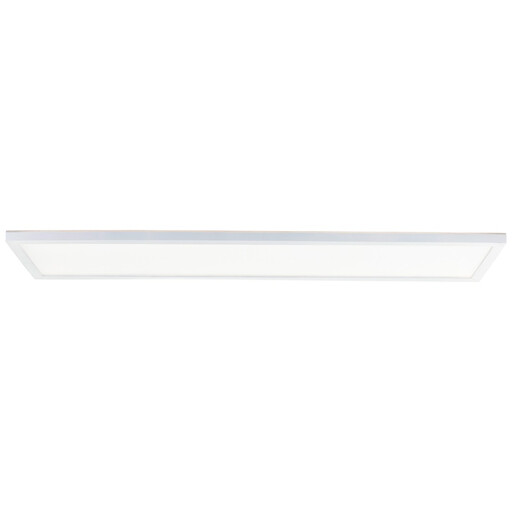 No image available
A panel to consider if you’re looking for a long light for your workspace; check that the dimensions will fit your desk first.
The product name lists 96x25 cm, 3000 Lm, 3000–6500 K and dimming.
 No image available
A compact light to consider if you’re looking for a portable light source for a camera setup; check that the mount will fit your webcam.
The product name describes a magnetic LED photography light.
The product description warns against looking directly into the light from close range and advises using certified USB-C charging cables only.
 No image available
A portable video light to consider if you want to assess its direction and settings for yourself; check that the beam and mount will suit your webcam.
The product name lists bi-colour, four brightness levels, 2000–5500 K, a 2000 mAh battery and a weight of 187 g.
Position the light in front of you rather than behind you. Logitech recommends lighting the user from the front during webcam calls and says backlighting can create a dark silhouette. Then adjust the brightness based on the image from your webcam.
Not always; it depends on your setup and the light’s mounting options. According to the manufacturer, the Ulanzi VL49 RGB has a magnet, camera shoe and screw thread, but that doesn’t guarantee it will fit your monitor. Check the mount and box contents for the exact offer.
The Dutch government says electronic devices placed on the EU market must have the applicable CE marking. Check this for the exact light and any mains power supply included; a product name or sales listing doesn’t confirm this for an individual model.
According to the Dutch Authority for Consumers and Markets’ ConsuWijzer service, online consumer purchases come with a statutory cooling-off period that ends 14 days after delivery. Check the returns information and any applicable exceptions before ordering.
For a consumer purchase, the seller is responsible for the statutory guarantee. According to the Dutch Authority for Consumers & Markets, a suitable solution could be a free repair or replacement, and sometimes a refund.