
Solo caller facing backlight
You’re sitting alone beside a window that leaves your face looking dark in the preview. Exposure and positioning matter more than extra resolution.


First, adjust your setup: soften the light from the window or direct light towards faces, then check the preview before choosing a camera. For one person, a webcam with adjustable exposure or model-specific HDR may be an option. If family members are sitting in different places, the field of view and clear audio matter more, so a conference camera may be a better fit for the room. Manufacturers’ specifications don’t guarantee the results you’ll get in your room.
You’re sitting alone beside a window that leaves your face looking dark in the preview. Exposure and positioning matter more than extra resolution.
You want everyone to be visible and easy to hear. The number of seats and distance from the camera can help you decide whether a webcam will do the job.
You can adjust the lighting and mainly want a straightforward camera, without features you won’t use.
Start with the lighting and seating arrangements. Then decide between a webcam for one person, a wider-angle model or a conference camera for a group.
Choose this option: you usually call alone and can’t always avoid the light from the window.
Bear in mind: HDR or automatic light correction in the specifications doesn’t guarantee a good picture in your room.
Choose this option: several family members sit side by side, close to the screen.
Bear in mind: a wider field of view may show more of the room too. Check the framing and test the audio from the seats.
Choose this option: family members sit further apart, and a small webcam may not be able to fit them all in the frame.
Bear in mind: a wide field of view won’t solve backlighting, and a conference camera may be more of a setup than one caller needs.
The table groups consumers by their main buying priority for a family call beside a bright window.
| What to consider | What should you check? | Who should prioritise this? |
|---|---|---|
| Face visible against backlight | Check the preview with the window in its usual position. Compare the exposure controls and HDR support of the exact model. | If the window makes my face look dark, I want to know whether the exposure will work in my setup. Around 36% of consumers prioritise visibility against backlight. |
| Everyone in the frame at once | Map out the seating and check that everyone fits in the frame. Compare the field of view of the exact model. | If several family members will be sitting in front of the screen, I want to check in advance that everyone will fit in the picture. Around 29% of consumers prioritise group framing above all else. |
| Voices clear from every seat | Check whether the camera has a microphone, which microphone the calling app uses, and how voices sound from the furthest seat. | If family members are speaking from different seats, I want to know whether their voices come through clearly. Around 21% of consumers prioritise clear audio. |
| Simplicity and privacy | Check the connection, camera access and whether there’s a physical lens cover. Don’t choose a more elaborate setup just because it has a high resolution. | If I can adjust the lighting and mainly want straightforward video calls, I don’t want features I don’t need. Around 14% of consumers give simplicity and privacy top priority. |
Daylight and the position of faces can affect the picture, even with a camera that has a high stated resolution.
Start by checking a preview beside the window. Then compare exposure features and resolution.
Trust lists a wide-angle lens and microphone for the TW-200; Logitech specifies a wider field of view and integrated audio for MeetUp. Neither specification is a test in your room.
Before choosing, check that everyone fits in the frame and that voices are clear from the seats.
If voices don’t come through clearly from certain seats, you may need additional audio equipment.
AnkerWork advises against using its PowerConf C200 without HDR in backlit conditions.
Check the guidance for the exact model and, where possible, view the picture with the window lighting you actually use.
ACM ConsuWijzer distinguishes between the statutory guarantee and any additional guarantee from the seller or manufacturer.
Check what any additional cover includes, while keeping your statutory rights in mind.
The Brio 500 is a personal webcam; MeetUp is a separate product line for small rooms and groups.
The Link 2 is a personal webcam worth comparing if HDR and optional tracking are important to you.
Trust describes the TW-200 as a Full HD webcam with a wide-angle lens and privacy filter.
The PowerConf C200 is worth considering if you can adjust the lighting and are interested in this model.
The Tiny 2 Lite is a webcam worth comparing if someone moves around during the call.
These Joybuy picks are webcams for video calls. Compare each model’s field of view, exposure features, microphone and privacy cover with your seating arrangement.
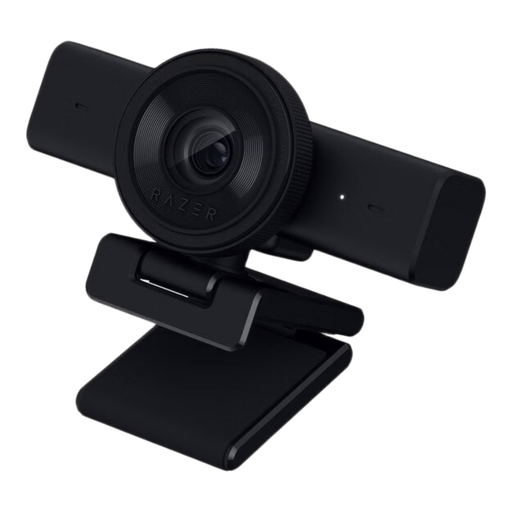 No image available
A webcam worth comparing if you want to adjust the picture settings for your window setup.
The product description lists an 80° field of view, autofocus, brightness settings, a built-in microphone and a physical privacy cover. The title lists USB and 1440p / 1080p at 60 FPS.
 No image available
An option worth comparing if you want to fit several people in the picture together.
The product description lists automatic light correction, a 120° field of view, a built-in microphone, a privacy cover and USB Plug & Play. These product claims aren’t a real-world test beside a window.
 No image available
A model worth comparing if you’re considering connection options and microphones for video calls.
The product name lists a Sony IMX363 sensor, PDAF autofocus, dual microphones, a lens cover and a 75° field of view. The product description lists automatic light and colour correction, USB-A and USB-C, and an included desktop tripod; these aren’t independent measurements in backlit conditions.
 No image available
A webcam to consider if the stated field of view suits the seating arrangement you want to fit in the picture.
The product title lists 4K and a 99° field of view. The product description lists HDR, automatic light correction, a built-in microphone, a privacy cover, USB and the ability to tilt 180° and rotate 360°. These are product claims, not a real-world test beside a window.
 No image available
A webcam worth comparing if picture quality, autofocus, built-in microphones and a privacy cover matter for your needs.
The product title lists 4K, 8MP, autofocus, two built-in microphones and a privacy cover.
First, try softening the daylight or directing light towards faces, then check the preview. Zoom highlights the effect of daylight and recommends indirect, controllable light; this isn’t a guarantee for every home setup.
Check that the camera is connected, any privacy filter is open, and the calling app has permission to use the camera and microphone. In Windows, you can check camera permissions for each relevant category. Then test the picture and sound in the calling app you use.
No. ACM ConsuWijzer distinguishes between a manufacturer’s or seller’s guarantee and the statutory guarantee. With normal use, the product must meet what you could reasonably expect; there isn’t one fixed two-year statutory period for every webcam.
According to ACM ConsuWijzer, ordinary online consumer purchases generally come with a statutory cooling-off period of up to 14 days after delivery. Check the applicable conditions for unboxing, trying out and returning the product before you order.
The Dutch Data Protection Authority discusses camera recordings for household use and distinguishes this from, for example, filming public spaces or making footage publicly available. This alone doesn’t provide a specific conclusion about recording or publishing a family call.