
Readers who show illustrations
You want to place an open picture book under the camera and show its pages on a screen. Compare the capture area and arm position with the size of the book. IPEVO, HUE and Epson list these features for specific models.


If you mainly want to show the illustrations and text on the table, look for a document camera with a capture area and arm position suited to the open book. If the reader will usually be on screen, a standard webcam is a more obvious choice. A switchable model can show both, but will need adjusting during the lesson. Also check the connection, software and how clearly the reader’s voice comes through in your own set-up.
You want to place an open picture book under the camera and show its pages on a screen. Compare the capture area and arm position with the size of the book. IPEVO, HUE and Epson list these features for specific models.
You mainly want to show your face and gestures, and occasionally show the book. Compare a standard webcam with a model that can switch between a view of the book and a view of you. Logitech and CZUR describe these features for specific Brio and Fancy models respectively.
You move the camera or use school computers. Check in advance that the connection, software and included accessories are suitable for the school’s equipment and storage space.
Suitable when: the illustrations and text on the table are the main focus.
Keep in mind: an overhead view won’t automatically show the reader’s face, and the maximum capture area doesn’t guarantee that every open book will fit fully in shot.
Suitable when: facial expressions and connecting with the children matter more than a constant overhead view of the pages.
Keep in mind: check whether a page held at an angle is sharp and fully visible when you use your own book.
Suitable when: you want to switch between the pages and the reader during the story.
Keep in mind: switching views and repositioning the camera take attention during the lesson. The stated frame rate may also vary depending on the resolution.
| What to consider | What should you check? | Who should pay particular attention? |
|---|---|---|
| Fitting the open book in shot | Measure the open book and compare its dimensions with the stated capture area. Also check the arm height, focus and lighting in your own set-up. | If I want the class to follow the illustration I’m showing, I’ll compare the capture area with my open book. Around 33% of consumers say the book view is their top buying priority. |
| Making sure your voice is clear | Decide whether you’ll use the built-in microphone or the school’s existing audio equipment. Test the sound from where you’ll be reading. | If the children need to hear me clearly, I’ll test the sound from the distance and position used for the lesson. Around 27% of consumers put clear audio first. |
| Connecting and moving the camera | Check the USB connection, operating system, presentation or video-calling software you use, and what’s included in the chosen package. | If the camera will be moved between classrooms or school computers, I’ll want to know in advance whether it’s practical to connect and store. Around 20% of consumers give a shared set-up top priority. |
| Switching between the book and the reader | Think about which view you’ll need for most of the story, and try out how the camera moves between the two positions. | If I want to show both the pages and my face, switching views while reading needs to be manageable. Around 20% of consumers give showing the reader top priority. |
A stated resolution doesn’t tell you how much of the open book will fit in shot, or how smoothly the image will run at that resolution. For example, CZUR lists different maximum frame rates for the Fancy S Pro at 4K and Full HD.
First compare the capture area, camera angle, and the resolution and frame-rate combination you plan to use.
A listed microphone doesn’t tell you how clearly you’ll be heard in your classroom, from your chosen distance, with the camera in the position you’ve picked.
Test the picture and sound together from where you’ll be reading. If needed, use the school’s existing audio equipment.
What’s included can vary between versions. HUE says that its separately sold black HD Pro camera doesn’t come with a carry case, while Epson lists a carry case for the ELPDC07.
Check what’s included with the exact version you’re considering and whether it connects to the school computer.
If you’ll be moving the camera regularly, check whether your chosen version includes a carry case and whether you’ll need a suitable connection.
Document cameras for showing physical materials; the V4K is a model to consider if the book view is the priority.
Flexible cameras for education; the HD Pro combines an adjustable document camera with a microphone.
Standard webcams for anyone who wants to show the reader more often than the pages; the Brio 500 is one model to compare.
Document cameras for classroom presentations; the ELPDC07 is a portable USB visualiser.
A switchable webcam and document camera; the Fancy S Pro is a model to compare if you want to switch between the book and yourself.
This product selection mainly features webcams for the reader, plus one document camera/scanner for documents. If you’re considering a scanner, check that your open book can be positioned properly and remain visible in the set-up you have in mind.
 No image available
A standard webcam to consider if the reader will usually be on screen and you need to capture their voice through the camera’s microphone.
The product name lists autofocus, dual built-in microphones and a privacy shutter. Test how clearly you can be heard from where you’ll be reading.
 No image available
A webcam to consider if you want to keep the reader in shot and automatic framing is important to you.
The product name lists 4K, HDR, a 1/2-inch sensor and a microphone with AI noise reduction. According to the product description, this model isn’t compatible with ARM-based Windows systems.
 No image available
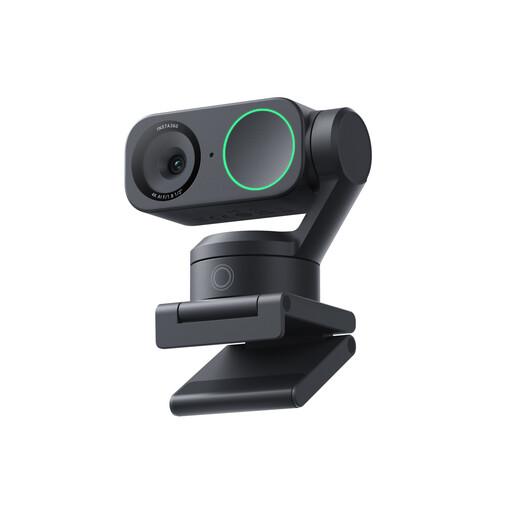
A webcam to consider if you want to show the reader and the listed tracking feature suits the way you plan to use it.
The product name lists 4K, a 1/2-inch sensor, AI tracking, HDR and a microphone with AI noise reduction. It also lists compatibility with Zoom.
 No image available
A document camera/scanner to consider if you want to capture documents; check separately whether an open picture book will be usefully visible in shot.
The product name lists a maximum size of A3, OCR and compatibility with Windows and macOS. The description mentions a foldable design.
 No image available
A standard desktop or laptop webcam to consider if showing the reader is your priority.
The product name lists a noise-cancelling microphone and a clip mount. Check the picture and sound where you plan to use the camera.
Choose based on which view is most important while you’re reading: a document camera is worth considering for pages on the table, a standard webcam for the reader, and a switchable model if you need both. Measure the open book and check that the camera angle you want will work with it.
That depends on the model and the school computer. IPEVO lists USB 2.0 UVC and compatibility with Mac, PC and Chromebook for the V4K; HUE says the HD Pro works with applications that recognise a USB camera. Also check which USB ports are available, any software restrictions, and the school’s presentation or video-calling application.
Place the book within the stated capture area and adjust the camera using the actual book. Check the focus, lighting and space for turning pages. A maximum capture area doesn’t guarantee that small text will be readable from every part of the classroom.
Don’t assume that recording and publishing are automatically part of an ordinary lesson. The Dutch Data Protection Authority says that permission is required to make and publish images of pupils in education, and that the material must be kept secure. Discuss with the school what use is actually planned and how to minimise the impact on privacy when making video calls online.
You can’t assume that this is allowed for every book and every way of sharing it. Education and Copyright points out that books are protected by copyright and that pages can’t simply be shown on an interactive whiteboard or in a presentation. Check the rights and the school’s arrangements for the specific book, especially before sharing a recording or livestream outside the lesson.