Who is this choice relevant to?

Note-taker with limited desk space

You want to film your paper and writing hand without a camera base getting in the way of your work area. IPEVO, CZUR and HUE describe document cameras with different setups and capture areas, so check how the complete camera setup will fit on your desk.

Online tutor

You show handwritten steps as you write and want to make sure your pen strokes stay in focus. HUE describes manual focus for the HD Pro, while OKIOLABS lists different focus modes for the X1.

Video caller who also shows paper

You switch between showing your face and your notes while using the camera. OKIOLABS describes the X1 as having a document mode, webcam mode and included monitor clip; check that the features of the exact model suit your setup.

What should you look for in a camera for handwritten notes?

What to consider What to look for when buying Who is this important for?
Setup on a small desk Measure the available space and compare it with the complete base, arm or clamp. Check that the paper and your writing hand can both fit in the frame. When I write, I want enough room for my hand and paper. Around 36% of consumers prioritise the space needed for the setup.
Focus while writing Compare focus controls, working distance, and the resolution and frame rate for the same video mode. I want small letters and pen strokes to remain visible while my hand moves. Around 29% of consumers prioritise readability and focusing above all else.
Switching between paper and your face Check whether the exact model has a rotating camera head, comes with a monitor clip or offers image rotation. If I switch between explaining something on paper and a video call, I don’t want to have to set up a second camera each time. Around 21% of consumers prioritise this dual use.
Connection and controls Check the connection, operating system and software requirements, and whether the image displays correctly in your recording programme. I want to use the camera with my computer and recording programme without needing extra features that aren’t compatible with my system. Around 14% of consumers focus mainly on connection and controls.

Common buying mistakes

  • Choosing based only on 4K or megapixels

    Resolution alone won’t tell you how clearly the camera will show paper at your working distance. The frame rate can also vary between video modes.

    For the exact model, compare resolution and frame rate alongside the focus controls and the area of paper you want to film.

  • Measuring the base but not the space you need for writing

    A maximum capture area doesn’t tell you how much space the base and arm take up, or how much room you’ll have left for your hand.

    Before buying, mark out the paper, your hand position and the planned camera setup on your work surface. You may need a suitable separate mount if the supplied setup gets in the way of writing.

  • Confusing a standard webcam with an overhead camera

    A webcam that normally points forwards won’t necessarily sit securely above paper or focus at that working distance.

    Check separately how you’ll mount the webcam and whether the whole sheet of paper will be in focus and correctly oriented in the frame.

Brands to consider

IPEVO

IPEVO’s V4K is a USB document camera for anyone comparing adjustable overhead setups and specified capture areas.

  • For model V4K CDVU-08IP, IPEVO lists 8 MP, autofocus, UVC and a maximum capture area of 342 × 255 mm.
  • These specifications alone don’t tell you how the camera will show handwritten notes at your working distance.

CZUR

CZUR describes the Fancy S Pro as an adjustable document camera that can also be used in forward-facing webcam mode.

  • According to CZUR, the Fancy S Pro has 12 MP, a rotating head, separate autofocus modes and a maximum of 4K/15 fps or 1080p/60 fps.
  • Check the software requirements and setup for the Fancy S Pro; these specifications don’t automatically apply to other Fancy models.

HUE

According to HUE, the HD Pro is a document camera with a flexible neck that lets you point the lens down at paper.

  • HUE lists 1080p, LED lighting, manual focus, a base and a maximum camera height of 440 mm for the HD Pro.
  • With manual focus, you’ll need to focus the camera yourself; check that it fits on your desk at the height you want.

OKIOLABS

OKIOLABS describes the X1 as a model that can switch between document and webcam use; the S2-4K is a separate document camera.

  • For the X1, OKIOLABS lists a document mode with single autofocus, a webcam mode with continuous autofocus and an included monitor clip.
  • The minimum capture distance of 10 cm that OKIOLABS specifies for the S2-4K doesn’t automatically apply to the X1.

Logitech

Logitech offers standard webcams and Reach, a separate overhead and content camera designed for use on a table.

  • Logitech lists a tabletop setup and USB-C connection for Reach.
  • With a standard webcam, you’ll need to check separately how it can be mounted above paper and focused; the product specifications don’t prove that it offers better readability than other models.

Joybuy products for filming notes

This selection includes webcams for use with a PC or Mac, and a document camera for flat A3 and A4 documents. The Insta360 Link 2C product description also mentions DeskView and Whiteboard modes; if you’re choosing a webcam, check separately that its mounting and focus are suitable for the overhead view you need.

Insta360 Link 2C Standard Bundle Graphite Black, 4K webcam with 1/2-inch sensor

Insta360 Link 2C Standard Bundle Graphite Black – 4K webcam, 1/2-inch sensor

The product description mentions DeskView and Whiteboard modes for showing work materials; check that the overhead setup will fit on your desk.

The product name specifies a 4K webcam for PC and Mac with a 1/2-inch sensor.

View at Joybuy
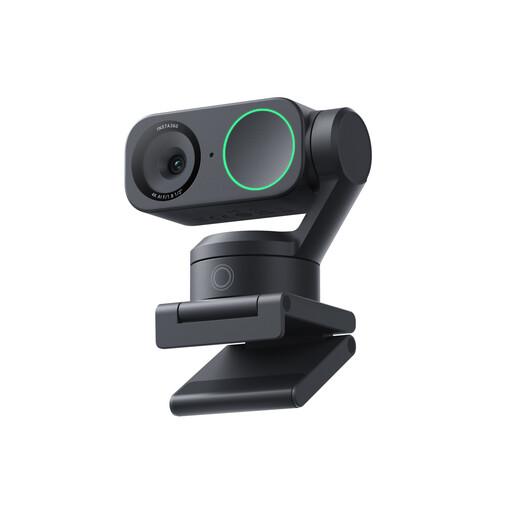
Insta360 Link 2 Standard Bundle, 4K webcam with 1/2-inch sensor

Insta360 Link 2 Standard Bundle – 4K webcam, 1/2-inch sensor

According to the product name, this webcam is designed for PC and Mac; check separately whether you can mount it securely above paper and focus it at your working distance.

The product name specifies 4K and a 1/2-inch sensor.

View at Joybuy

CZUR Shine 800 A3 Pro document camera for flat A3 documents

CZUR Shine 800 A3 Pro Document Camera

Suitable for capturing flat A3 and A4 documents; on a small desk, the stated dimensions of 45 × 16 × 21 cm mean you’ll need to check you have enough space.

The product name specifies OCR and compatibility with Windows and macOS.

View at Joybuy

Frequently asked questions

How can you stop your writing hand from shifting the focus?

Check whether the exact model has a single or manual focus mode, then focus on the paper once the camera is at the right working height. OKIOLABS describes separate focus modes for the X1; HUE lists manual focus for the HD Pro. How clearly your handwriting appears also depends on the setup you choose.

Does the camera need to show a whole sheet of A4 paper at once?

Only if you want the entire sheet to stay in view while you write. Compare the capture area at a practical height with your paper and work surface; a larger capture area doesn’t guarantee that small letters will remain readable.

What else should you check before buying?

Check that any required mount, USB adapter and software are suitable for your chosen model and included. For consumer purchases in the Netherlands, statutory guarantees are separate from any manufacturer’s guarantee: if a product doesn’t do what you could reasonably expect under normal use, the seller is responsible for providing a solution.

Can you return a camera bought online after trying it on your desk?

For an applicable online consumer purchase, ACM ConsuWijzer says you will generally have a statutory cooling-off period of up to 14 days after delivery. Check the terms and any exceptions that apply to your specific purchase; using the product may affect the condition in which you can return it.

Can you record pupils or their work in a way that identifies them during online teaching?

This depends on who is filming, which personal data is visible and how the recording will be used. The Dutch Data Protection Authority advises schools and universities to limit privacy infringements and to agree how recordings are made and stored. This isn’t blanket permission for every recording; if you’re only filming your own notes, that educational context doesn’t necessarily apply.
