What should you look for in a camera for homework?
Test how clearly your own handwriting appears, and check that there’s enough room for the camera and your writing hand on a small desk.
| What to consider |
What to look for |
Who is this important for? |
| Clear calculations |
Check how numbers and symbols look on the other person’s screen; make sure the image is in focus, the camera is at a suitable height and the whole page you want to show fits in the frame. |
If I’m explaining small numbers and working, I want to see whether my own handwriting stays clear. Around 36% of consumers say that clear text on paper is their top priority. |
| Room to write |
Measure the space available for your screen, exercise book and camera; check whether a screen-mounted camera can point downwards or whether a separate stand will fit beside the paper. |
If I want to keep writing as I explain, the camera mustn’t get in the way of my hand or workspace. Around 29% of consumers prioritise having clear space to write. |
| Switching between your face and your paper |
Try out whether the camera angle from your screen position shows both your face and your work surface. |
If I want to show my face and my homework during the same call, I want to be able to switch the view easily. Around 21% of consumers say this is their top priority. |
| Connection and software |
Check which USB connection is available and whether your video-calling app lets you select an external camera; also check what software you need for extra features. |
If I want to use the camera with my own computer and video-calling app, I want to know in advance how to connect and select it. Around 14% of consumers put ease of connection first. |
IPEVO states that the V4K has a maximum capture area of 342 × 255 mm; this alone doesn’t tell you whether small symbols will be clear. Logitech explains how to tilt the Brio 500 downwards, but what the camera can see depends on the position of your screen and exercise book.
Joybuy products for this topic
This selection includes webcams and document camera/scanner models related to this topic. If you’re considering a document camera or scanner, check separately whether you can use that model as a live camera in your video-calling app.
 No image available
Philips 4000 Series 4K UHD webcam SPL6408BT/00
If you’re looking for a webcam for your computer set-up, check that the mount and viewing angle work with your desk.
The product name lists 4K UHD, autofocus, dual built-in microphones and a privacy cover. EU version, black.
View at Joybuy
 No image available
Philips 2K QHD PC webcam SPL6308S/00
If you want to attach a webcam to a laptop or monitor, check that the included mount suits your set-up.
The product name lists 2K QHD, a noise-cancelling microphone and a clip mount. EU version, silver.
View at Joybuy
 No image available
Insta360 Link 2C Standard Bundle Graphite Black
If you’re looking for a webcam designed for desk use, check that the mode you want works with your computer and video-calling set-up.
The product name lists 4K, compatibility with PC and Mac, a 1/2-inch sensor, autofocus, HDR and a microphone.
View at Joybuy
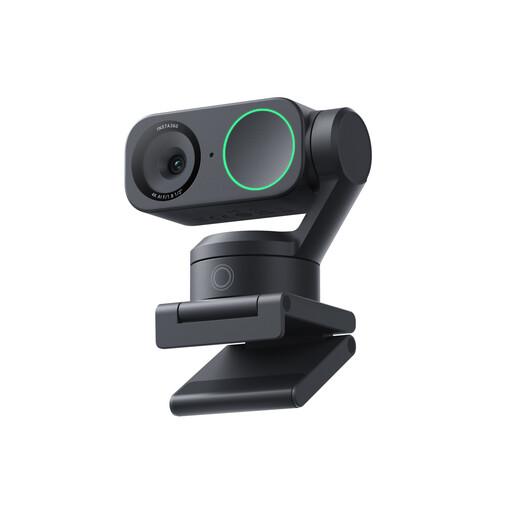 No image available
Insta360 Link 2 Standard Bundle
If you’re looking for a webcam for video calls, check that its positioning and controls suit the way you explain things.
The product name lists 4K, compatibility with PC and Mac, a 1/2-inch sensor, AI Tracking, HDR and a microphone.
View at Joybuy
 No image available
CZUR Shine 800 A3 Pro
If you’re considering a document camera/scanner for paper, first check whether the device can send live video to your video-calling app.
The product name describes a scanner for flat documents up to A3, with OCR and compatibility with Windows and macOS. The stated scanning function alone doesn’t show that the device is suitable for live streaming.
View at Joybuy
Frequently asked questions
Do I need a 4K camera for handwritten maths?
Don’t decide on resolution alone. Check that numbers and symbols stay clear on the other person’s screen with your handwriting, camera distance, focus and lighting. The stated resolutions aren’t a comparative test using your own handwriting.
How do I use a document camera during a video call?
Connect the camera, then select it in your video-calling app. For the V4K, IPEVO explains that you select the camera in the device menu of the software you’re using; check the steps for your own app.
What can I do if the Brio 500 mount doesn’t stick properly?
Logitech recommends cleaning the back of your screen first. According to the instructions, you can clean a dusty micro-suction cup with water and leave it to air-dry before attaching it again.
What are my rights if a webcam I bought online doesn’t suit my set-up?
When you buy from a business at a distance, you’ll often have a 14-day cooling-off period; check which terms apply to your purchase. You’re also entitled to a product that works as it should. The Dutch Government states that there’s no fixed statutory warranty period in the Netherlands and that the seller is your point of contact if something is faulty.
Can a school require my desk or room to be shown during a lesson?
The Dutch Data Protection Authority doesn’t give an unconditional yes or no for every lesson. It says that educational institutions must minimise the impact of video calls on privacy and have a policy covering who appears on camera and how recordings are handled. Ask your school what arrangements apply to your lesson, and keep personal belongings out of view.


