
Sharing map details
You want to show small lettering, colours and symbols from a legend on your hobby table. IPEVO specifies autofocus for the V4K, while HUE describes the HD Pro as having manual focus.


If your legend will mostly be laid out on the table, a document camera with an adjustable setup is a sensible option to consider. If you’ll mainly be filming yourself and only occasionally want to tilt the camera towards your desk, look for a webcam with a downward-facing view mode, such as the Show Mode Logitech describes for the Brio 500. Before buying, check that your legend appears sharp and large enough from your planned camera distance, and that the lighting, connection and software suit your setup. A higher stated resolution alone does not guarantee that viewers will be able to read the text.
You want to show small lettering, colours and symbols from a legend on your hobby table. IPEVO specifies autofocus for the V4K, while HUE describes the HD Pro as having manual focus.
You want to leave room for your map, hands and other materials. An adjustable camera setup can help you position the camera to suit your work surface, but check how much space the camera itself takes up.
You want to show yourself sometimes and a legend on your desk at other times. Logitech describes Show Mode on the Brio 500 as a way to tilt the webcam towards your desk.
Start by thinking about how you plan to use the camera. Then check whether your own legend will appear sharp and large enough from that position.
| What to consider | What should you look for? | Who is this important for? |
|---|---|---|
| Readability | Check the focus, framing and video mode you’ll actually use. | If I want to show small lettering and symbols, the legend needs to appear sharp and large enough from my working distance. Around 36% of consumers prioritise readable map details. |
| Positioning above the table | Compare the camera’s adjustability and capture area with the size of your map and the free space on your table. | With a busy hobby table, I want to film the map without awkwardly blocking my workspace. Around 29% of consumers prioritise a setup that works well above their work surface. |
| Lighting on the legend | Check whether the image is bright enough and whether your hands or the camera cast a shadow. | If the lighting in my hobby room varies, I want to see whether the legend remains clear in my usual setup. Around 21% of consumers prioritise practical lighting on their work surface. |
| Switching between your face and the map | Check whether the camera can easily be tilted towards your desk and still frame the image properly. | If I want to switch between speaking to camera and showing a map, I don’t want to set up a separate camera each time. Around 14% of consumers prioritise switching between their face and a map. |
The maximum image resolution and the specification for a video mode can differ. A small legend may also fill only part of the frame. IPEVO lists the V4K’s maximum resolution separately as 3264 × 2448 pixels, and specifies Full HD video at up to 30 frames per second.
Compare the video mode you’ll actually use, and test your own legend at the planned distance using the software you intend to share it with.
The image from the HUE HD Pro may become blurred if you move the camera closer or further away. HUE says you’ll need to adjust the lens ring again in that case.
Manual focus may suit you if a fixed setup fits the way you work. If you move the camera often, compare the focus method on the specific model.
Logitech describes Show Mode on the Brio 500 as a way to tilt the camera towards desk work. According to IPEVO, the V4K has an adjustable document camera setup with a stated maximum capture area of 342 × 255 mm. These setups are not the same.
Decide whether you’ll mainly be filming yourself or the map. Then check that the camera angle, available space and framing suit your legend.
The V4K is a USB document camera for materials laid out on a table.
HUE describes the HD Pro as a flexible USB document camera with lighting.
The Brio 500 is a webcam designed for showing your face, with Show Mode for displaying materials on your desk.
CZUR describes the Fancy S Pro as an adjustable document camera that is also designed for use as a webcam.
IRIS specifically lists maps as suitable materials for the IRIScan Visualizer 7, which is designed for use as both a document camera and a webcam.
This selection includes webcams for desk use and a document camera for materials laid out on a table. For each model, check that the field of view and working distance suit the spot where you want to show your map.
 No image available
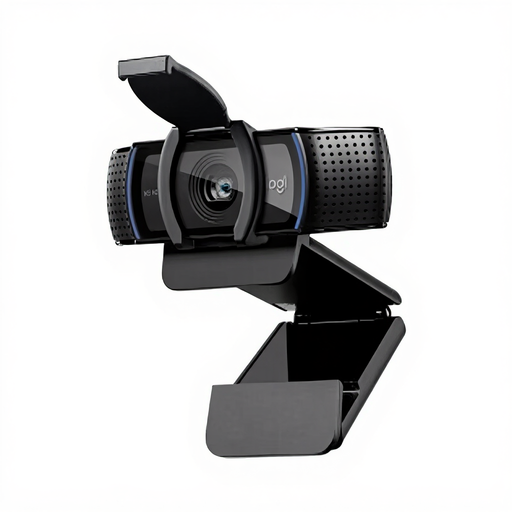
A webcam option to consider if you want to attach the camera to a laptop or external monitor. Check that this lets you frame the legend clearly.
The product description lists autofocus, automatic light correction, a 78° field of view and an adjustable monitor clip.
 No image available
A webcam to consider if you’re looking for a camera for desk use. Before buying, check that the stated video mode matches the version you intend to purchase.
The product name specifies EU Version and Black.
 No image available
The product name specifies 2K QHD. Check which video mode suits your software and the way you plan to share.
The product name specifies EU Version and Silver.
 No image available
The product description lists DeskView and Whiteboard Mode. Consider whether the stated desk mode suits the angle you want to show your map from.
The product name specifies 4K Webcam for PC/Mac and a 1/2"-sensor.
 No image available
A document camera option for materials laid out on a table. Check that the setup and size suit your map and the space available on your hobby table.
The product name specifies A3, OCR and compatibility with Windows and macOS.
First, check whether you can frame the legend sharply and large enough from the distance you intend to use. Then compare the resolution of the video mode you’ll actually be using: IPEVO lists both a maximum image resolution of 3264 × 2448 pixels and Full HD video at up to 30 frames per second for the V4K.
IPEVO describes the V4K as working with computer software: connect the camera via USB and select it in an application that supports USB cameras. For another model, check separately that its connection and software suit your setup.
With the HUE HD Pro, refocus by turning the ring around the lens. HUE says that changing the distance can make the image blurry.
According to ACM ConsuWijzer, online purchases generally come with a statutory cooling-off period of up to 14 days after delivery, subject to legal exceptions. The seller must also remedy, at no cost, a product that does not do what you could reasonably expect when used normally. This does not mean that every webcam has a fixed statutory warranty period of two years.