What should you look for when buying?
First, measure the distance between the lens and the item you’re working on, then decide which viewing angle you need. Finally, check that the image mode you want works with your computer and recording software.
| What to consider |
What should you check? |
Who is this important for? |
| Focusing on small components |
Measure the planned distance to the component and compare it with the range supported by the exact model at your chosen resolution. |
If I’m filming small screws or connectors, I want to know whether the lens can focus at my working distance. Around 36% of consumers prioritise close focusing. |
| Getting the workbench in shot |
Check whether the viewing angle shows your hands and the repair area; if necessary, plan a separate mounting position. |
If I want to show my hands and the item I’m working on at the same time, the field of view matters more than a shot focused only on my face. This applies to around 29% of consumers who prioritise workbench framing. |
| A repeatable setup |
Compare the focusing range with the whole work area and check which image settings the model offers. |
If the camera and item I’m working on stay in one place, I want to be able to adjust the framing and image settings to suit my setup. Around 21% of consumers prioritise a fixed recording setup. |
| Computer and recording |
Check the connection and, in your software, choose only a resolution and frame rate combination supported by the device. |
If I want to record using my existing computer and software, the camera mode I choose needs to work with them. Around 14% of consumers prioritise recording compatibility. |
Joybuy products
This selection includes cameras and webcams to compare for adjustable framing, workbench views and home studio recording.
 No image available
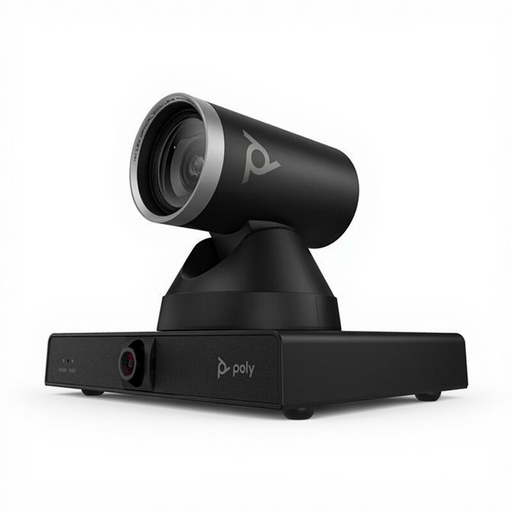
HP Poly Studio E60 Smart Camera 4K MPTZ with 12x Optical Zoom
An option to compare if you want to adjust the framing while recording.
The product name lists 4K, MPTZ and 12x optical zoom.
View at Joybuy
 No image available
Philips 4000 Series 4K UHD Webcam, EU Version, Black, SPL6408BT/00
An option to compare if you’re looking for a 4K webcam for your home studio.
The product name lists 8 MP, autofocus, dual microphones and a privacy cover.
View at Joybuy
 No image available
Philips 2K QHD PC Webcam, EU Version, Silver, SPL6308S/00
An option to compare if you’re looking for a QHD webcam with a screen clip.
The product name lists 2K QHD, a noise-cancelling microphone and clip-on mounting.
View at Joybuy
 No image available
Insta360 Link 2C Standard Bundle, Graphite Black
An option to compare if you want to assess a downward-facing desk view from a screen.
The product name lists a 4K webcam for PC/Mac and a 1/2-inch sensor.
View at Joybuy
 No image available
Insta360 Link 2 Standard Bundle
An option to compare if you want to adjust the framing while recording.
The product name lists a 4K webcam for PC/Mac and a 1/2-inch sensor.
View at Joybuy
Frequently asked questions
Is 4K more important than a short focusing distance?
No, not if the item is closer than the stated focusing range. First, compare the distance in your setup with the specifications for the exact model and recording mode you want. For example, Elgato lists a range of 30–120 cm at 4K for the Facecam 4K.
How do you add a webcam to OBS?
Add a video capture device, select your webcam and choose a resolution and frame rate combination supported by the device. OBS notes that choosing an unsupported setting may result in no image being displayed.
What should you check for a fixed recording setup?
Check that the item you’re working on stays within the stated focusing range, and that the lighting and white balance suit the light in your studio. The focusing ranges and image controls listed aren’t a guarantee of a particular recording result.
What are your rights when buying a webcam online in the Netherlands?
According to ACM ConsuWijzer, when you buy online as a consumer, you generally have up to 14 days after delivery to change your mind, subject to legal exceptions. You’re also entitled to a product that meets what you could reasonably expect from it. If a product is faulty, the seller is responsible for providing an appropriate solution; this doesn’t mean there’s a fixed statutory warranty period of exactly two years.
Can you publish a repair video filmed at home if other people appear in it?
First, consider whether anyone in the footage can be recognised and how you intend to share the recording. The Dutch Data Protection Authority considers identifiable people in images to be personal data. The exception for personal or household use doesn’t automatically apply to public or business-related publication; in those cases, you need a lawful basis under the GDPR, such as consent.


