Who is this set-up suitable for?

Maker filming close-up weaving videos

If you mainly film your hands and yarn on a small work surface, a light positioned around the camera can be a practical choice. Godox, NEEWER and Rollei product information includes examples of ring lights for compact set-ups like these.

Weaver with a wider loom

If you also want to show the width of your work and a clean white background, consider how the light falls across the entire frame. A panel or separate background light can give you more positioning options, but one light does not guarantee even illumination across the whole loom.

Maker filming with a phone

For a phone set-up, the mount, tripod position and room to move your arms all matter. Check that the holder and included accessories are compatible with your device and weaving space.

What should you look for when choosing?

Ring light by the camera

Suitable when: you’re filming your hands and a smaller area of your weaving close to the camera, and can position the light outside your working space.

Consider: a single ring light won’t automatically create an evenly lit, wide white background. It may leave shadows on your work or the background.

Separately positioned panel or background light

Suitable when: you’re filming a wider work area or your test video shows shadows or grey areas on the background.

Consider: you’ll have more positioning options, but the set-up may be more involved. One panel does not guarantee coverage of the entire loom.

What to consider What to look for Who should pay particular attention?
Work area and background Take a test shot of the entire loom and look for grey areas and cast shadows. If I want to show both my weaving and the white background, I want to assess the whole frame. Around 33% of consumers prioritise lighting for the work area and background.
Details and yarn colours Test light and dark threads, and check the colour temperature and white balance. If I want to see the thread texture and colours clearly, I compare the image using different yarns. Around 27% of consumers prioritise detail and colour reproduction.
Mounting and room to move Check that the holder fits and that the light and tripod leave you free to weave. If I want to move my hands freely while filming, I consider where to position the light and camera. Around 20% of consumers focus mainly on the mounting and set-up.
Lines or flicker Test your chosen light, dimming level and camera settings together in a short video. If I need a smooth-looking video, I check a recording for visible lines and colour shifts. Around 20% of consumers focus mainly on image stability.

Common buying mistakes

  • Assuming a well-lit work area means a white background

    Your hands and yarn may be clearly visible while the background still looks grey or has shadows.

    Assess the whole frame in a test video before choosing between one light and separately adjustable lights.

  • Assuming every ring light comes with the same accessories

    Product bundles can vary in what’s included with the light, such as a tripod or phone holder.

    Check the contents list for the exact version and make sure the mount is compatible with your phone or camera.

  • Assuming a CRI rating guarantees flicker-free footage

    Colour reproduction and flicker are different properties. Sony Support explains that LED lighting can cause flicker or banding under certain recording conditions.

    Make a test recording using the dimming level and camera settings you plan to use when filming.

Relevant brands to consider

NEEWER

The RL-18 is a ring light kit for a freestanding set-up around a compact work area.

  • NEEWER lists a diameter of 45 cm, CRI 95 and a tripod adjustable from 48–155 cm.
  • The stated colour temperatures are achieved using filters. Check that this approach and the included holder suit your camera; these are manufacturer specifications, not independent measurements.

Godox

The LR150 is designed for a set-up where you want to adjust brightness and colour temperature.

  • The Godox manual lists 3000–6000 K, CRI 90 and approximately 1400 lux at 0.5 m at full brightness.
  • The listed kit includes a phone holder and power supply, but does not mention a tripod. Check the contents list for the exact version and assess the light in your own weaving space.

Rollei

According to Rollei, the LUMIS Comfort Bi-Color is designed for a compact phone set-up and comes with a tripod.

  • Rollei lists three colour settings of 3200, 4500 and 5500 K, ten brightness settings and a tilting ring.
  • Test the set-up to see whether the light reaches the entire work area of your loom.

Elgato

The Key Light Air MK.2 is a panel rather than a ring light, and may be worth considering if you want to position a light beside your work area.

  • Elgato lists a range of 2900–7000 K and a CRI above 94.
  • Maximum light output depends on the USB-C power supply. Elgato specifies a suitable power supply of at least 30 W for full brightness. This specification does not prove that one panel will fully cover a wide loom.

Joybuy products for compact phone set-ups

These Joybuy products are designed for compact phone set-ups, with fill lights or a ring light. Check that the mounting and positioning suit your weaving space.
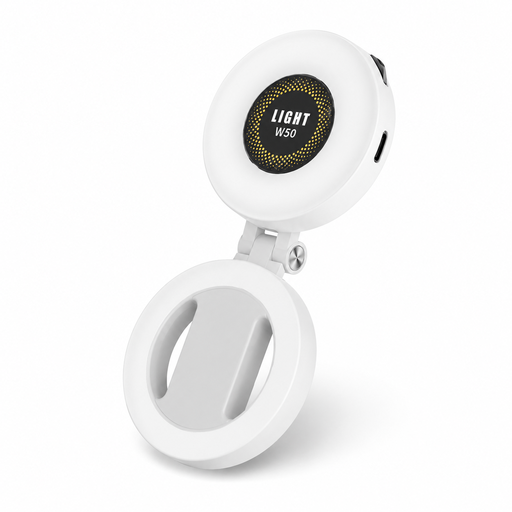
VoxorAI M28 White Fill Light with magnetic mount

VoxorAI M28 White Fill Light

The magnetic mount and stated compatibility with iPhone and Android may be useful for a compact phone set-up.

The product name specifies 360° lighting and CRI 95+.

View at Joybuy

ULANZI 4-inch Phone Ring Light

ULANZI 4" Phone Ring Light

According to the product name, this ring light is designed to attach directly to a smartphone.

The product name specifies three colour temperatures from 3000 K–7000 K and five brightness settings.

View at Joybuy

Ring Light with Tripod, 10 inch, with remote control

Ring Light with Tripod, 10 inch

A freestanding ring light with a phone holder may suit you if you want to position the light beside or above your work area. Check that the tripod won’t get in your way.

The product name specifies a 63-inch tripod, three colour settings, ten brightness settings and a remote control.

View at Joybuy

Frequently asked questions

Will a ring light automatically make a white background look evenly lit?

No, not necessarily. Assess your subject and background separately in a test shot. If the background still looks grey or has shadows, you may need separate background lighting.

How do you adjust the light for different yarn colours?

Test with light and dark yarn, then check your camera’s white balance. Canon recommends checking the white balance under artificial lighting for consistent video footage.

What can you do if lines appear in your video?

Start by making a test recording with the LED light and camera settings you plan to use. Sony Support explains that LED lighting can cause flicker or banding under certain conditions; a CRI rating does not rule this out.

What are your rights when buying online in the Netherlands?

When you buy from a business at a distance, you generally have a 14-day cooling-off period. You’re also entitled to a product that is fit for purpose. The Dutch government advises you to contact the seller if there’s a problem.

What should you check for the product safety of an electric light?

CE marking may be required for products covered by specific harmonised EU rules. Check the product information for the particular model and use a suitable power supply. A CE mark does not tell you whether the light is suitable for your camera set-up.
