Joybuy products
This selection includes portable monitors for use with a laptop when sockets are in short supply, as well as a desktop USB-C monitor for a workstation with a socket available. For each model, check that your laptop supports the required video and power connection.
 No image available
TECLAST V16H 16-inch portable monitor
A portable option for viewing weather charts on a laptop when you want to avoid using an extra socket for a monitor.
16-inch Full HD IPS screen, 16:10, 144 Hz, two USB-C ports and Mini HDMI. Check whether your laptop can provide video and power via USB-C.
View at Joybuy
 No image available
TECLAST V16Q 16-inch portable monitor
A portable option for viewing weather charts on a second screen, provided your laptop supports the required USB-C connection.
16-inch 2.5K IPS screen with a 16:10 aspect ratio, two USB-C ports and Mini HDMI.
View at Joybuy
 No image available
UPERFECT 15.6-inch portable touchscreen monitor
A portable touchscreen for viewing and interacting with weather charts on your laptop, with a suitable connection.
Full HD touchscreen; the product information lists USB-C, Mini HDMI and an adjustable folio stand. Check your laptop’s USB-C functions.
View at Joybuy
 No image available
ASUS ZenScreen MB16ACV
A portable Full HD monitor for a second screen without a separate monitor plug, provided your laptop supports the required USB-C connection.
15.6-inch Full HD IPS screen, 60 Hz and 0.83 kg. ASUS describes the hybrid USB-C connection as supporting both power and video.
View at Joybuy
 No image available
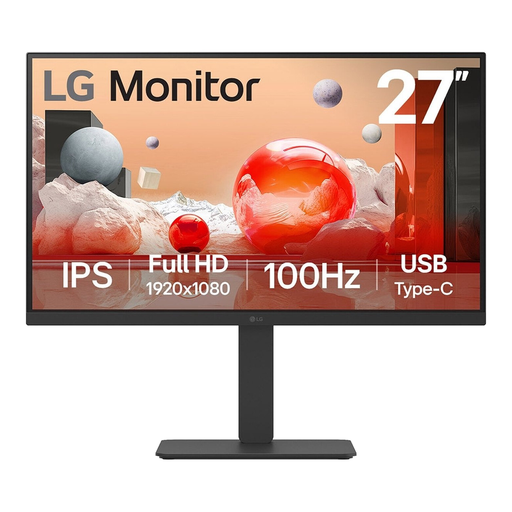
LG 27BA750-B 27-inch monitor
A desktop monitor for viewing charts at a workstation with a socket available for the screen.
27-inch Full HD IPS screen, USB-C laptop charging of up to 65 W and a height-adjustable stand. The monitor needs its own power connection; check that its charging output is suitable for your laptop.
View at Joybuy
Frequently asked questions
Will every USB-C laptop work with a portable screen?
No, you can’t tell from the shape of the plug alone. For the ThinkVision M14, Lenovo specifies DP 1.2 Alt Mode and PD 2.0 on the notebook port. For other models, check the screen’s requirements and your laptop’s specifications.
How do I connect a USB-C hub monitor using as few plugs as possible?
Connect the desktop monitor to its own power supply, then connect a compatible laptop using the USB-C cable provided for that purpose. The Dell P2425DE and LG 27BA65QB-B models we looked at can also charge a laptop through this connection, at up to 90 W and 65 W respectively. Check that this is suitable for your laptop.
How do I compare monitor power consumption?
Compare the stated consumption in kWh per 1000 hours on the EU energy label for the exact models. The European Commission explains this unit for electronic displays. To calculate running costs, you’ll also need your own usage hours and electricity tariff.
What are my rights when buying a monitor from a Dutch online shop?
For a consumer purchase made online, you generally have a 14-day cooling-off period, as explained by the Dutch government. You’re also covered by the legal guarantee if, under normal use, the product doesn’t meet what you could reasonably expect. ACM ConsuWijzer explains that the seller must resolve this in accordance with the applicable terms. This doesn’t mean every monitor has a fixed two-year guarantee.
Is an energy label relevant for computer monitors in the Netherlands?
Yes. According to the European Commission, computer monitors are covered by EU energy labelling rules for electronic displays. Compare the label for the exact model.


