
Vandaag of morgen in huis

Kwaliteit gegarandeerd

Welkomstaanbiedingen ontgrendelen: GRATIS bezorging | Tot 80% korting | Gratis 30 dagen JoyPlus-proefperiode
Download de app
Buying a NAS hard drive seems straightforward: choose 8 TB, check the SATA connection and install the drive in your NAS. In practice, choosing the wrong specifications can lead to limited compatibility, unnecessary noise or a RAID configuration that doesn’t suit the way you use your system.
The Western Digital WD Red Plus 8TB is designed for home NAS users, small businesses and systems with up to eight bays. However, not every 8TB NAS HDD is automatically suitable for continuous use. Watch out for these common pitfalls.
An 8 TB hard drive may be suitable for a desktop computer, but that doesn’t automatically mean it’s right for a NAS. A NAS often runs for extended periods and handles multiple read and write operations at the same time. So check that the drive is specifically rated for NAS use.
Recording technology matters in a RAID configuration. The WD Red Plus 8TB uses CMR technology. CMR stands for Conventional Magnetic Recording and is designed to deliver predictable write performance. SMR drives may behave differently during prolonged or random write operations. Always check the datasheet rather than relying on the product name alone.
A drive rated for continuous use isn’t guaranteed to perform the same under every workload. Also check the workload rate, the number of bays the drive is designed for and the warranty terms. Western Digital’s product information lists a workload rate of up to 180 TB per year and a three-year limited warranty for this model.
The combination of CMR, RAID support and NAS-focused firmware makes this drive suited to storage in a network enclosure. RAID isn’t a substitute for a backup: with multiple drives, a configuration may protect against certain drive failures, but it won’t automatically protect deleted or damaged files.
Before you buy, check:
The WD Red Plus is a SATA 6 Gb/s hard drive in a 3.5-inch form factor. SATA 6 Gb/s describes the interface; it doesn’t guarantee a particular transfer speed. As a mechanical drive, its performance is also affected by rotational speed, cache, file type, NAS processor and network connection.
This model has:
A 5640 RPM HDD is generally designed to balance storage capacity, heat generation and noise levels. For documents, photos, backups, media files and business network storage, this rotational speed is often a more sensible choice than a desktop model focused solely on peak speed.
If you run lots of virtual machines, databases or intensive workloads, don’t look at RPM alone. The NAS processor, network, RAID level and number of concurrent users all affect performance too.
As the relevant product specifications in this selection relate to a single NAS model, the cards below show three usage profiles for the same drive. This will help you see what kinds of buyers might benefit from the WD Red Plus 8TB, and when you should check NAS compatibility first.
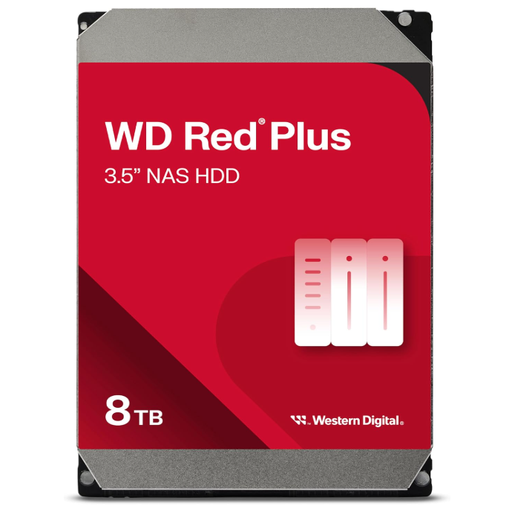
Why it suits this profile: For a first NAS used for documents, photos and backups, this drive offers a clear combination of 8 TB, CMR and NAS-focused specifications. Check your NAS compatibility list first.
The product description lists CMR, NASware, support for up to 8 bays and 24/7 use. That makes its intended use clearer than it would be with a general-purpose desktop HDD.
8 TB of storage, CMR technology, SATA 6 Gb/s, 256 MB cache and a three-year limited warranty, according to the product information.
Why it suits this profile: This is a good choice for buyers looking for more than just capacity, who also value CMR, RAID support and a model designed for NAS systems with up to eight bays.
This selection is based on verifiable features such as CMR, 5,640 RPM, 256 MB cache and SATA 6 Gb/s, rather than general claims such as “for professional use”.
NASware firmware according to the product description, RAID-optimised positioning and support for a workload rate of up to 180 TB per year.
Why it suits this profile: For small and medium-sized businesses or users with multiple NAS bays, its 24/7 positioning, support for up to eight bays and stated workload rate are relevant considerations.
The drive hasn’t been selected on capacity alone: its NAS specifications, CMR technology and RAID-focused positioning suit an environment with continuous storage activity.
8 TB capacity, 3.5-inch form factor, 24/7 use according to the product specifications and support for NAS systems with up to eight bays.
We’ve put together a complete, up-to-date list of products that meet these strict selection criteria and the applicable European safety regulations.
According to the product information, this model is designed for small to medium-sized NAS systems with up to eight bays. Also check your NAS manufacturer’s compatibility list and the maximum drive capacity it supports.
CMR can be a practical choice for RAID and NAS use because its recording method is predictable. Always check the exact model number and technical specifications; the same product family may include different versions.
Power consumption depends on factors including the NAS model, number of drives, sleep mode and workload. A mechanical 8TB NAS HDD generally uses more power than an SSD, but often offers more storage capacity per pound. For an exact calculation, check the specifications for both the hard drive and the NAS enclosure.
