Start with the series and the service you want to watch it on: NPO Start offers Dutch architecture series, while Netflix, for example, has Abstract: The Art of Design. Then choose a device that supports the required app. For 4K, the title, subscription, connection and screen must all be suitable too. If you’re planning to show a programme to anyone outside your family and friends, you’ll also need to check which screening rights apply.
Who is this relevant to?
Viewers of Dutch architecture series
If you want to watch a particular series together, it’s best to check the episode and streaming service first. NPO Start offers Dutch architecture series such as Nederlandse Bouwkunst door de ogen van Paul Rem and Onze schatten.
Groups who want to see architectural details
A large screen can be important if viewers are sitting further away from the television. Whether 4K or HDR is available also depends on the title, service and screen; the Netflix Help Centre explains Netflix’s picture quality requirements.
Organisers of a viewing evening
If you’re organising a screening for people outside your family or friends, it’s a good idea to check in advance who will be attending and which screening rights you’ll need. The Dutch Copyright Act sets out an exception for screenings that remain within the specified private circle and for which no admission fee is charged.
What should you look for when choosing?
First, look for the series on the relevant service and check whether the app is available on the exact device you’re considering. Then decide which picture, network and control features you need for your viewing set-up.
| What to consider |
What should you check? |
Who is this important for? |
| Access to the programme |
Check the episode and service, then look for the app on the exact device. |
If you want to watch a particular series with your group, you’ll want to know before buying whether it works on your set-up through your chosen service. Around 36% of consumers say access to the programme they want is their top priority. |
| Picture quality on a shared screen |
Check the screen’s resolution and whether the title and subscription support the picture format you’ve chosen. |
If you want to view architectural details from different spots in the room, you’ll want to know whether the screen and episode can deliver the picture quality you’re after. Around 29% of consumers prioritise picture quality. |
| Connection while watching |
Check the connections on the exact model and test the connection where you’ll be watching. For 4K on Netflix, the Netflix Help Centre recommends a stable connection of at least 15 Mbps. |
If everyone in the group is watching the same episode, you’ll want to avoid interruptions and check whether Wi-Fi or a cable is practical in that spot. Around 21% of consumers say connection is their top priority. |
| Controls and what you’ll need |
Check how the group can start and pause the programme, what’s included and whether you’ll need a cable or subscription. |
If several people are watching together, you’ll want to find and control the episode easily without relying on one person’s phone. Around 14% of consumers focus on controls and what they’ll need for their set-up. |
Common buying mistakes
-
Assuming a 4K logo guarantees a 4K picture
The player alone doesn’t determine what you see on screen. The title, subscription and screen must all support the picture format too.
Check the episode you want to watch and your screen first. Only then compare the picture formats supported by different devices.
-
Assuming every Apple TV 4K is the same model
For the third generation, Apple offers a 64 GB Wi-Fi model and a 128 GB model with Ethernet.
If a wired network connection matters, check the generation, storage capacity and model number. Apple identifies model A2843 as the 2022 version with Wi-Fi and Ethernet.
-
Assuming a personal subscription covers every group screening
The Dutch Copyright Act, in the version in force from 1 January 2026, distinguishes between screenings for family, friends or an equivalent private circle and other situations. The exception applies when the screening is limited to that circle and no one pays for admission.
Before organising a screening, decide who will be admitted and whether the exception applies. Videma provides licences for certain types of business TV use.
Brands to consider
Google
The Google TV Streamer (4K) is an option if you want to control apps with a remote and make use of a built-in Ethernet port.
- Google specifies 4K output, Dolby Vision, 32 GB of storage and built-in Ethernet.
- Google says the certified HDMI 2.1 cable recommended for optimum performance is sold separately. 4K depends on the screen and content.
Apple
The Apple TV 4K is a good fit if you’re looking for an Apple player; check the generation and model.
- Apple Support lists Gigabit Ethernet for the 2022 Apple TV 4K with 128 GB, model A2843.
- The 2022 64 GB model has Wi-Fi but no built-in Ethernet. Apple says the HDMI cable for the 2022 model is sold separately.
Xiaomi
The TV Box S (3rd Gen) is a Google TV box that, according to Xiaomi, comes with an HDMI cable.
- Xiaomi specifies 4K output, 32 GB of storage, Wi-Fi, a remote control and an HDMI cable.
- Check the connections on the specific model if a wired network connection is important to you.
STRONG
The LEAP-S3+V2 is a Google TV box for anyone looking for an Ethernet port or a remote control with number buttons.
- STRONG specifies Android 14, 4K support, 16 GB of storage and Ethernet for the LEAP-S3+V2.
- These specifications apply to the LEAP-S3+V2, not automatically to other LEAP-S3 models.
Screens for watching together
These Joybuy products are televisions for the large-screen part of a shared viewing set-up. For the series you want to watch, check whether the app is available on the television itself, or use a separate streaming device that supports the app.
 No image available
LG OLED65C68LA 65-inch 4K OLED evo Smart TV
The 65-inch screen is an option if you want to watch on one large screen with a group. Check that the app you want works on the television, or connect a compatible streaming device.
4K resolution, Dolby Vision, Dolby Atmos and webOS 26.
View at Joybuy
 No image available
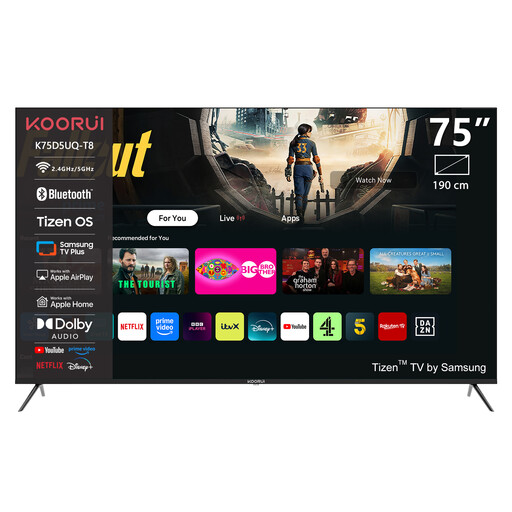
KOORUI K75D5UQ-T8 75-inch 4K UHD QLED Smart TV
The 75-inch screen could suit a set-up where the group watches one television from different spots in the room. Check separately whether the app you need is available on this model.
4K UHD, QLED, Tizen OS and Dolby Audio.
View at Joybuy
 No image available
KOORUI K65N3UQ-T8 65-inch 4K UHD QLED Smart TV
This 65-inch television is one screen option for watching together. Check that the service and episode you want are available on this exact model.
4K UHD, QLED, Tizen OS and Dolby Audio.
View at Joybuy
 No image available
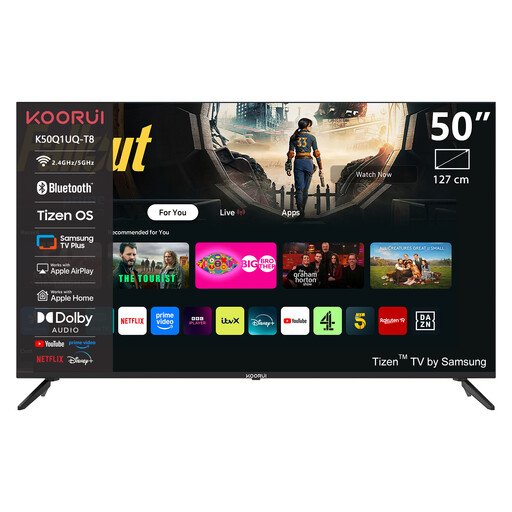
KOORUI K50Q1UQ-T8 50-inch 4K UHD QLED Smart TV
The 50-inch screen is an option if you want to watch together on one television. Check that this exact model supports the app you need for your chosen series.
4K UHD, QLED, Tizen OS and Dolby Audio.
View at Joybuy
 No image available
CHiQ U43QM10E 43-inch 4K QLED Smart TV
This 43-inch television has the smallest screen size in this selection. Before choosing your set-up, check that the service and title you want are available on this model.
4K, Google TV, HDR10, Google Cast and Dolby Audio.
View at Joybuy
Frequently asked questions
Do you always need a paid subscription to watch an architecture programme?
No, not for every programme on NPO Start. NPO says programmes are generally available to watch again for free for at least a week; check the access requirements for the episode you want.
Why doesn’t a 4K player automatically give you a 4K picture?
The title, subscription and screen must all support 4K too. For 4K viewing on Netflix, the Netflix Help Centre recommends a stable connection of at least 15 Mbps. This is a recommendation for that service, not a general threshold for every programme.
What should you check before connecting your equipment?
Check that you have a spare HDMI port, what internet connection is available where you’ll be watching and what’s included. Xiaomi lists an HDMI cable with the TV Box S (3rd Gen); Apple says the HDMI cable for the 2022 Apple TV 4K is sold separately.
Can you show an architecture programme to a large group in the Netherlands without permission?
Not without first considering the circumstances of the screening. The Dutch Copyright Act, in the version in force from 1 January 2026, provides an exception for screenings limited to family, friends or an equivalent private circle, where no one pays for admission. For an organised screening outside this exception, consider which rights are needed for the specific screening and service; Videma provides licences for certain types of business TV use. A streaming subscription or device is not, in itself, a screening licence.


