
Night-time battle player
If you mainly play in a dark room, you’ll want shadows and bright details to remain easy to distinguish. RTINGS.com discusses OLED and VA as panel options to consider.


OLED is the best fit if deep blacks and clearly defined points of light in dark scenes are your priority. VA is an LCD alternative if you often have the same map or HUD on screen for long periods and want to factor in the risk of OLED burn-in. IPS may suit you if QHD map detail and motion handling matter more than the deepest blacks. Also compare the exact model, the resolution your PC can handle and the refresh rate available through your connection. RTINGS.com explains the differences between panel types, but performance varies from monitor to monitor.
If you mainly play in a dark room, you’ll want shadows and bright details to remain easy to distinguish. RTINGS.com discusses OLED and VA as panel options to consider.
If you need to read small unit labels and map details, weigh screen space and resolution against what your PC can display in your games. AOC Netherlands and ASUS ROG Netherlands give examples of QHD and 4K models.
If the same map interface or HUD often stays on screen for a long time, factor OLED pixel care into your choice. RTINGS.com explains the risk of burn-in with static images; ASUS ROG publishes pixel-cleaning instructions for its ROG OLED monitors.
A good fit if: you mainly play in a dark room and care about black levels.
Bear in mind: if the same map or HUD stays on screen for a long time, the risk of OLED burn-in may be relevant.
A good fit if: you’re looking for an LCD alternative and often have static game elements on screen.
Bear in mind: dark objects in motion may show black smearing on some VA models, so check the exact model.
A good fit if: map detail and motion handling matter more to you than the deepest blacks.
Bear in mind: an IPS panel generally produces a less convincing dark image than OLED. Check the contrast and HDR performance of each model.
Start with what matters most to you: dark-scene performance, legible maps, smooth motion or long sessions with the same interface on screen.
| What to consider | What to look for when buying | Who should pay extra attention? |
|---|---|---|
| Black levels | Check model-specific reviews of contrast, black uniformity and dark-scene motion; don’t compare panel names alone. | If I play in a dark room, I want to be able to distinguish shadows and points of light clearly. Around 33% of consumers say black levels are their main concern when buying. |
| Map detail and resolution | Compare screen size and native resolution, then check which resolution and frame rate your PC can achieve in your games. | When I’m reading small unit labels, I want enough detail without choosing a resolution my PC can’t display smoothly. Around 27% of consumers prioritise map detail. |
| Motion clarity | Check the supported Hz at your chosen resolution and input, VRR compatibility and motion blur measurements. | If I also play fast-paced battles, I consider smooth motion as well as contrast. Around 20% of consumers give motion clarity top priority. |
| Long gaming sessions | Read the pixel-care instructions and terms for the exact model; compare energy labels on a like-for-like basis. | If the same HUD stays visible for a long time, I want to consider care and durability alongside image quality. Around 20% of consumers prioritise long-term use. |
An HDR10 listing alone doesn’t tell you how convincing dark HDR scenes will look. AOC Netherlands lists HDR10 for the Q27G4XF; assess the exact model’s contrast and HDR performance separately.
Look for model-specific reviews of dark-scene and HDR performance before giving these features too much weight.
Prolonged exposure to static elements can cause burn-in on OLED displays; LCD does not have this specific OLED risk. RTINGS.com explains this trade-off between OLED and VA.
If you often show the same interface for hours, compare OLED with VA or IPS, and read the pixel-care instructions and terms for the exact model.
AOC lists 280 Hz for the AG276QZD2, while a product description on Joybuy lists 240 Hz. Check the full model code and supported mode for each connection before comparing these figures.
Don’t let an unclear listing decide your choice; check which refresh rate the exact model supports through your intended input.
The PG32UCDM3 is an example of a 31.5-inch 4K QD-OLED monitor for anyone who values a large screen and dark-scene performance.
The Q27G4XF is an example of a 27-inch QHD Fast IPS monitor; the AG276QZD2 is a separate QD-OLED model.
The AW2725Q is an example of a 27-inch 4K QD-OLED monitor for anyone looking to combine map detail with OLED contrast.
The 32GX870B-B is an example of a 32-inch 4K Tandem OLED monitor with a separate Full HD speed mode.
The Odyssey OLED G6 G60SD is an example of a 27-inch QHD OLED monitor for anyone weighing up a high refresh rate and dark-scene performance.
These Joybuy picks are OLED monitors for anyone who values dark-scene performance and map detail. Bear in mind the risk of OLED burn-in with static HUD or map images; resolution and other specifications vary by model.
 No image available
QD-OLED suits the OLED choice for dark scenes; bear in mind the risk of OLED burn-in if static game elements stay on screen for long periods.
26.7 inches; 3840 × 2160 pixels; 4K UHD; QD-OLED. Dell lists 240 Hz for the AW2725Q.
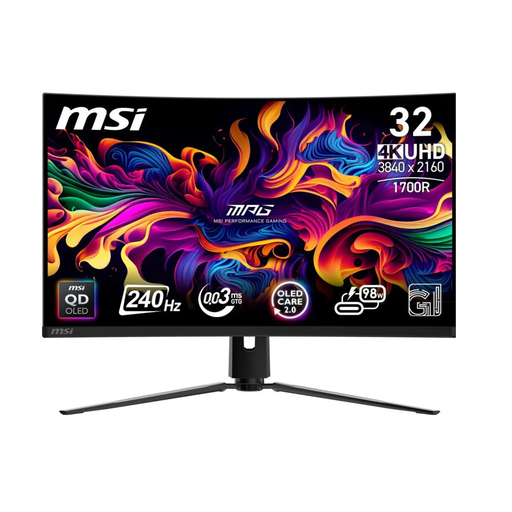 No image available
QD-OLED panel technology is a good fit if dark-scene performance matters to you; factor in the risk of OLED burn-in if a fixed HUD stays on screen for long periods.
31.5 inches; 3840 × 2160 pixels; 4K UHD; QD-OLED.
 No image available
This QD-OLED model combines the stated 4K resolution with 165 Hz; compare the refresh rate with your PC and the mode you want to use.
31.5 inches; 4K UHD; 165 Hz; 0.03 ms; USB-C.
The general risk of OLED burn-in applies to static HUD or map images left on screen for long periods.
 No image available
This 4K OLED model suits anyone looking to combine map detail with dark-scene performance; factor in the general risk of OLED burn-in with static images left on screen for long periods.
31.5 inches; 3840 × 2160 pixels; 4K UHD; OLED.
 No image available
QHD and QD-OLED suit anyone looking to combine dark-scene performance with map detail; the 240 Hz listing is relevant if your PC and connection support that mode.
26.5 inches; 2560 × 1440 pixels; QHD; 3rd Gen QD-OLED; 240 Hz; 0.03 ms GtG.
The general risk of OLED burn-in applies to static HUD or map images left on screen for long periods.
For mostly measured strategy games and night-time scenes, start with contrast and legible map detail. If you also play fast-paced battles, check motion measurements too, and make sure your PC can achieve the frame rate and monitor mode you want.
Follow the pixel-cleaning procedure and usage instructions for the exact model, and factor in the effect of leaving the same image on screen for long periods. ASUS ROG describes a procedure for its ROG OLED monitors; don’t assume other brands use the same menus or intervals.
No. According to the Dutch government, there is no fixed term for the statutory guarantee in the Netherlands: you can expect a product to last for a period that’s reasonable for that product. The manufacturer’s warranty is additional; if a product is faulty, the retailer is your point of contact. What’s reasonable depends on the circumstances and normal use.
For distance purchases from a business, the Dutch government says you’ll usually have 14 days to change your mind. The seller must tell you about this; check the applicable terms and exceptions before buying.
The European Commission classifies computer monitors as electronic displays that require energy labels. Compare the label and model information, including energy consumption in SDR and, where listed, HDR; you are not required to choose a particular energy class.