What should you look for when buying?
For short contrasts, first check how easily you can replay a clip. Sony Netherlands lists A-B repeat and adjustable playback speed for the ICD-UX570 series; OM SYSTEM lists shadowing for the WS-883, and the Zoom H1essential manual describes A-B repeat. Check the features of the exact model, as a general playback function is not the same as repeating a selected interval.
| What to consider |
What should you check? |
Who is this important for? |
| Focused playback |
Check whether the exact model has A-B repeat, shadowing or adjustable playback speed. |
I want to replay a short vowel pair straight away so I can compare the sounds; around 36% of consumers say focused playback is their main requirement. |
| Desk space |
Check the dimensions and allow for any cables, memory cards and accessories. |
I have limited space beside my practice materials and don’t want a bulky set-up; around 29% of consumers give limited desk space their highest priority. |
| Easy recording |
Check the controls, built-in microphone, playback options and power supply. |
I want to record my voice and check it straight away without having to navigate lots of settings; around 21% of consumers prioritise easy recording. |
| Keeping recordings |
Compare internal memory, any card requirements, file formats and the connection used to transfer files. |
I want to find practice sessions later or compare them on a computer; around 14% of consumers say keeping and transferring recordings is their main requirement. |
Products at Joybuy
Below are devices with voice recording, including voice recorders and MP3 players. For each model, check whether the controls and playback options suit your practice.
 No image available
Digital Voice Recorder 64 GB
Could suit you if you’re looking for a standalone device for voice recordings.
The product information lists 64 GB of internal memory and a transcription feature. Check which features and languages are available with the version being offered.
View at Joybuy
 No image available
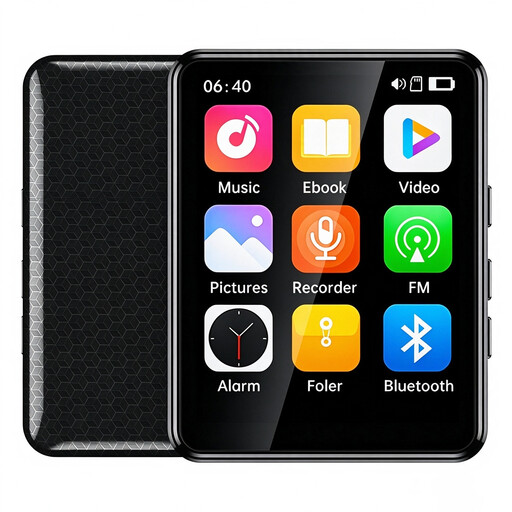
VIELLAN MP3 Player, 64 GB
Could suit you if you’re looking for an MP3 player as well as voice recording.
The product title lists a 2.4-inch colour screen, touchscreen, 64 GB of memory, Bluetooth, FM radio and a speaker.
View at Joybuy
 No image available
Digital Audio Player with voice recording
Could suit you if you’re looking for an audio player that also offers voice recording.
The product title lists a 1.8-inch screen, Bluetooth, an e-book function and an alarm function. Check whether the recording controls are suitable for repeated practice.
View at Joybuy
 No image available
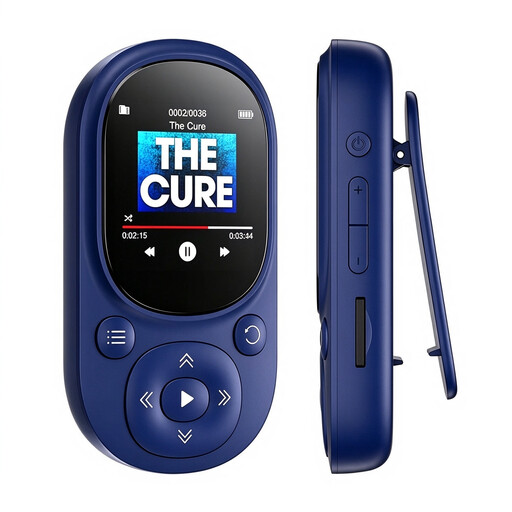
Bluetooth MP3 Player, 64 GB, blue
Could suit you if you want to combine voice recording with music playback.
The product title lists 64 GB of storage, Bluetooth 5.3, a 1.44-inch colour screen and a microSD card slot supporting up to 128 GB.
View at Joybuy
 No image available
AI Dictation Device, 64 GB
Could suit you if you’re looking for transcription and summaries as well as recording.
The product title lists 64 GB, transcription and summaries in 118 languages. Check whether Dutch is supported before buying.
View at Joybuy
Frequently asked questions about recorders for vowel practice
How do you practise a vowel pair with a recorder?
Record the two sounds or words, then replay the selected clip. If you want to repeat a specific interval, choose a model that explicitly lists this feature; Sony Netherlands lists A-B repeat for the ICD-UX570 series, and the Zoom H1essential manual describes the same feature.
Do you need a memory card or computer to get started?
It depends on the model and how you use it. The Philips DVT2110 and OM SYSTEM WS-883 list internal memory; the Zoom H1essential manual describes using a microSD card. Check the storage requirements, transfer method and what’s included in the box for the version you choose.
What if an online recorder doesn’t meet your needs or is faulty?
For online purchases from a business, you generally have 14 days to change your mind, subject to legal exceptions, according to the Dutch government. Faulty products are also covered by the statutory guarantee: there is no fixed statutory guarantee period, and the seller is your point of contact.
Can you record your own vowel practice?
The Dutch Data Protection Authority states that processing carried out purely for personal or household use falls outside the GDPR. If you also record other people or share files beyond that private setting, consider the applicable privacy rules separately; this is not blanket permission to make or publish every recording.


