What should you consider when choosing?
First, check that the game edition you want works on the system and is available in a language that suits you. Then compare how you’ll play privately, how text appears on screen and what else you’ll need for a complete set-up.
| What to consider |
What should you check? |
Who is this most important for? |
| Playing privately |
Check whether the system has an integrated screen and what type of headphone connection is available. A connection does not guarantee that every audio device will work. |
If I want to play without using the shared TV and keep the sound to myself, I look at the screen and audio; around 33% of consumers are most concerned about playing privately when buying. |
| Games you want |
Make a note of the exact titles and editions, then check the platform, text language and any compatibility information for each game. |
Anyone who already owns games or is looking for a specific visual novel will want to know first whether that edition is actually playable; around 27% of consumers focus mainly on the titles they want and their existing library. |
| Readability |
Look at images of the exact game edition on a comparable screen and bear in mind your usual viewing distance. |
When I’m reading long passages, I want to be able to follow the text from my usual viewing distance; around 20% of consumers put readability first. |
| What you’ll need |
Check which games, extra storage, separate screen or charger you need, and what comes with the version you’ve chosen. |
For consumers looking to keep the complete set-up affordable, the equipment they need alongside the device matters too; around 20% focus mainly on the total cost of the device and everything needed. |
Joybuy product picks
These Joybuy product picks include gaming TVs and handheld consoles. For each option, check that the visual novel and edition you want are available for the system.
 Image unavailable
Hisense E7 PRO Series QLED Gaming TV 43E7S PRO
A gaming TV for anyone who wants to use their own screen; check that the connections and set-up suit your games console.
Model number: 43E7S PRO. The product name specifies QLED and gaming TV.
Joybuy
 Image unavailable
Lenovo Legion Go 8ASP2
A handheld with an integrated screen for playing without a shared TV; check that the visual novel you want works on this system.
The product information lists SteamOS, a microSD card reader and a 3.5mm jack. A 65–100 W USB-C Power Delivery adapter is recommended for charging.
Joybuy
 Image unavailable
Lenovo Legion Go S 8APU1 83N6001TMH
A handheld with an integrated screen for playing independently; check that the games you want are compatible.
The product information lists SteamOS, touchscreen controls and a 3.5mm headphone jack. A suitable USB-C Power Delivery adapter is needed for charging.
Joybuy
 Image unavailable
ASUS ROG Xbox Ally, 16GB RAM, 512GB SSD, White
A Windows handheld for anyone who needs a specific PC game or PC games storefront; check beforehand that the game works on the version you’ve chosen.
The product information lists Windows 11 Home, a 7-inch Full HD screen and a 3.5mm jack. The product name specifies 16GB RAM and 512GB SSD. According to the product information, the charger is sold separately.
Joybuy
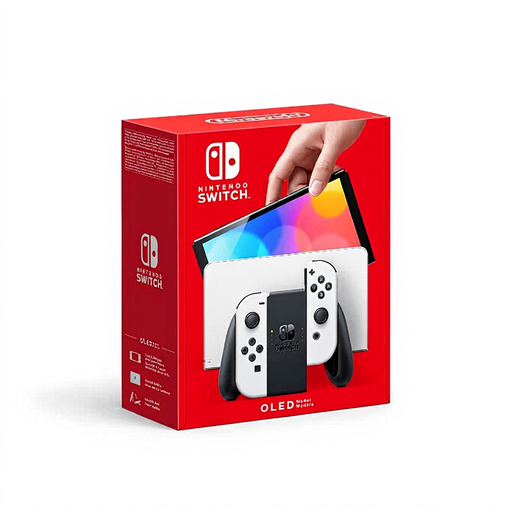 Image unavailable
Nintendo Switch OLED White
A Switch console with an integrated screen for playing without a shared TV; check that the visual novel you want is available for Switch.
The product information lists a 7-inch OLED screen and 64 GB of internal storage. A microSD card for extra storage is sold separately.
Joybuy
Frequently asked questions
Can I play my old Switch visual novels on Switch 2?
Some physical and digital Switch games work on Switch 2, but Nintendo lists exceptions and cases where compatibility is limited. Check the status of the exact game and edition before choosing the console for it.
How can I keep the sound to myself in a shared bedroom?
Use personal audio through a connection supported by your system and headphones. Nintendo lists a 3.5mm jack for Switch 2, and Valve does the same for Steam Deck OLED; check that your own audio device works.
Do I lose my rights if my console breaks after two years?
No. In the Netherlands, there is no fixed statutory warranty period. The Dutch government says that you can expect a product to do what you could reasonably expect it to do; contact the seller if a product is faulty.
Can I always return a console bought online or a downloaded game within 14 days?
For a console bought online, you generally have a 14-day cooling-off period from delivery, although there are exceptions. Don’t assume the same cooling-off period applies to downloaded digital content; check the relevant terms before downloading.
Does PEGI indicate how difficult a visual novel is?
No. PEGI provides information about the age suitability of the content, not the difficulty of a game. If you’re playing in a shared bedroom, check the content of the specific title too.


