
Reader of dialogue-heavy games
You mainly play visual novels and use the same screen for study materials. So, start by considering text clarity and the combination of screen size and resolution.


Start with the space on your desk and how easy dialogue is to read. A compact 23.8-inch Full HD screen may suit you if space is limited, while a 27-inch QHD screen offers more pixels for text and illustrations if your desk and device can accommodate it. Also check the stand, connections and audio options for the exact model. A high refresh rate alone won’t tell you whether text is comfortable to read.
You mainly play visual novels and use the same screen for study materials. So, start by considering text clarity and the combination of screen size and resolution.
You want to place the monitor alongside your laptop, keyboard or study materials. So, compare not only the screen size but also the dimensions of the stand.
You have space for a larger screen and are weighing up the extra screen area against the space available and your device’s connection options.
First, compare screen size and resolution with your desk and viewing distance. Then check that the stand, connections and audio options suit your set-up.
Choose this if: you have limited desk space and want a separate screen for visual novels and studying.
Keep in mind: the compact models mentioned have 1920 × 1080 pixels, compared with 2560 × 1440 for the 27-inch QHD option discussed here. ASUS lists speakers for the VG249Q3A, but no height adjustment.
Choose this if: you have room for a 27-inch screen and want more pixels for text and illustrations.
Keep in mind: a larger screen needs more desk space. Philips lists a QHD resolution of 2560 × 1440 for the Evnia 27M2N5500/00. Check whether your laptop or console supports the resolution you want through the available connection.
| What to consider | What should you check? | Who is this important for? |
|---|---|---|
| Readability | Compare 23.8 inches at 1920 × 1080 with 27 inches at 2560 × 1440, and check the text size at your usual viewing distance. | If I read a lot of dialogue and study materials, I want the screen size and resolution to work well together. Around 29% of consumers put dialogue and study-text readability first. |
| Desk space | Measure the available width and depth, and check the overall dimensions, including the stand. | If my laptop and study materials also need to fit on the desk, I need to consider the whole set-up. Around 23% of consumers give desk space their top priority. |
| Features and spending | Weigh gaming features against size, resolution and equipment. Refresh rate alone doesn’t determine how comfortable text is to read. | If I mainly play visual novels, I don’t want to pay extra for features I rarely use. Around 18% of consumers prioritise affordability without gaming features they won’t use. |
| Set-up and reflections | Check height adjustment, tilt, screen finish and where your desk is positioned in relation to windows. | For long reading sessions, I want to adjust the screen to suit my seating position and check for distracting reflections. Around 18% of consumers put adjustability and reflections at the top of their list. |
| Connections and audio | Compare your device’s video output with the monitor’s connections, and check separately how you want to play audio. | If I want to connect my laptop or console and listen to audio through a particular set-up, the combination needs to work. Around 12% of consumers give connections and audio their top priority. |
Speed specifications don’t prove that dialogue in a visual novel will be easier to read.
First, assess the size, native resolution, set-up and connections. Consider speed separately if you also play games with lots of movement.
ASUS lists built-in speakers for the TUF Gaming VG249Q3A, but no height adjustment. Features vary by model.
Check both details for the full model number and measure the space where you want to put the monitor.
LG lists the UltraGear 27GS75Q-B as discontinued. Its specifications therefore don’t mean that a specific offer is available or that a successor has the same features.
Use older specifications for comparison only, and check the status of the exact model you’re considering.
According to ACM ConsuWijzer, the length of a commercial warranty doesn’t, by itself, determine how long you can reasonably expect a product to last under Dutch statutory guarantee rules.
Keep your purchase and model details, and contact the retailer if something goes wrong. Compare any additional warranty separately and check its terms.
The AOC 24G4X is a compact 23.8-inch Full HD Fast IPS model worth comparing if desk space is a key consideration.
The TUF Gaming VG249Q3A is a 23.8-inch Full HD IPS model worth comparing if built-in audio matters to you.
The Evnia 27M2N5500/00 is a 27-inch QHD alternative for anyone with room for a larger screen.
The 27-inch UltraGear 27GS75Q-B is an example of a QHD IPS model with height adjustment.
This selection includes compact Full HD monitors and larger screens for gaming and studying. Compare screen size and resolution with your desk, viewing distance and device.
 No image available
A compact Full HD option to compare if you also need space for study materials alongside your screen.
24-inch Full HD gaming monitor.
 No image available
A larger screen to consider if you want more room for illustrations and have space for a 27-inch monitor.
27-inch OLED, QHD (2560 × 1440), 240 Hz.
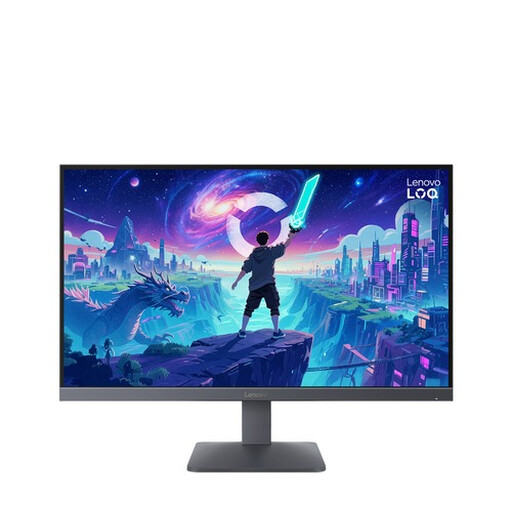 No image available
A 27-inch model to compare if you want a larger screen but would like to judge for yourself whether Full HD suits your viewing distance.
27-inch Full HD, Fast IPS, 200 Hz.
 No image available
A compact monitor to compare if you want a separate screen for visual novels and everyday computer use.
24-inch Full HD IPS, 100 Hz, built-in speakers.
 No image available
A larger screen to compare if your desk has room for 27 inches and you want to explore QHD resolution for text and illustrations.
27-inch LCD, 2560 × 1440 pixels.
No, 180 Hz isn’t a general requirement for visual novels. First, choose a screen size and text clarity that suit the way you use it; the 180 Hz mentioned is a model specification. If you also play fast-paced games, refresh rate may be worth considering for those instead.
Compare your laptop’s video output with the ports on the exact monitor model, and check which resolution and refresh rate that combination supports. ASUS lists HDMI 2.0 and DisplayPort 1.2 for the VG249Q3A; that alone doesn’t tell you what your laptop supports.
Check the care and maintenance instructions for the specific model. ASUS warns that prolonged display of high-contrast static images on its OLED monitors can cause image persistence or burn-in. Don’t assume that features or warranty terms are the same across all brands.
For a standard online consumer purchase from a retailer, you generally have a 14-day cooling-off period from delivery. Your Europe notes that conditions and exceptions may apply. ACM ConsuWijzer also explains that the retailer is responsible under the statutory guarantee if a product doesn’t perform as you could reasonably expect under normal use. A manufacturer’s warranty is separate.
Not automatically. Arboportaal describes obligations for employers and employees. Its information about positioning, adjustability and reflections may still help you make a personal choice, but it doesn’t create a single set of legal purchasing requirements for students.