
PC players on the sofa
You connect a PC to a big screen and want to control the game and menus without having to get up. Check the game’s gamepad support and try using Steam Big Picture, Steam’s TV and controller interface.


First, check whether your visual novel supports controllers, then choose one that suits the device you play on. Wireless control can be handy from the sofa, but full in-game support isn’t guaranteed. If support is partial, mapping keyboard or mouse controls may be a useful alternative.
You connect a PC to a big screen and want to control the game and menus without having to get up. Check the game’s gamepad support and try using Steam Big Picture, Steam’s TV and controller interface.
You play the console version and want a controller that suits your Nintendo Switch, Nintendo Switch 2 or PS5. A similar name or appearance doesn’t mean that controllers are interchangeable.
You want to navigate reading and choice options from the sofa, but your game may not fully support controllers. In that case, a custom keyboard or mouse layout may be more practical than extra gamepad features.
First, check support for the specific game and device. Then consider which connection and controls will work best for your screen setup.
| What to consider | What should you check? | Who is this important for? |
|---|---|---|
| Compatibility | Check the console or operating system, as well as support for the specific game. For example, Steam lists full controller support for ToHeart and partial support for Spare Parts: Episode 1. | I don’t want to find out from the sofa that my gamepad and game don’t work well together. Around 36% of consumers put compatibility first. |
| Connection from the sofa | Check whether your device supports Bluetooth, a 2,4GHz receiver or USB, and whether the connection works with your setup. Microsoft lists Bluetooth and USB-C for the Xbox Wireless Controller on Windows 10/11; 8BitDo lists 2,4GHz or a cable for the Ultimate 2C Wireless on Windows. | I want to control my visual novel from where I’m sitting, so I pay attention to how the controller connects to my device. Around 29% of consumers prioritise range and connectivity. |
| Controlling menus and choices | Try navigating text, choices and menus in your game. Steam Support explains how to map keyboard, mouse or gamepad commands to buttons, but be sure to check each action you want to use. | I want to read and make choices without having to go back to the keyboard. Around 21% of consumers prioritise control options for games with partial support. |
| Power and cables | Check what type of power supply is needed and what’s included. Microsoft bases the stated battery life of the Xbox Wireless Controller on AA batteries; Nintendo lists a USB-C charging cable with the Switch Pro Controller. | I don’t want to interrupt a gaming session to replace batteries or look for the right cable. Around 14% of consumers prioritise power and uninterrupted use. |
Steam Big Picture is designed for use with a TV and controller, but Steam lists full or partial controller support for each game. As a result, you may still need a keyboard or mouse for certain menus or actions.
Check the page for the specific visual novel and try its menus and choices before relying on a controller alone.
With partial support, you may need extra time to set things up. You might also want to keep a keyboard or mouse within reach.
For the Ultimate 2C Wireless, 8BitDo lists 2,4GHz or a cable for Windows, and Bluetooth for Android. So the word ‘wireless’ alone doesn’t tell you which connection will work with your device.
Check the connection options for the exact model and device, and make sure your PC has a suitable USB port for a receiver.
Nintendo describes the Switch 2 Pro Controller as a separate product designed exclusively for Nintendo Switch 2.
Check the full model name and compatibility with your console before choosing.
An option for a Windows PC connected to a TV or an Xbox console.
The Switch Pro Controller is designed for a Nintendo Switch setup; the Switch 2 Pro Controller is a separate model.
DualSense is worth considering for PS5 and compatible PC games.
The Ultimate 2C Wireless is an option for Windows users who want to use a 2,4GHz receiver or a cable.
The G7 SE is a wired option for Xbox and PC, if a cable can reach your seat.
This selection includes controllers for Windows PCs connected to a TV, Nintendo Switch, Nintendo Switch 2 and PS5. Check the actual controller support for each game.
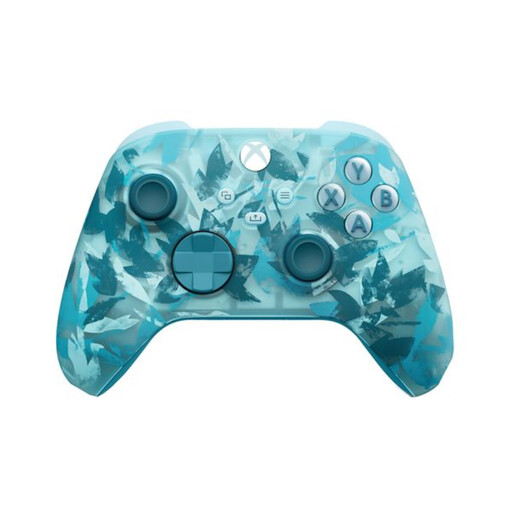 No image available
Worth considering for a Windows PC setup connected to a TV; check whether your visual novel supports it.
The product information lists Windows 10/11, Bluetooth and USB-C. Two AA batteries are included; the stated battery life is based on AA batteries.
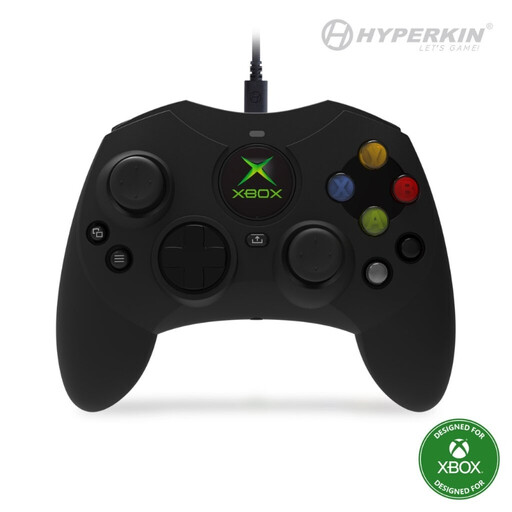 No image available
A wired option for a Windows PC or Xbox setup where the cable can reach your seat.
The product information lists a 3-metre detachable USB-C cable and programmable buttons.
 No image available
Designed for a Nintendo Switch setup; check whether your game supports this controller.
The product information lists a built-in battery, Bluetooth and an included USB Type-C cable. If you have a Switch 2, check compatibility with your console.
 No image available
An option for a PS5 setup or a compatible PC game; check which features your game supports.
The product information lists Bluetooth and USB-C. According to Sony, haptic feedback on PC requires USB and support from the game.
 No image available
Designed for Nintendo Switch 2; Nintendo describes this model as being for that console only.
The product information lists a wireless Bluetooth connection, USB-C and a rechargeable battery.
No. Steam Big Picture doesn’t mean that every game can be fully controlled with a gamepad. Steam lists full or partial support for each title, so check your game’s page and try the menus too.
According to Nintendo, you can pair the Switch Pro Controller wirelessly or connect it to the console while the Switch is in its dock. First, check that you have the right controller for your console, as the Switch 2 Pro Controller is a separate model.
According to the Rijksoverheid, the seller must provide a solution if a product is faulty. For eligible distance purchases, you often have a 14-day cooling-off period, although exceptions apply. Check which terms and conditions apply to your purchase.