What should you look for when choosing?
First decide which game you want to play and how you want to play it. Then compare the full specification, and only then work out your screen and PC case setup.
| What to consider |
What to look for when buying |
Who is this important for? |
| Game compatibility |
Make a note of the exact game title and compare the complete PC specification with the developer’s requirements. |
If I’m building tracks on a monitor, I don’t want to pay for a way of playing I won’t use. Around 36% of consumers put compatibility with their chosen game first. |
| Large maps and projects |
Check the RAM and SSD storage in the configuration, and see whether it can be upgraded. |
For extensive routes and lots of projects, I want to assess the processor, memory and storage as a whole. Around 29% of consumers prioritise having room for large projects. |
| VR and connections |
Compare the requirements of the game and the specific headset, and check that the PC has the connections you need. |
If I want to explore my railway with a headset, both the PC and the headset need to suit that way of playing. Around 21% of consumers make VR compatibility their top priority. |
| Setup in a dark room |
Check where your screen and PC case will go, whether the case lighting can be adjusted, and whether reflections might affect the screen. |
In a dark gaming space, I want to control how much light the PC case gives off and where the screen is positioned. Around 14% of consumers focus mainly on lighting and reflections in their setup. |
Gaming PCs on Joybuy
These desktops offer configurations you can compare with the requirements of your chosen railway game. For each one, check that the components, connections and way of playing suit your setup.
 Image unavailable
OMEN 35L Gaming Desktop GT16-0162nd D49NFEA#ABH
A gaming desktop with listed components you can compare against the requirements of your chosen game.
Intel Core i7-14700F; RTX 5060; 16 GB DDR5; 1 TB SSD. Memory can be upgraded to 128 GB.
Joybuy
 Image unavailable
RGB Gaming PC RTX 5060 Ryzen 5 16 GB 480 GB SSD
A configuration to compare with the requirements of your chosen game, with case lighting as part of the setup.
Ryzen 5 5500; RTX 5060; 16 GB DDR4; 480 GB SSD; four ARGB fans. Windows 11 is listed as not activated.
Joybuy
 Image unavailable
Gaming Desktop PC Ryzen 7 7800X3D, GeForce RTX 5080
A desktop configuration to compare with the requirements of your chosen railway game, including if you want to assess the extra memory capacity.
Ryzen 7 7800X3D; GeForce RTX 5080 with 16 GB video memory; 32 GB DDR5; 1 TB NVMe SSD. Windows 11 Trial is listed.
Joybuy
 Image unavailable
Almighty Shark R900 Gaming Desktop PC
A desktop whose processor, graphics card, memory and storage you can compare together with your game’s requirements.
Ryzen 9 9900X3D; RTX 5090 with 24 GB video memory; 32 GB DDR5; 2 TB NVMe SSD.
Joybuy
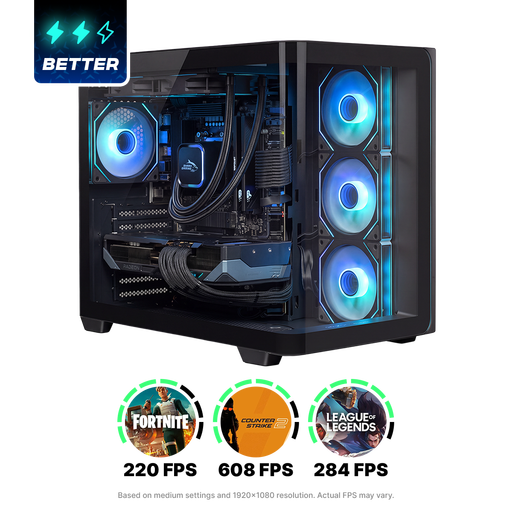 Image unavailable
Shak RGBeast R700 Gaming PC RX9070XT/R7/16G/1TB
A gaming PC to compare with the system requirements of your chosen railway game, with storage for games and applications.
Ryzen 7 9800X3D; RX 9070 XT with 16 GB video memory; 16 GB DDR5; 1 TB NVMe SSD.
Joybuy
Frequently asked questions
Do I always need a VR PC for Rolling Line?
No. Gaugepunk Games says Rolling Line is playable on both a standard PC and in VR. Choose how you want to play first; for VR, also check the requirements and connections of the specific headset.
How can you set up for a long building session in a dark room?
Check whether reflections affect your screen and decide where to position your monitor and PC case. The American Optometric Association lists screen reflections as something that can make viewing more difficult. Adjustable case lighting can also help you tailor the PC’s appearance to your preferences.
What should you check when connecting your monitor?
Compare the connections on the exact PC configuration with your monitor and other equipment. Don’t rely on the name of a model range alone, as it doesn’t confirm which ports a specific configuration has.
What if your gaming PC bought online develops a fault too soon?
According to ACM ConsuWijzer, the retailer must resolve the problem free of charge if a product breaks down sooner than you could reasonably expect during normal use. This statutory right is separate from any additional manufacturer’s warranty.
Can you return a PC bought online within 14 days?
ACM ConsuWijzer states that online purchases generally come with a statutory 14-day cooling-off period after delivery. There are exceptions, including products genuinely made to order, so check whether an exception applies to your customised PC.


