
Laptop user with few power sockets
You want to use your laptop and monitor without routinely plugging in a separate laptop charger as well. Whether that’s possible depends on the stated USB-C charging output and your laptop’s compatibility.


For a virtual railway, first choose between a wide 21:9 screen for an at-a-glance view and a more compact screen if desk space and clearly readable details matter more. USB-C Power Delivery can do away with a separate laptop charger for a compatible laptop, provided the power output is sufficient. However, the monitor itself still needs to be plugged into the mains; LG specifies 65 W for the 34GX900A-B and ASUS 90 W for the PG32UCDM. Check that your game supports 21:9 and that your computer can handle your chosen resolution.
You want to use your laptop and monitor without routinely plugging in a separate laptop charger as well. Whether that’s possible depends on the stated USB-C charging output and your laptop’s compatibility.
You want to see your routes and workspace at a glance on one screen, and are weighing up an ultrawide display against a sharper, more compact 16:9 screen. Lenovo UK describes aspect ratio as a factor that determines the shape of the screen.
You want text and controls to be easy to read without choosing a resolution or refresh rate that your system can’t make the most of.
Start with the connection and screen size that suit your setup. Then choose a resolution and refresh rate that your computer and game can handle.
| What to consider | What should you check? | Who should prioritise this? |
|---|---|---|
| Laptop power and sockets | Compare the USB-C Power Delivery output in watts with your laptop’s charging requirements, and check whether the USB-C port also supports video output. | If I want to use one connection for both video and laptop power, I first check that the power output is sufficient and the laptop is compatible. Around 36% of consumers prioritise needing fewer sockets and powering their laptop. |
| Seeing your railway network at a glance | Compare screen width, aspect ratio, available desk space and the display settings in the game you play. | If I want to see lots of routes at a glance on one screen, usable screen space matters more to me than a compact size. Around 29% of consumers prioritise seeing everything on one screen. |
| Readability and PC workload | Check which resolution your computer can output and whether the game’s controls remain readable at your preferred scaling. | If clear text and controls are my main priorities, without putting unnecessary strain on my PC, I look at resolution and scaling settings. Around 21% of consumers consider this their most important factor. |
| Smooth camera movement | Check the maximum refresh rate at your chosen resolution and connection, and whether your computer can make the most of it. | If smooth camera movement is my top priority, I look beyond the Hz rating and consider what my game and PC can actually output. Around 14% of consumers prioritise refresh rate. |
A USB-C port that supports video doesn’t automatically provide enough power to charge a laptop. Power requirements vary from one laptop to another.
Before relying on a single cable, check the stated Power Delivery output in watts, whether USB-C supports video output, and your laptop’s charging requirements.
A 34-inch screen with a 21:9 aspect ratio takes up a different amount of space from a 27-inch 16:9 screen. The way your specific game displays will depend on the settings it supports.
Measure your available space and check the resolution, aspect ratio and interface scaling options in the game you actually play.
The Fire and Rescue Service advises using an approved, undamaged extension socket and not connecting extension leads together.
Plan separate power connections for your monitor and computer, check the extension socket’s permitted load, and leave enough space around devices for heat to escape.
ACM ConsuWijzer explains that statutory warranty in the Netherlands does not have a fixed, general two-year time limit.
Keep your proof of purchase and contact the retailer if something goes wrong. Consider both the warranty terms and your statutory rights.
The UltraGear 34GX900A-B is an ultrawide option if you also want to connect a compatible laptop via USB-C.
According to ASUS, the ROG Swift OLED PG32UCDM combines a 32-inch 4K screen with USB-C Power Delivery.
The Evnia 34M2C5501A/01 is an ultrawide option if a wide screen is important to you.
The MO27Q2A is a 27-inch QHD QD-OLED option if you prefer a more compact screen to an ultrawide display.
The Plus S2725QC is a compact 27-inch 4K USB-C option if detail and a 16:9 format matter more to you than an ultrawide screen.
The products below range from portable monitors to larger gaming monitors. Compare the space available and check which power and video connections will work with your computer.
 No image available
A portable monitor to consider if a more compact screen suits your setup better. Check which connections your laptop can use for video and power.
The product name lists a 16-inch FHD IPS display, 144 Hz refresh rate, 16:10 aspect ratio, FreeSync, two USB-C ports and mini-HDMI.
 No image available
A portable monitor to consider if you’re looking for a more compact screen. Check the connection and compatibility with your device.
The product name lists a 2.5K IPS display, 144 Hz refresh rate, 16:10 aspect ratio, HDR, FreeSync, two USB-C ports, mini-HDMI and a stand.
 No image available
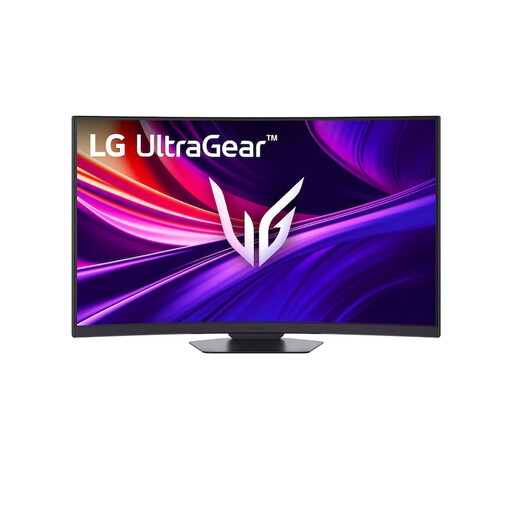
A larger curved screen to consider if you want plenty of screen space. Check that your desk and computer can accommodate its size and resolution.
The product name lists a 37-inch 4K UHD display, 165 Hz refresh rate and curved VA panel.
 No image available
A more compact 4K monitor to consider if detail matters to you. Check that your computer can handle your chosen resolution and refresh rate.
The product name lists a 27-inch 4K UHD display, 180 Hz refresh rate and IPS panel.
 No image available
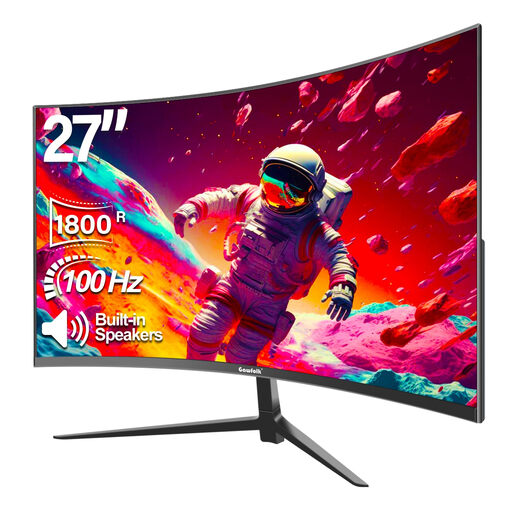
A 27-inch monitor to consider for gaming and everyday computing. Check whether Full HD gives you the level of detail you want to see on screen.
The product name lists Full HD 1080P, 100 Hz, 1800R curvature and built-in speakers.
No. The monitor still needs to be plugged into the mains. You may be able to do away with a separate laptop charger, but only if you have a compatible laptop and enough USB-C Power Delivery. LG specifies 65 W and ASUS 90 W for the models mentioned, while Tweakers lists 18 W for the Gigabyte MO27Q2A.
The Fire and Rescue Service advises using an approved, undamaged extension socket and not connecting extension leads together. Check the extension socket’s load rating and leave enough room around equipment for heat to escape.
Compare the EU energy label and product information for the specific models. The European Commission explains that electronic displays receive an energy label. A label rating alone won’t tell you how many sockets your setup needs.
For online distance contracts, you generally have 14 days to change your mind, although you should check the applicable terms and exceptions with the Dutch government. ACM ConsuWijzer explains that statutory warranty does not have a fixed, general two-year time limit: what you can reasonably expect from the product under normal use is what matters, and the retailer is your point of contact.
According to the European Commission, computer monitors generally fall under the energy labelling rules for electronic displays, with some exceptions for particular types of screen. Check the label and product information for the specific model.