
Teacher filming from above
You film your hands and cutting lines over a worktable and want to see the paper clearly without blocking your workspace.


First, choose a setup that softly illuminates the entire work surface without your hands, camera and light getting in each other’s way. A panel with a diffuser may fit beside a small table; a COB light with a softbox needs space for the light modifier and a stable mount. Adobe Stock Contributor explains that a larger light source produces softer light, but manufacturers’ specifications are not a measured comparison of the lighting on your paper.
You film your hands and cutting lines over a worktable and want to see the paper clearly without blocking your workspace.
You want white and coloured paper to look recognisable from one recording to the next, so you also pay attention to your camera’s white balance.
You need to fit a light, camera and clear cutting space into the same work area, so where a clamp or tripod goes could be decisive.
When filming paper-cutting from above, the main thing is being able to see the whole work surface while your hands are moving. The percentages below reflect different primary needs when filming this lesson.
| What to consider | What to look for | Who is this important for? |
|---|---|---|
| Soft light and visible cutting lines | View the whole work surface through the camera and check the shadows while you actually cut. Make sure a diffuser or softbox and the mounting method suit your setup. | I want to keep my hands, paper and cutting lines clearly in shot at the same time. Around 36% of consumers prioritise being able to see the cutting work. |
| Paper colours that look true to life | Compare the adjustable colour temperature and stated CRI of the exact model. Record a test shot and adjust your camera’s white balance to suit. | When I work with white and coloured paper, I want the colours to remain recognisable. Paper colour is the top priority for around 29% of consumers. |
| Fitting into a small workspace | Measure your desk thickness and available space. Check that the light can stay outside the camera frame without getting in the way of your hands or camera. | I want to position the light without giving up space for paper or my camera. Space around the workspace is the top priority for around 21% of consumers. |
| A complete, ready-to-use set | Check the contents list for the exact version and its power requirements. Also check whether the mounting method and light modifier you need are included. | I want to know in advance whether I have the power supply, mount and light modifier I need. Around 14% of consumers prioritise a complete set. |
Check which EU product rules apply to the specific light and supplied mains adapter. Where CE marking is required for the product, it must be present; the Netherlands Food and Consumer Product Safety Authority (NVWA) also explains the voltage limits covered by the Low Voltage Directive.
A manufacturer’s figure measured with a reflector at 1 m does not tell you how much soft, even light will fall on your paper after you fit a softbox.
Only compare measurements taken at the same distance and with the same light modifier. For your lesson, assess a test setup across the whole work surface.
The included parts can vary between versions. Power requirements can also affect how practical the setup is.
Before choosing, check the contents list, mounting method and power supply for the exact version you want to buy.
The clamp’s range does not tell you whether the light will reach the right angle or cast shadows. Your camera, hands and work surface also need to remain unobstructed.
Measure the edge of your desk and map out the camera’s field of view and your room to move before choosing a clamp setup.
The NL660 is a bi-colour LED panel with a diffuser, for anyone looking for directional light beside their work surface.
The Key Light Air MK.2 is a desk-mounted panel for a workspace where a floor-standing tripod could get in the way.
The SL60IIBi is a bi-colour COB light for a setup with room for a suitable Bowens softbox and tripod.
The COB 60x S is a compact bi-colour COB setup that lets you choose the light modifier you need.
The RC 60B Lite Edition is a portable COB option for anyone who regularly sets up and packs away their filming space.
This selection includes video lights and mounting kits for video recording. For each product, check whether the included camera or phone mount suits your overhead view of the worktable.
 No image available
According to the product description, this set is designed for uses including online lessons. Check that the tripod and light fit around your camera setup.
The title lists three colour modes and ten brightness levels.
 No image available
According to the title, this combination includes a camera and a video light. It is therefore most relevant if you are also looking for the camera listed, rather than just a standalone light.
An adjustable range of 3200–5500 K is listed for the Ulanzi VL81.
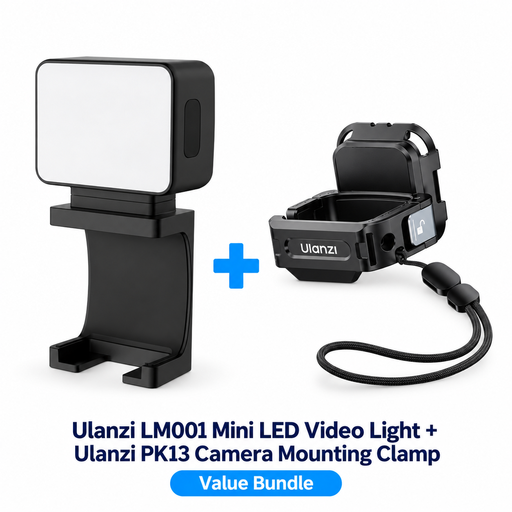 No image available
According to the title, this set is designed for use with a DJI Osmo Pocket 3. Check that the mount suits your camera setup at the worktable.
The product description lists a built-in 500 mAh rechargeable battery and a magnetic design.
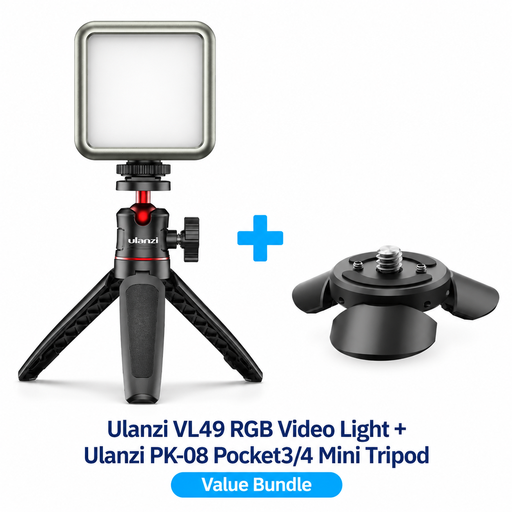 No image available
According to the product description, the set includes an RGB video light and mini tripod. The title lists mounting it on a DJI Osmo Pocket 3/4; check that the connection suits your recording setup.
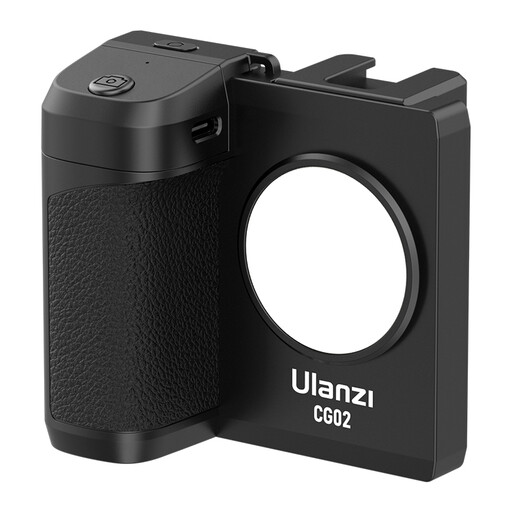 No image available
According to the title, this product combines a smartphone holder with an integrated LED panel. It is only suitable if you film the lesson with a compatible phone.
The title lists three light levels and compatibility with iPhone and Android phones.
No, it doesn’t. Check a test recording to see whether your hands obscure the cutting lines, and move the light or diffuser if needed. Make sure the mount is stable and stays clear of your movements while you work.
No. CRI is a stated property of the light; your camera’s white balance and other lighting in the room also affect the recording. Test white and coloured paper with your chosen settings.
Follow the manual for the exact model. For the SL60IIBi, Godox warns against looking directly at the light source, touching hot parts and using the light in a damp environment, among other things. Switch the light off and let it cool before putting it away.
No, this varies by product and version. An NP-F battery is not included with the NEEWER NL660, and whether a tripod is supplied depends on the version. Elgato says the Key Light Air MK.2 needs sufficient USB-C power to reach maximum brightness. Check the contents list and power requirements for the exact model.
The NVWA explains that CE marking is mandatory for electrical products covered by the relevant EU rules; check this for the specific light and adapter. For online distance purchases from a business, a 14-day cooling-off period applies in many cases, according to the Government of the Netherlands. This period is not an unconditional rule for every transaction.