
Teacher with a permanent drawing area
You film paper and moving hands from above or at an angle. You want to keep the whole work area in shot without distracting hand shadows.


Start by finding a position where the light and camera can cover the entire drawing area without getting in the way of your hands or other workstations. A table clamp saves floor space, a diffused panel can light the paper from another angle, and a COB light with a light modifier needs room for a separate setup. Check the power supply and included mounting options for each version, then record a test clip with your own camera.
You film paper and moving hands from above or at an angle. You want to keep the whole work area in shot without distracting hand shadows.
You want to keep the light and its mount within your own workspace, without tripod legs blocking a shared walkway.
You show pigments or paper shades and want to match the light to other sources. Manufacturers’ colour-rendering figures do not guarantee how colours will appear in your video.
Choose your setup based on the table edge and floor space available. Then check that the light covers the paper, what’s included in the set and how it looks in a test recording.
Suitable if: you have a clear, suitable table edge and don’t want tripod legs beside your workspace.
Keep in mind: check that the arm stays out of shot and clear of your hand movements, and that the light reaches the whole sheet of paper.
Suitable if: you can position the panel at an angle beside the camera and want to spread the light across the drawing area.
Keep in mind: a stand takes up floor space, and a light grid can affect how well the corners of the paper are lit.
Suitable if: you have room for a separate light setup and want to shape the light yourself.
Keep in mind: a softbox may be optional. Also check the power options, battery life and fan noise for the version you choose.
| Consideration | What to look for | Who it matters most to |
|---|---|---|
| Full coverage and hand shadows | Film the whole sheet while drawing in every corner; assess the coverage and any hand shadows. | When I draw across the whole sheet, I want the corners and my movements to remain clearly visible too. Around 33% of consumers prioritise an evenly lit drawing area with as few distracting hand shadows as possible. |
| Space and positioning | Check the table edge, clamp range, stability and cable routing; keep shared walkways clear. | In a shared workspace, I want to use my own setup without getting in the way of colleagues or blocking a walkway. Around 27% of consumers are mainly looking to make the most of limited shared setup space. |
| Colour under mixed lighting | Record the paper and pigments under the actual lighting in the room; match the light and camera white balance. | If I want paper and pigment colours to look recognisable, I want to assess them in a recording made under the lighting I actually use. Around 20% of consumers put colour consistency first. |
| Recording time and sound | Check the power options and battery life for the version you’re considering; record a test clip with your camera and microphone. | For a longer demonstration with spoken instructions, I don’t want to run into a flat battery or distracting noise halfway through. Around 20% of consumers mainly prioritise recording time and usable sound. |
What’s included varies by model and version. Without a suitable mount, power supply or light modifier, you may not be able to position the light where you want it.
Compare the contents of the exact set with your mounting point and the power options you need.
Existing lighting and camera settings also affect how paper and pigments appear in the recording.
Film a colour test under the actual lighting in your workspace and review the footage.
For the RC 60B Lite Edition, SmallRig lists a fan and a battery life of 45 minutes at maximum power. These manufacturer figures apply to the stated conditions and version.
Record a test clip with your own microphone and check the power options for the exact version.
The LC30Bi is designed for tabletop work, with a compact light, clamp arm and diffusion dome. The P260C Pro is a separate, larger bi-colour panel.
The NL660 is a bi-colour panel with a diffuser, designed to sit beside or at an angle above the drawing area.
The P60x is a bi-colour panel. The listed package includes a softbox and light grid.
The RC 60B COB LED Video Light (Lite Edition) is a portable bi-colour COB light for a separate setup.
The Key Light Air MK.2 is a panel with an adjustable desk mount, designed for a workspace with a suitable table edge.
These Joybuy product picks are designed to provide additional lighting for video and your workspace. Check that the shape and mount of each light suit your drawing setup.
 No image available
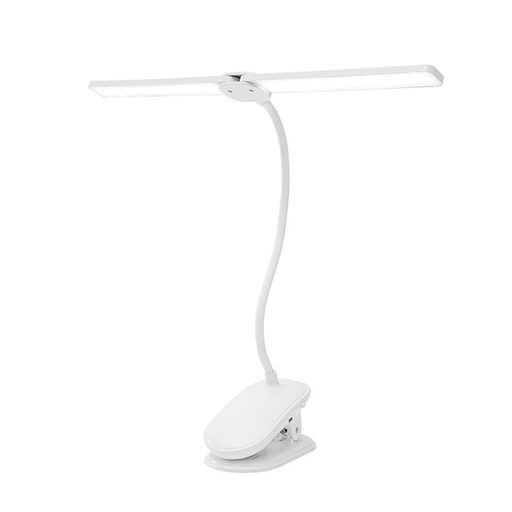
A clip-on light for extra illumination at a desk or bedside; check that the mount and light spread suit your drawing area.
Rechargeable; three light colour modes; 360° rotation; flexible gooseneck.
 No image available
A phone ring light for recording video on your phone; check in a test clip whether the light reaches the whole drawing area.
Three colour temperatures from 3000–7000 K; five brightness levels.
 No image available
An RGB light wand for extra video lighting; check in your own setup whether its position lights the paper sufficiently.
10 W; RGB.
 No image available
A portable mini fill light for extra illumination; check that its light spread suits the entire drawing area.
Magnetic LED light; 500 mAh battery; described in the product name as a waterproof camera light.
Position the camera, paper and light as you intend to use them, then film while drawing across the whole sheet. Pay particular attention to the corners, hand shadows and any reflections. A stated light output does not, by itself, tell you how the light will perform in your setup.
Start by recording a test clip with the workspace lights switched on. Sony Support explains that flickering light combined with camera settings can cause banding, and advises adjusting the shutter speed if your camera allows it. Check your camera’s manual.
For each version, check whether the mount, diffuser or softbox, power supply and any battery are included. The NEEWER version mentioned does not include NP-F batteries, the listed amaran P60x box contents do not include a stand, and SmallRig describes the softbox as optional.
According to ACM ConsuWijzer, online purchases generally come with a statutory cooling-off period of up to 14 days after delivery, subject to exceptions. Check the applicable terms and handle the light carefully while assessing it.