
Card maker filming from above
If you film paper, tools and moving hands, look for directional, softened light and consider how it’s positioned in relation to your hands. Canon UK describes diffused light as a way to soften the light.


Start with the size of your work area and where your hands will be. Choose lighting you can position and soften, then record a test using your own camera. A desk-mounted panel takes up little floor space, while a standalone LED panel can be positioned independently. A COB light gives you the option to fit a suitable light modifier, but needs more room to set up, and you’ll need to check the accessories, power supply and noise. For any specific purchase, also check the product requirements for that particular version.
If you film paper, tools and moving hands, look for directional, softened light and consider how it’s positioned in relation to your hands. Canon UK describes diffused light as a way to soften the light.
If you need paper, stamp ink and embellishments to show up clearly, match the lighting to your camera’s white balance. Canon UK notes that white balance settings matter in challenging lighting conditions.
If your camera, work area and light all need to fit on one desk, consider the mounting and power supply. Check that the clamp and light position leave enough room for your hands and camera.
Ideal for: a small card on a fixed table, when you don’t want to set up a floor stand.
Bear in mind: the clamp needs to fit, and the panel mustn’t get in the way of your camera or hands.
Ideal for: a larger work area, or when you want to position the light independently of the camera setup.
Bear in mind: allow room for the stand and check which parts are included with the version you choose.
Ideal for: a setup where you want to create a larger, diffused light source.
Bear in mind: the light, modifier and stand all need space. Also check the power supply, recording time and fan noise.
Ideal for: a small shadowed area or a setup you move around frequently.
Bear in mind: test whether the light reaches the whole work area before using it as your main light.
| What to consider | What to look for when buying | Who is this important for? |
|---|---|---|
| Shadows and glare | Check whether you can position the light and whether you can use a diffuser or suitable light modifier. | If your hands might obscure small details, you’ll want to see how the light falls on the card. Around 29% of consumers put controlling shadows and glare first. |
| Paper and ink colours | Check the colour temperature range for the exact version and record a test using your own paper and ink. | If you’re explaining the colours of paper, stamp ink and embellishments, you’ll want them to remain recognisable on camera. For around 23% of consumers, colour reproduction is their main concern when buying. |
| Flicker on camera | Test the light with your camera and planned settings; a CRI value is not a flicker test. | If you’re recording a tutorial under artificial light, you won’t want visible flicker or banding in the footage. Around 18% of consumers prioritise this. |
| Mounting and workspace | Measure the edge of your table and the space available; compare a desk clamp with a separate stand. | If your camera, light and hands all share the same table, you’ll want to position everything securely without losing your work area. For around 18% of consumers, mounting is their main concern. |
| Power supply and tutorial length | Check which adapter or battery you need and how long the light can run at your chosen settings. | If you want to record a tutorial without interruptions, you’ll want to know whether your chosen power supply will last for the planned recording time. Around 12% of consumers put power for the duration of a tutorial at the top of their list. |
Your camera’s white balance and the artificial light in the room also affect how white paper and ink are captured.
Compare the listed specifications for the exact version of the light, but judge the results using a test recording with your own paper and materials.
The usable position and brightness may depend on the mounting and available power supply. Check what’s in the box, measure your table and check the power requirements for the exact version.
You may need to buy a suitable stand, light modifier, battery or adapter separately. Check which parts your setup requires before choosing a version.
The Ulanzi VIJIM VL120 Bi-Color and the VL120 RGB are distinct versions with different stated colour ranges.
Compare the full model name and the specifications of the version you’re considering.
The LEDP260C is a bi-colour panel that can be positioned independently, making it a good option if you film a larger work area.
According to the manufacturer, the Key Light Air MK.2 combines a panel with an adjustable desk mount.
The RC 60B, model number 4376B, is a portable COB light for use with a suitable stand and light modifier.
Ulanzi describes the VIJIM VL120 Bi-Color as a small rechargeable panel for a limited work area or as fill light.
These compact camera and phone lights are suitable for portable lighting or filling in shadows. Check each model to make sure its mounting and light settings are suitable for filming from above.
 No image available
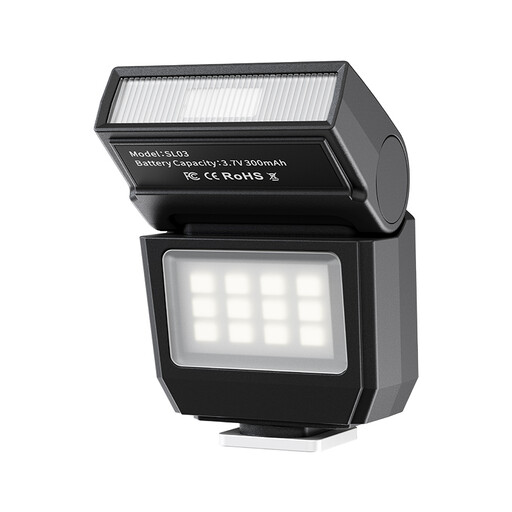
The title lists continuous video lighting as well as a flash function. Check whether the fixed colour temperature of 6500 K suits your other lighting.
The product title lists a single-contact hot shoe, a 90° adjustable flash head and four flash power levels from 1/8 to 1/1. Check that it’s compatible with your camera. Don’t point the flash at eyes from close range, and make sure it’s securely mounted.
 No image available
A compact light for adding illumination to a small or mobile setup. Record a test to check whether it lights the part of your work area you need.
The product description lists dimming, RGB and an adjustable colour temperature range of 2500–9500 K. The title mentions a magnet on the back.
 No image available
The product description presents this as a fill light for photos and video. It could be a good option if you want to brighten a specific shadowed area.
The title lists a 500 mAh battery. The product description mentions magnetic mounting and a 1/4-inch thread; check that these suit your setup.
 No image available
According to the product title, this is a ring light for a smartphone. It’s designed for a phone setup, not for general mounting on a camera.
The title lists three colour temperatures from 3000–7000 K and five brightness levels. Check that the mount fits the phone you use for filming.
Start by recording a test that shows the whole work area and both hands. Position and soften the light until shadows and glare are no longer distracting, and check that the stand and light stay outside the camera frame. A diffuser or softbox isn’t automatically included with every light.
No. A stated CRI alone doesn’t show how your camera will capture colours with the combination of light sources you use. Record a test with the actual paper and adjust your camera’s white balance to suit the lighting.
First, record a test using the lights and camera settings you plan to use for the tutorial. Nikon explains that a mismatch between shutter speed, frame rate and the frequency of certain light sources can cause flicker. If your camera has an anti-flicker setting, use it and check the footage again.
Before buying, check whether the version you’ve chosen includes any stand, light modifier, adapter or battery you need. For online purchases by consumers in the Netherlands, ACM ConsuWijzer states that the statutory cooling-off period is generally up to 14 days after delivery, subject to applicable exceptions. This is separate from your statutory rights if a product doesn’t meet the terms of the agreement; the Netherlands Authority for Consumers and Markets notes that the seller is responsible for the statutory guarantee.
Electrical and electronic products covered by the relevant EU product rules must meet CE marking requirements. RVO lists lighting as an example of a product group that may be subject to CE rules. The rules that apply to a particular light and power supply depend on the version; a stated CRI or power rating doesn’t prove compliance.